OC Security Audit · AI-Age Cybersecurity Readiness

Microsoft 365 Copilot Security Readiness Assessment

Protect your company data before AI makes existing security gaps easier to find. Microsoft 365 Copilot can help employees work faster across Outlook, Teams, SharePoint, OneDrive, Word, Excel, PowerPoint, and other Microsoft 365 services. It can summarize documents, answer questions, locate information, prepare reports, analyze conversations, and help users retrieve business knowledge more efficiently.

That productivity creates a new cybersecurity responsibility. Your company may already have sensitive documents, confidential emails, financial records, customer information, employee files, contracts, intellectual property, internal reports, healthcare information, or regulated data stored in Microsoft 365. If access permissions, sharing settings, identity controls, sensitivity labels, data-loss-prevention rules, or AI governance policies are incomplete, Copilot may make existing exposure easier to discover.

OC Security Audit helps businesses evaluate Microsoft 365 Copilot security readiness before broad deployment. We identify access-control gaps, overshared cloud data, weak Microsoft 365 configurations, sensitive-information risks, governance concerns, and remediation priorities so your organization can use AI more safely.

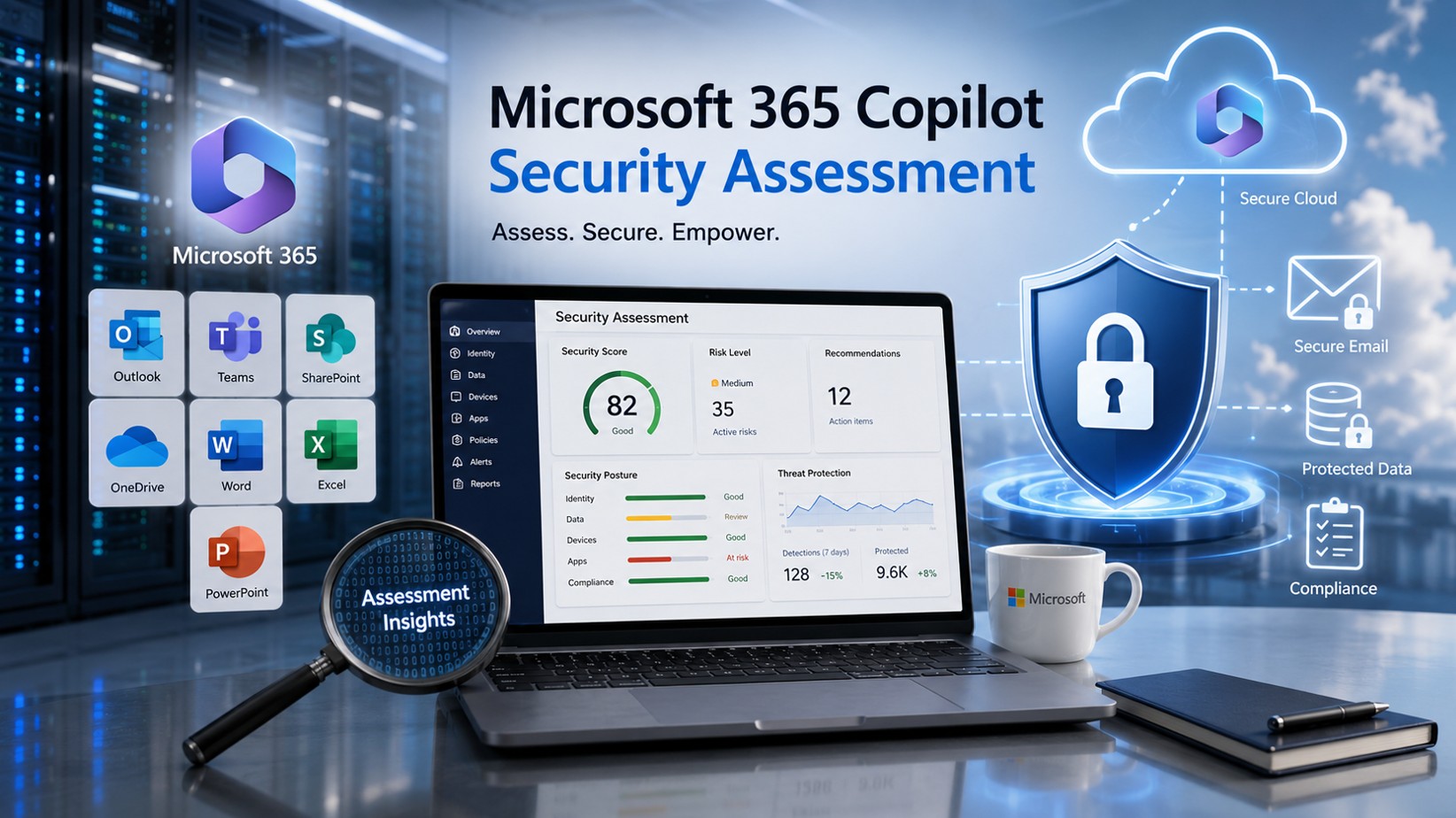
Microsoft 365 Copilot security assessment visual showing Microsoft 365 services, protected cloud data, email security, compliance, and security assessment insights
Cloud data still requires governance

Is Your Microsoft 365 Environment Truly Ready for Copilot?

Many companies assume that their data is secure because it is stored in the Microsoft cloud.

Cloud hosting provides important security capabilities, but cloud storage does not automatically mean that every file, folder, email, Teams channel, SharePoint site, OneDrive account, external-sharing link, administrator role, user account, device, or AI interaction is configured safely.

Microsoft provides the platform. Your organization remains responsible for configuring access, protecting sensitive information, reviewing permissions, managing users, applying governance rules, and monitoring activity.

A company can have strong Microsoft licensing and still have security gaps such as:

  • SharePoint sites shared too broadly
  • OneDrive folders exposed through old sharing links
  • Microsoft Teams channels with unnecessary guests
  • Former employees, contractors, or vendors with lingering access
  • Confidential documents without sensitivity labels
  • Weak or inconsistent data-loss-prevention policies
  • Overprivileged administrators
  • Missing multifactor authentication or Conditional Access policies
  • Inactive sites without accountable owners
  • Sensitive information stored in locations accessible to large groups
  • Employees pasting company data into AI tools without clear policies
  • Copilot agents or connectors accessing more information than intended
  • Incomplete logging, auditing, retention, and incident-response procedures
Copilot can amplify the business impact of these gaps by helping users retrieve information faster and in a more understandable format.
Permissions first

Microsoft 365 Copilot Does Not Replace Security Governance

Microsoft 365 Copilot is designed to respect the permissions already assigned to each user. That is an important protection.

However, existing permissions are not always correct.

Over time, companies accumulate Microsoft 365 access problems. Employees change positions. Departments create new Teams workspaces. SharePoint sites are copied. Files are shared with customers and vendors. Contractors receive temporary access that is never removed. Users create anonymous or company-wide links. Old accounts remain active. Sensitive files are moved into broadly accessible folders.

Before Copilot, these problems might remain unnoticed because employees did not know where to search or which documents existed.

After Copilot deployment, weak data governance can become a larger business risk.

The simple question

“Is Microsoft 365 Copilot secure?”

The more useful question

“Is our Microsoft 365 tenant configured securely enough for employees to use Copilot without unintentionally surfacing sensitive company data?”

Microsoft 365 Copilot does not replace security governance visual with data protection, identity and access management, information governance, oversight, and zero trust principles
Structured security review

What Is a Microsoft 365 Copilot Security Readiness Assessment?

A Microsoft 365 Copilot Security Readiness Assessment is a structured cybersecurity review of your Microsoft 365 environment before or during AI adoption.

OC Security Audit evaluates how Copilot may interact with your existing cloud data, identities, permissions, collaboration tools, security policies, and governance procedures.

The assessment is designed to help your organization:

  • Identify overshared or poorly governed information
  • Review user access and privileged roles
  • Reduce unnecessary exposure across SharePoint, OneDrive, Teams, and Exchange
  • Evaluate Microsoft Purview sensitivity labels and DLP policies
  • Review AI usage, logging, auditing, and retention requirements
  • Assess Copilot Chat, web-search, agent, and connector considerations
  • Establish safer rollout priorities
  • Document security gaps and recommended remediation actions
  • Prepare leadership and IT teams for responsible AI adoption

This is not a generic checklist review. The goal is to identify practical security concerns in your actual Microsoft 365 environment and provide a prioritized roadmap.

The hidden exposure problem

Copilot Can Make Existing Oversharing Easier to Discover

Consider a common example.

A company stores employee compensation spreadsheets, customer contracts, financial projections, or acquisition-planning documents in SharePoint. The files may have been placed in a folder that inherited permissions from a broader site. Hundreds of employees may technically have access, even though only a small leadership group should be able to open the files.

Before Copilot, most employees would never find those documents.

With Copilot, a user may ask:

  • Summarize our latest financial projections.
  • Which customers have contracts expiring this year?
  • Show me employee salary information.
  • What acquisition targets has management discussed?
  • List documents related to our legal disputes.
  • Summarize our largest customer complaints.
  • Find internal notes related to layoffs or restructuring.

If the employee already has permission to view the underlying content, Copilot may make the content easier to locate, summarize, and understand.

This is why Copilot readiness is not merely a licensing project. It is a cybersecurity, data-governance, identity, and business-risk project.

Microsoft 365 Copilot external access risk visual showing Outlook, SharePoint, Teams, OneDrive links, cloud hosting, and external user exposure
Ten risk domains

Microsoft 365 Copilot Security Risks Companies Should Review

The areas below should be evaluated before broad rollout and revisited as your environment changes.

01

SharePoint Oversharing

  • Sites shared with overly broad groups
  • “Everyone except external users” access where it is not appropriate
  • Anonymous sharing links
  • Old links that remain active
  • Guest users with unnecessary access
  • Broken or inconsistent permission inheritance
  • Sensitive folders stored inside general-purpose sites
  • Inactive sites without responsible owners
  • Confidential files without sensitivity labels
  • Copilot agents grounded in overly broad SharePoint locations
02

OneDrive Data Exposure

  • Employees sharing confidential files externally
  • Old vendor and customer links remaining active
  • Files inherited from departed employees
  • Sensitive files stored outside approved repositories
  • Broad sharing links
  • Personal storage used for business-critical information
  • Inconsistent labeling and retention rules
  • AI-generated files being stored without proper classification
03

Microsoft Teams and Collaboration Risk

  • External users remaining in Teams workspaces
  • Shared channels with unclear ownership
  • Confidential meeting summaries
  • Sensitive files stored in broadly accessible channels
  • Excessive membership in private or public teams
  • Weak meeting-recording governance
  • Transcripts, summaries, and AI-generated notes containing sensitive details
  • Incomplete retention policies
  • Apps, connectors, or agents accessing unnecessary data
04

Exchange Online and Outlook Risk

  • Sensitive information stored in mailboxes
  • Excessive mailbox delegation
  • Shared mailbox permissions
  • Inadequate retention rules
  • Weak phishing protection
  • Compromised accounts using Copilot to discover business information
  • Executive email exposure through misconfigured access
  • Missing auditing for sensitive activity
05

Identity and Access-Control Risk

  • Missing multifactor authentication
  • Weak Conditional Access rules
  • Legacy authentication
  • Excessive administrative privileges
  • Dormant users
  • Former employees with active accounts
  • Incomplete guest reviews
  • Shared accounts
  • Unmanaged devices
  • Missing privileged identity management
  • Inadequate access-review procedures
06

Microsoft Purview, Sensitivity Labels, and DLP Gaps

  • No sensitivity-label strategy
  • Labels that exist but are not used consistently
  • Missing auto-labeling procedures
  • Incomplete DLP policies
  • Policies that generate excessive false positives
  • Policies that do not cover important information types
  • No clear escalation process for alerts
  • Missing retention and deletion rules
  • Incomplete eDiscovery readiness
  • No procedure for monitoring risky AI usage
07

Copilot Chat and Web-Search Considerations

  • Which AI experiences employees are permitted to use
  • Whether web search is appropriate for each user group
  • Whether company data may be pasted into AI prompts
  • Whether file uploads are allowed
  • Whether browser-based access to pages and PDFs is acceptable
  • Whether generated web-search queries align with internal policies
  • Whether prompt and response auditing is configured appropriately
  • Whether users understand the difference between approved and unapproved AI tools
08

Copilot Agents, Connectors, and Extended Data Access

  • Which agents are deployed
  • Who created each agent
  • Which users can access each agent
  • Which SharePoint sites, files, services, or external data sources ground each agent
  • Whether agent permissions are broader than intended
  • Whether third-party connectors are approved
  • Whether connector data is classified correctly
  • Whether ownership and review dates are documented
  • Whether agents are disabled when no longer required
09

Endpoint and Device Security

  • Unmanaged personal devices
  • Missing endpoint detection and response
  • Weak mobile-device controls
  • Inadequate disk encryption
  • Missing patching procedures
  • Browser extensions with unnecessary permissions
  • Session theft
  • Credential compromise
  • Local downloads of sensitive AI-generated content
10

Governance, Compliance, and Employee Training

  • Which AI tools are approved
  • Which business use cases are permitted
  • Which data types must not be entered into prompts
  • How employees should handle confidential information
  • When human review is required
  • How AI-generated content should be validated
  • How incidents should be reported
  • Who owns AI governance
  • How often access and controls are reviewed
  • How Copilot usage aligns with contracts, privacy obligations, cyber-insurance requirements, and compliance-readiness goals
Microsoft 365 Copilot security risks visual showing sensitive data exposure, over-permissioned access, external sharing risks, AI prompt response leakage, and governance compliance gaps
Assessment scope

What OC Security Audit Reviews

The exact scope depends on your Microsoft 365 licensing, business size, data sensitivity, industry, regulatory concerns, and Copilot rollout plans.

A Microsoft 365 Copilot Security Readiness Assessment may include the following areas.

Microsoft 365 Tenant and Licensing Review

  • Current Microsoft 365 licensing
  • Copilot licensing and assigned users
  • Pilot groups and rollout plans
  • E3, E5, Business Premium, and add-on considerations
  • Security-feature availability
  • Purview capabilities
  • SharePoint Advanced Management considerations
  • Copilot Chat availability
  • Agent and connector usage
  • Office application usage patterns

Microsoft Entra ID Identity Security

  • User inventory
  • Administrator roles
  • Privileged accounts
  • Multifactor authentication
  • Conditional Access
  • Guest users
  • External collaboration
  • Dormant accounts
  • Former employees
  • Shared accounts
  • Service accounts
  • Access reviews
  • Privileged Identity Management where applicable
  • Risky sign-ins and identity alerts
  • Authentication-method security

SharePoint Online Security

  • Site inventory
  • Site ownership
  • Inactive sites
  • Ownerless sites
  • Public and private access
  • External-sharing configurations
  • Sharing-link review
  • Broad-access groups
  • Broken inheritance
  • Sensitive-site identification
  • Labeling strategy
  • Oversharing concerns
  • Agent grounding and data-source exposure
  • Remediation priorities

OneDrive for Business Security

  • External-sharing review
  • Anonymous links
  • Sensitive-file locations
  • Former-employee data
  • User offboarding practices
  • Folder-sharing procedures
  • Retention rules
  • Labeling practices
  • Personal storage versus approved repositories
  • Copilot Chat upload considerations

Microsoft Teams Security

  • Team inventory
  • Team owners
  • Guest access
  • Shared channels
  • Private channels
  • Meeting policies
  • Recording policies
  • Transcript handling
  • External collaboration
  • Application access
  • Connector and agent review
  • Retention considerations
  • Sensitive-data handling

Exchange Online and Outlook Security

  • Mailbox access
  • Shared mailboxes
  • Delegation
  • Executive mailbox exposure
  • Phishing and impersonation controls
  • Data retention
  • Auditing
  • External forwarding
  • Sensitive email handling
  • Copilot-related Outlook scenarios

Microsoft Purview Data Protection

  • Sensitivity labels
  • Label publishing
  • Auto-labeling considerations
  • Data Loss Prevention policies
  • Sensitive information types
  • Insider-risk considerations
  • Data Security Posture Management considerations
  • Activity Explorer review
  • Alerting procedures
  • Retention rules
  • Audit logging
  • eDiscovery readiness
  • AI-usage governance
  • Compliance Manager considerations

Web Search, Prompt Handling, and AI Usage Controls

  • Web-search policy configuration
  • User-group requirements
  • Approved and prohibited AI use cases
  • Prompt-handling rules
  • File-upload controls
  • Confidential-data procedures
  • Copilot Chat controls
  • Browser and Edge considerations
  • Logging and monitoring
  • Employee training
  • Incident-response procedures

Endpoint and Application Security

  • Managed-device requirements
  • Endpoint detection and response
  • Mobile-device management
  • Browser security
  • Patch management
  • Local downloads
  • Session protection
  • Application permissions
  • Data-transfer considerations

Compliance and Risk Readiness

  • HIPAA security-readiness considerations
  • SOC 2 readiness
  • NIST Cybersecurity Framework alignment
  • ISO/IEC 27001 readiness
  • CMMC readiness where applicable
  • PCI DSS considerations
  • Cyber-insurance questionnaires
  • Customer security reviews
  • Vendor requirements
  • Internal policy documentation

OC Security Audit provides readiness reviews, gap assessments, control observations, risk-prioritization support, documentation guidance, and remediation roadmaps. Formal certification, legal advice, regulatory determinations, and independent attestations must be completed by the appropriate qualified parties when required.

Business office visual showing data loss prevention alerts, sensitive information detection, file protection, secure cloud monitoring, and secure email controls
Review sensitive information, file protection, external sharing, DLP alerts, and cloud monitoring.
Microsoft 365 Copilot visual showing AI governance policies, policy compliance, data loss prevention, sensitive data protection, Outlook, Teams, SharePoint, and OneDrive
Build governance around Copilot, Microsoft 365 services, labels, policies, and data protection.
Practical preliminary checklist

Microsoft 365 Copilot Security Readiness Checklist

Use this preliminary checklist to evaluate whether your organization is ready to deploy or expand Microsoft 365 Copilot.

A. Business Scope and AI Governance12 checks
  • Have we documented why the company wants to use Microsoft 365 Copilot?
  • Have we identified which departments require Copilot access?
  • Are we starting with a limited pilot group before a broad rollout?
  • Have we documented approved AI use cases?
  • Have we documented prohibited AI use cases?
  • Do employees understand which company data must not be entered into prompts?
  • Have we identified regulated, confidential, or contractually restricted data?
  • Is there an assigned owner for AI governance?
  • Is there an AI acceptable-use policy?
  • Do employees receive AI security training?
  • Is human review required for important AI-generated outputs?
  • Is there a process for reporting unsafe AI usage or suspected exposure?
B. Identity and Access Security12 checks
  • Is multifactor authentication enabled for all applicable users?
  • Are Conditional Access policies configured and tested?
  • Are privileged administrator roles limited to the minimum necessary users?
  • Are emergency administrator accounts protected and documented?
  • Are former employees disabled promptly?
  • Are dormant accounts reviewed?
  • Are guest users reviewed regularly?
  • Are shared accounts eliminated or tightly controlled?
  • Are service accounts documented?
  • Are access reviews performed periodically?
  • Are risky sign-ins monitored?
  • Are unmanaged devices restricted where appropriate?
C. SharePoint Online Security15 checks
  • Do we have an inventory of SharePoint sites?
  • Does every active site have an accountable business owner?
  • Have inactive or ownerless sites been identified?
  • Are sites with sensitive data separated from general-purpose sites?
  • Have broad-access groups been reviewed?
  • Have “everyone” access patterns been evaluated?
  • Are anonymous sharing links disabled or restricted where appropriate?
  • Have old sharing links been reviewed and removed?
  • Is external sharing limited according to business need?
  • Have guest permissions been reviewed?
  • Have broken inheritance and unique folder permissions been evaluated?
  • Are sensitivity labels used for high-risk sites?
  • Have overshared files been identified?
  • Have sensitive files been moved to appropriate locations?
  • Are Copilot agents grounded only in approved SharePoint locations?
D. OneDrive for Business Security10 checks
  • Are external-sharing links reviewed regularly?
  • Are anonymous links restricted?
  • Are sensitive files stored in approved locations?
  • Is former-employee OneDrive content reviewed during offboarding?
  • Are users trained not to use OneDrive as an uncontrolled document repository?
  • Are retention requirements documented?
  • Are confidential files labeled?
  • Are AI-uploaded files and generated files handled appropriately?
  • Are local downloads governed?
  • Are personal and corporate files separated?
E. Microsoft Teams Security11 checks
  • Do all Teams workspaces have active owners?
  • Are guest memberships reviewed regularly?
  • Are shared channels reviewed?
  • Are private channels used appropriately?
  • Are external-collaboration settings aligned with policy?
  • Are meeting transcripts and recordings governed?
  • Are retention policies configured?
  • Are sensitive files stored only in appropriate channels?
  • Are applications, bots, connectors, and agents reviewed?
  • Are old Teams workspaces archived or removed?
  • Are Copilot meeting summaries handled according to data sensitivity?
F. Exchange Online and Outlook9 checks
  • Are mailbox delegation permissions reviewed?
  • Are shared mailboxes documented?
  • Are executive mailbox permissions restricted?
  • Is external forwarding controlled?
  • Are phishing and impersonation protections configured?
  • Are retention policies documented?
  • Is sensitive email handling covered by policy?
  • Are Outlook Copilot scenarios reviewed?
  • Are audit procedures in place for sensitive activity?
G. Microsoft Purview and Data Protection14 checks
  • Is there a sensitivity-label strategy?
  • Are labels published to the correct users?
  • Are employees trained to apply labels correctly?
  • Have auto-labeling options been evaluated?
  • Are DLP policies configured for sensitive information?
  • Are DLP policies tested before enforcement?
  • Are DLP alerts reviewed and assigned?
  • Are high-risk data types documented?
  • Are retention and deletion rules defined?
  • Is audit logging enabled and reviewed?
  • Can the organization investigate Copilot activity when necessary?
  • Are eDiscovery procedures documented?
  • Have insider-risk scenarios been evaluated?
  • Are AI-related compliance gaps tracked for remediation?
H. Copilot Chat, Web Search, and Prompt Security10 checks
  • Do users understand the difference between Microsoft 365 Copilot and Copilot Chat?
  • Have web-search requirements been reviewed?
  • Has the Copilot web-search policy been configured according to business needs?
  • Are employees trained not to paste restricted information into prompts?
  • Are file-upload scenarios governed?
  • Are browser-based AI scenarios reviewed?
  • Are prompts, responses, and relevant activity logged as required?
  • Are retention requirements for AI interactions documented?
  • Are incident-response procedures updated for AI-related concerns?
  • Are employees prohibited from using unapproved consumer AI systems for company data?
I. Agents, Connectors, and Third-Party Integrations9 checks
  • Do we maintain an inventory of Copilot agents?
  • Does every agent have a documented owner?
  • Are agent permissions reviewed?
  • Are agent data sources approved?
  • Are third-party connectors reviewed?
  • Are agents disabled when no longer required?
  • Are sensitive data sources excluded where necessary?
  • Are agents reviewed after organizational or permission changes?
  • Are connector security risks included in vendor reviews?
J. Devices, Monitoring, and Incident Response10 checks
  • Are devices managed appropriately?
  • Is endpoint detection and response deployed?
  • Are devices patched consistently?
  • Is disk encryption enabled?
  • Are browser extensions controlled?
  • Are suspicious sign-ins investigated?
  • Are AI-related security alerts monitored?
  • Are local downloads of sensitive data governed?
  • Is the incident-response plan updated for AI-related data exposure?
  • Are security reviews repeated after major Microsoft 365 or Copilot changes?

If your organization cannot confidently answer these questions, a Microsoft 365 Copilot Security Readiness Assessment can help identify the highest-priority gaps.

Leadership visibility

Questions Every CEO, CISO, IT Manager, and Business Owner Should Ask

Before expanding Copilot access, leadership should ask:

  1. What company data can each employee currently access?
  2. Do employees have access to information they no longer need?
  3. Which SharePoint sites contain confidential information?
  4. Which OneDrive folders have old or unnecessary sharing links?
  5. Which Teams workspaces include guests, vendors, or former employees?
  6. Are sensitive files labeled and protected consistently?
  7. Are DLP policies configured and tested?
  8. Can we audit Copilot prompts, responses, and relevant activity when needed?
  9. Have we reviewed web-search configuration and prompt-handling procedures?
  10. Do we know which Copilot agents and connectors are active?
  11. Have we restricted access from unmanaged or risky devices?
  12. Does our AI acceptable-use policy explain what employees must not enter into prompts?
  13. Can we respond quickly if confidential data is surfaced unexpectedly?
  14. Are our current controls adequate for our compliance-readiness and customer requirements?
  15. Do we have a remediation roadmap before assigning Copilot licenses broadly?
A clear path forward

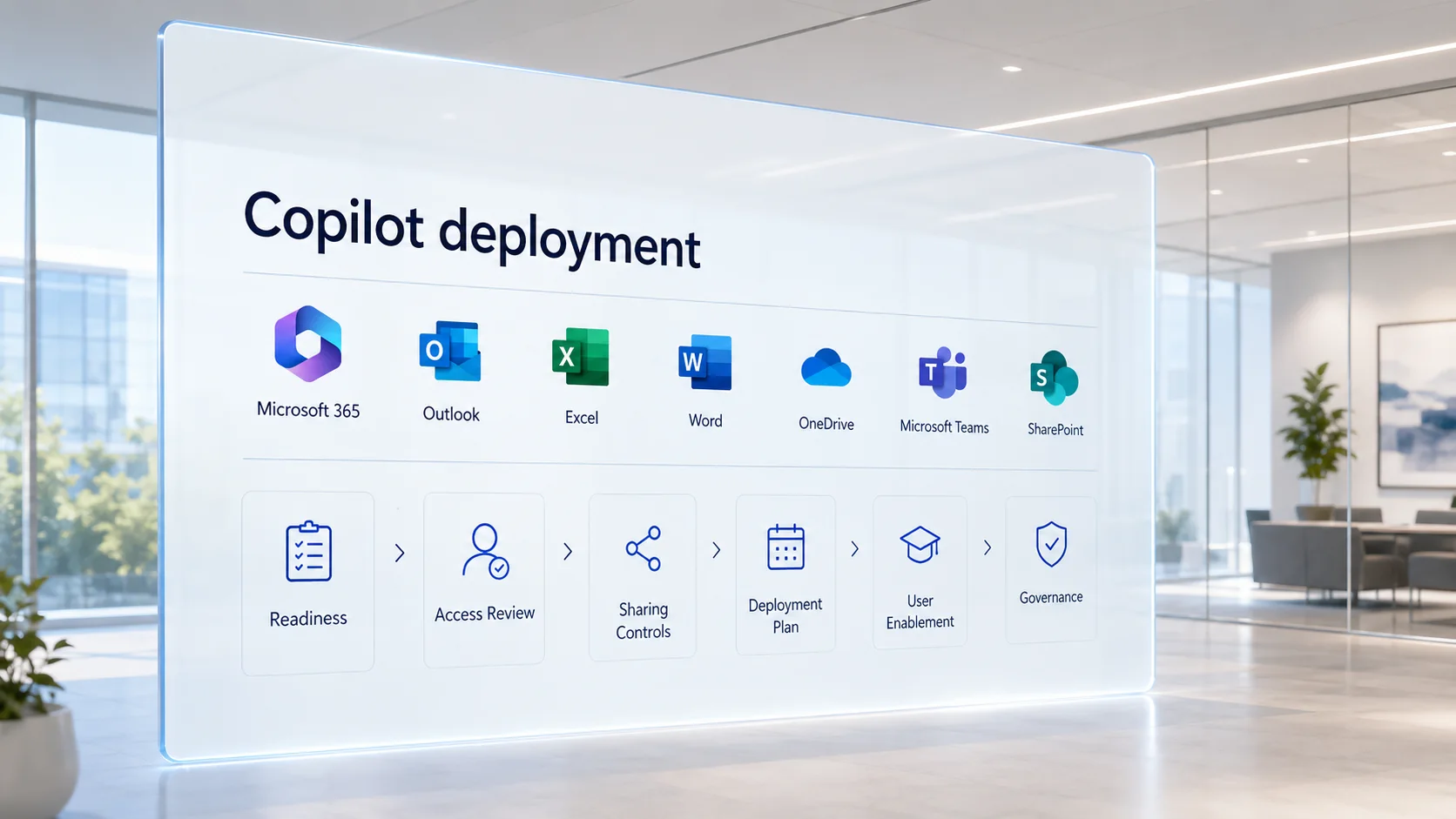
Our Microsoft 365 Copilot Security Readiness Process

1

Discovery and Scoping

We meet with leadership and IT stakeholders to understand your Microsoft 365 environment, data types, business objectives, Copilot plans, licensing, regulated information, customer requirements, and major concerns.

2

Microsoft 365 Security Review

We evaluate relevant identity, access, Microsoft 365, cloud-collaboration, data-protection, logging, and governance controls.

3

Copilot Risk Analysis

We identify conditions that may create unnecessary exposure when employees use Copilot, Copilot Chat, AI agents, or related Microsoft 365 capabilities.

4

Risk Prioritization

Not every issue has the same business impact. We identify urgent findings, high-risk data locations, excessive permissions, weak identity controls, governance gaps, and longer-term improvements.

5

Executive and Technical Reporting

Your organization receives clear findings that can support leadership decisions and technical remediation.

6

Remediation Roadmap

We provide practical next steps so your team understands what should be corrected before broad rollout, what can be addressed during the pilot phase, and what should be reviewed continuously.

7

Ongoing Security Readiness

AI governance is not a one-time configuration project. Permissions, users, sites, agents, applications, and business needs continue to change. Periodic reviews help your company maintain a safer Microsoft 365 environment.

Actionable deliverables

What You Receive

Depending on the agreed scope, your organization may receive:

Executive Summary

A plain-English overview of the most important Copilot-related cybersecurity risks, business impact, and remediation priorities.

Technical Findings

Detailed observations for your IT team, including affected Microsoft 365 services, risk levels, evidence, and recommended corrective actions.

Copilot Readiness Checklist

A structured review of identity, permissions, SharePoint, OneDrive, Teams, Exchange, Purview, Copilot Chat, agents, devices, governance, and monitoring.

Risk-Prioritized Remediation Roadmap

A practical plan that separates urgent corrective actions from medium-term improvements and ongoing governance recommendations.

Leadership Guidance

Clear next steps for safer Copilot adoption, pilot planning, employee education, AI policy development, and periodic reassessment.

Experienced cybersecurity guidance

Why Choose OC Security Audit?

25+Years of cybersecurity and IT experience
Dozensof business networks supported
SoCalIrvine, Orange County, and Los Angeles experience
CISOPractical security leadership

OC Security Audit helps organizations evaluate cybersecurity risk from both a technical and business perspective.

Our work focuses on identifying real security gaps, explaining why they matter, and providing a remediation roadmap that leadership and IT teams can use.

Experienced Cybersecurity Leadership

OC Security Audit, with more than 25 years of experience under the management of Ali Hassani, CISO, has worked on dozens of business networks across Southern California, including Irvine, Orange County, and Los Angeles.

With certifications including CISSP, CCISO, MCSE, MCSA Security, MCITP, CCNA, CCNP, and others, we provide professional guidance designed to make your network and data more secure and support your business’s compliance readiness in the AI age.

Practical Security Review

We evaluate how Microsoft 365 settings work together in the real world:

  • Users
  • Administrators
  • Devices
  • Cloud data
  • Email
  • SharePoint
  • OneDrive
  • Teams
  • Purview
  • External collaboration
  • AI tools
  • Logging
  • Monitoring
  • Policies
  • Business processes

Clear Reporting

A useful security assessment should not leave your company with a confusing technical report. We explain:

  • What we found
  • Why it matters
  • What could happen
  • What should be fixed first
  • Which improvements support safer AI adoption
  • How to strengthen ongoing governance

Local and Remote Support

OC Security Audit supports businesses in Irvine, Orange County, Los Angeles, Southern California, and organizations requiring remote cybersecurity advisory and assessment services.

Frequently asked questions

Frequently Asked Questions About Microsoft 365 Copilot Security Readiness

Is Microsoft 365 Copilot secure?

Microsoft 365 Copilot includes enterprise security and privacy protections and is designed to respect existing Microsoft 365 user permissions. However, your organization still needs to review its Microsoft 365 tenant, access controls, data-sharing practices, identity security, labels, DLP policies, logging, and AI governance procedures. The biggest concern is often not a failure of the Copilot platform. It is an existing permission or data-governance gap that becomes easier to discover through AI-assisted search and summarization.

Can Copilot access all company data?

Copilot should only surface organizational content that the individual user already has permission to access. The problem is that many organizations have users, groups, guests, or sharing links with excessive access. A readiness assessment helps identify those risks.

Can Copilot reveal confidential files stored in SharePoint?

If a user already has permission to open a SharePoint file, Copilot may help that user find or summarize the information more efficiently. This is why SharePoint site permissions, sharing links, guest access, labels, ownership, and oversharing risks should be reviewed before deployment.

Is our company safe because our data is stored in Microsoft 365?

Microsoft 365 provides important security capabilities, but security depends on how your tenant is configured and managed. Cloud data can still be exposed through weak permissions, compromised accounts, excessive sharing, missing labels, poor governance, unmanaged devices, or incomplete monitoring.

Should we review OneDrive before deploying Copilot?

Yes. OneDrive can contain sensitive documents, shared folders, external links, former-employee data, and files stored outside approved business repositories. OneDrive security should be part of a Copilot readiness assessment.

Should we review Teams before deploying Copilot?

Yes. Teams may contain files, chats, transcripts, recordings, meeting information, external guests, shared channels, applications, connectors, and agents. These collaboration risks should be reviewed before broad AI adoption.

What is the difference between Microsoft 365 Copilot and Microsoft 365 Copilot Chat?

Microsoft 365 Copilot can use organizational data through Microsoft 365 services and Microsoft Graph according to user permissions. Copilot Chat has different grounding behavior and usage scenarios. Companies should understand which experience employees are using and apply the appropriate policies, training, auditing, and data-handling procedures.

Can employees paste confidential data into AI prompts?

Employees should follow a written AI acceptable-use policy. Your organization should identify restricted information, define prohibited prompt content, train employees, and configure available controls according to business, contractual, privacy, and compliance-readiness requirements.

Does our company need Microsoft Purview for Copilot?

Microsoft Purview can play an important role in classification, sensitivity labels, DLP, auditing, retention, eDiscovery, insider-risk monitoring, and AI-related governance. The appropriate capabilities depend on your licensing, data sensitivity, regulatory needs, and rollout scope.

Do we need to review Copilot agents and connectors?

Yes. Agents and connectors can increase the amount of data available through AI workflows. Your company should document each agent, data source, owner, permission scope, intended use, review date, and decommissioning procedure.

Should we deploy Copilot to every employee immediately?

A phased rollout is usually a safer approach. Start with a defined pilot group, review permissions, document approved use cases, train users, monitor activity, correct high-risk findings, and expand gradually based on business need.

Is a Copilot readiness assessment only for large companies?

No. Small and mid-sized businesses may have fewer internal security resources and may accumulate Microsoft 365 permissions, external-sharing links, guest accounts, and data-governance gaps over time. A focused assessment can help prioritize practical improvements.

Can a Copilot security readiness assessment help with compliance?

A readiness assessment can help identify security-control gaps, data-protection weaknesses, documentation needs, and remediation priorities relevant to frameworks and requirements such as HIPAA, SOC 2, NIST, ISO/IEC 27001, CMMC, PCI DSS, cyber-insurance questionnaires, and customer security reviews. OC Security Audit provides readiness assessment, gap analysis, advisory, documentation support, control review, and preparation services. We do not replace official auditors, legal counsel, regulators, or certification authorities.

What happens after the assessment?

Your organization receives prioritized findings and a practical remediation roadmap. Your internal IT team, MSP, Microsoft 365 administrator, or qualified implementation provider can use the roadmap to correct issues. OC Security Audit can also support follow-up reviews and remediation validation.

Prepare before expanding AI access

Prepare for the AI Era Without Exposing Your Business

Microsoft 365 Copilot can create meaningful productivity benefits, but organizations should not deploy AI tools without understanding how existing cloud permissions, sensitive data, users, guests, sharing links, devices, labels, and governance policies affect cybersecurity risk.

Do not wait until an employee, contractor, compromised account, or attacker discovers information that should never have been broadly accessible.

Start with a Microsoft 365 Copilot Security Readiness Assessment.

Related OC Security Audit Services