
MFA and sign-in strength
Review MFA coverage, authentication methods, registration status, password protection, self-service password reset, Temporary Access Pass use, and phishing-resistant controls.
Find exposure, strengthen essential controls, and build practical resilience around the systems your organization depends on.
Explore cybersecurity services →Evaluate controls independently, document defensible findings, and focus remediation on the risks with the greatest operational impact.
Explore security audits →Translate security obligations into clear evidence, accountable remediation, and a practical path toward audit or customer readiness.
Explore compliance services →Bring security governance, risk decisions, leadership communication, and improvement planning into one accountable executive program.
Explore vCISO services →Microsoft 365 Security
Plan Microsoft Entra ID security audit for Microsoft 365 with authorized scope, clear criteria, reliable evidence, reproducible testing, and findings that leadership and technical teams can act on.
CISO-led guidance from Ali Hassani, backed by 25+ years of IT, cybersecurity, compliance, and infrastructure experience.
Microsoft Entra ID controls how users, administrators, devices, guests, applications, and cloud services access Microsoft 365 and Azure resources. A security audit reviews whether identity controls are configured to reduce account compromise, data exposure, privilege abuse, and business disruption.
OC Security Audit evaluates your tenant through a practical business lens: what protects sign-ins, what limits privileged access, what detects suspicious activity, and what evidence can be shown to leadership, cyber insurance reviewers, auditors, and compliance stakeholders.
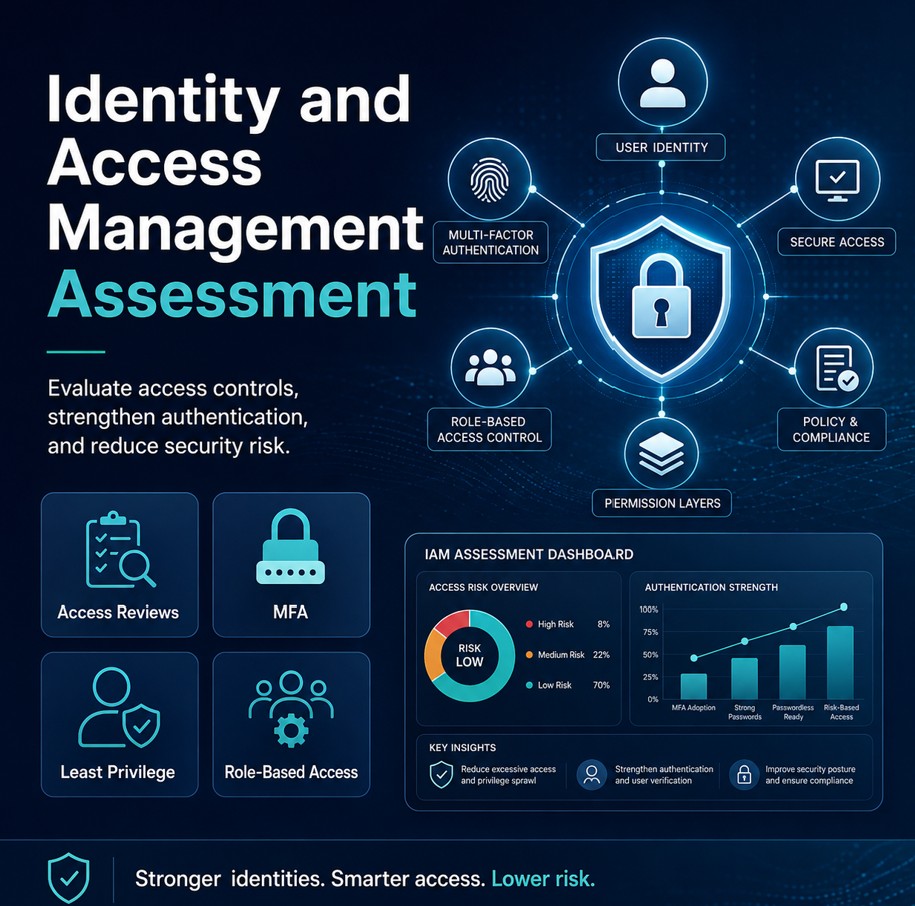
The audit focuses on the controls that most directly affect account compromise, unauthorized cloud access, admin takeover, and Microsoft 365 data exposure.
Review MFA coverage, authentication methods, registration status, password protection, self-service password reset, Temporary Access Pass use, and phishing-resistant controls.
Evaluate policies for administrators, risky sign-ins, outside-network access, unmanaged devices, guest users, sensitive apps, legacy protocol blocking, and sessions.
Identify standing administrator access, excessive Global Administrators, missing PIM controls, weak role activation requirements, and incomplete privileged access reviews.
Review risky users, risky sign-ins, alert handling, automated remediation, sign-in risk policy, user risk policy, and account compromise response steps.
Review enterprise applications, OAuth grants, app consent policy, high-permission service principals, owners, secrets, certificates, and third-party integrations.
Validate guest invitations, B2B collaboration settings, guest MFA, stale external accounts, cross-tenant access, expiration, and recurring external user reviews.
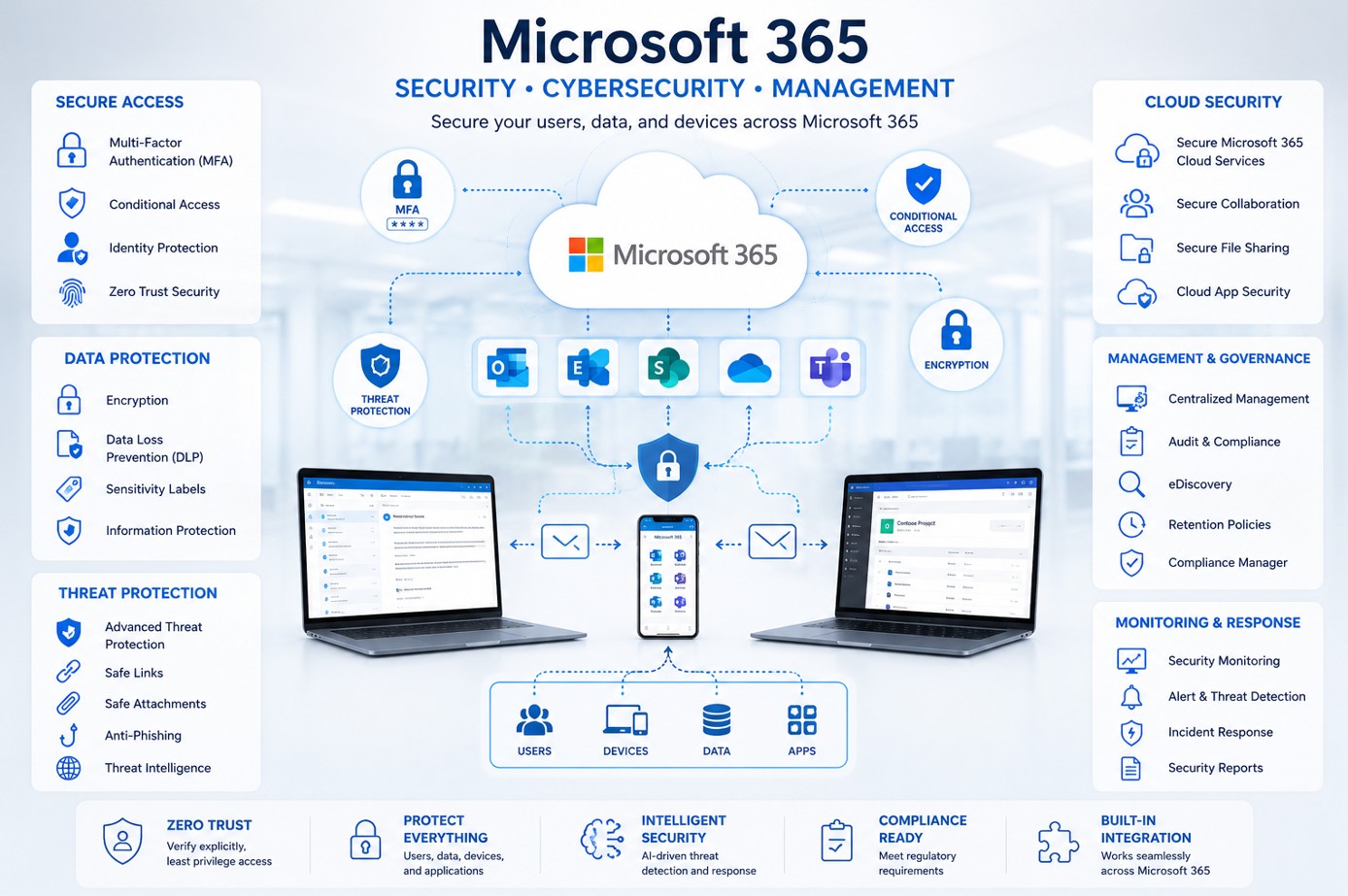
Identity-based attacks are often the fastest path to email compromise, cloud data exposure, unauthorized file access, fraudulent transactions, administrator takeover, and ransomware preparation. Strong Entra ID controls reduce the probability and impact of these events.
We keep the work practical: scope the tenant, review evidence safely, prioritize findings, and create a remediation plan that your business can use.
Define tenant scope, Microsoft 365 services, administrator roles, business applications, compliance drivers, user groups, guest access, and constraints.
Review identity configuration, logs, policies, role assignments, app permissions, authentication methods, Conditional Access, and privileged settings.
Score findings by business impact, likelihood, exploitation path, and remediation priority so leadership and IT align on what matters first.
Create quick wins, high-priority fixes, governance improvements, and longer-term Zero Trust maturity recommendations.
A concise business-focused summary for owners, executives, boards, and managers showing identity risk, exposure areas, and recommended next steps.
Detailed findings covering MFA, Conditional Access, PIM, guest access, identity risk, application consent, logs, and administrative controls.
A prioritized plan identifying quick wins, high-impact fixes, policy changes, monitoring improvements, governance actions, and validation steps.
An organized list of Microsoft Entra ID checks with risk score, category, likelihood, and business description.
Evidence-oriented guidance for common security and compliance programs without overstating certification or legal outcomes.
Safe deployment sequencing, testing, rollback planning, exception handling, and stakeholder communication recommendations.
This preserved worksheet keeps the original page's Microsoft Entra ID controls, risks, likelihood notes, and risk scores. Use the search and category filter to scan the checklist while keeping the full table available inside the scroll frame.
| # | Category | Audit Item / Description | Risk | Likelihood | Risk Score |
|---|---|---|---|---|---|
| 1 | Identity Foundation | Confirm tenant security baseline, emergency access accounts, role ownership, and audit scope are documented. | High | Likely | 85 |
| 2 | Identity Foundation | Verify security defaults or Conditional Access baseline coverage is intentionally selected and not conflicting. | High | Possible | 82 |
| 3 | Multi-Factor Authentication | Enforce MFA for all users, with stronger requirements for administrators and high-risk access. | Critical | Likely | 96 |
| 4 | Multi-Factor Authentication | Require phishing-resistant methods where appropriate for executives, finance, IT, and privileged roles. | Critical | Possible | 94 |
| 5 | Multi-Factor Authentication | Remove weak or unapproved authentication methods and review registration campaigns. | High | Likely | 84 |
| 6 | Conditional Access | Require MFA for administrators, outside-network access, risky sign-ins, and sensitive applications. | Critical | Likely | 97 |
| 7 | Conditional Access | Block legacy authentication protocols that bypass modern identity controls. | Critical | Likely | 98 |
| 8 | Conditional Access | Require compliant or hybrid-joined devices for high-value apps where business operations allow. | High | Possible | 80 |
| 9 | Conditional Access | Use named locations and country/region controls to reduce suspicious access exposure. | High | Possible | 78 |
| 10 | Conditional Access | Create break-glass account exclusions carefully and monitor them with dedicated alerts. | Critical | Possible | 92 |
| 11 | Privileged Access | Minimize Global Administrators and assign least-privilege roles by job function. | Critical | Likely | 95 |
| 12 | Privileged Access | Enable PIM for privileged Microsoft Entra roles, Azure roles, and eligible role assignments. | Critical | Possible | 93 |
| 13 | Privileged Access | Require MFA, justification, approval, ticket information, and time-bound activation for PIM. | High | Likely | 88 |
| 14 | Privileged Access | Review permanent assignments, dormant admin accounts, and privilege escalation paths. | Critical | Possible | 90 |
| 15 | Identity Protection | Enable user-risk and sign-in-risk policies aligned to business tolerance. | High | Possible | 86 |
| 16 | Identity Protection | Investigate risky users, leaked credentials, impossible travel, and unfamiliar sign-in properties. | High | Likely | 84 |
| 17 | Password & Authentication | Enable banned passwords, smart lockout, and self-service password reset controls. | High | Likely | 78 |
| 18 | Password & Authentication | Review Temporary Access Pass settings and administrative recovery procedures. | Medium | Possible | 66 |
| 19 | Guest & External Access | Restrict external collaboration, guest invitations, and cross-tenant access settings. | High | Possible | 83 |
| 20 | Guest & External Access | Require MFA for guest access and review stale external users on a recurring basis. | High | Likely | 81 |
| 21 | Application Access | Restrict user consent to applications and require admin approval for high-risk permissions. | Critical | Likely | 91 |
| 22 | Application Access | Review enterprise applications, service principals, OAuth grants, certificates, and secrets. | High | Likely | 89 |
| 23 | Application Access | Remove stale applications and validate owner accountability for active apps. | Medium | Likely | 68 |
| 24 | Device & Endpoint Alignment | Validate device compliance requirements for Microsoft 365 and sensitive cloud applications. | High | Possible | 77 |
| 25 | Device & Endpoint Alignment | Review unmanaged device access and browser/session controls for data protection. | High | Possible | 79 |
| 26 | Logging & Monitoring | Verify sign-in logs, audit logs, alerting, and retention support investigation needs. | High | Likely | 87 |
| 27 | Logging & Monitoring | Monitor emergency access use, admin changes, Conditional Access changes, and app consent events. | Critical | Possible | 92 |
| 28 | Governance | Implement access reviews for privileged roles, groups, applications, and guest users. | High | Likely | 85 |
| 29 | Governance | Review group-based licensing, dynamic groups, administrative units, and owner hygiene. | Medium | Possible | 65 |
| 30 | Compliance Readiness | Map evidence to NIST, SOC 2, HIPAA, PCI-DSS, and internal control expectations where applicable. | High | Possible | 76 |
| 31 | Business Continuity | Validate identity recovery procedures, backup administrators, and incident escalation contacts. | High | Possible | 82 |
| 32 | Incident Response | Prepare account compromise playbooks for token revocation, password reset, session termination, and evidence capture. | Critical | Likely | 93 |
OC Security Audit can identify and prioritize Microsoft Entra ID risk. When the next step requires configuration changes, Microsoft 365 administration, endpoint alignment, Azure support, monitoring, backup, or ongoing IT operations, Ali's IT Perfection team can help with practical implementation support.


Ali Hassani helps organizations connect Microsoft 365 identity controls with real business risk: administrator takeover, email compromise, cloud data exposure, regulatory evidence, and operational disruption. His background across Microsoft infrastructure, network security, cloud security, compliance readiness, and executive communication helps convert Entra ID findings into practical action.
It is a major part of Microsoft 365 security, but not the entire picture. Entra ID controls authentication, identity, roles, applications, and access. Microsoft 365 security also includes email, endpoint, data, collaboration, compliance, and monitoring controls.
Access depends on scope. The safest approach is to use least-privilege read-only roles where possible, collect evidence carefully, and avoid unnecessary changes during assessment unless remediation is explicitly approved.
Yes. Strong identity controls and documented findings can support cyber insurance discussions, customer security questionnaires, and readiness work for frameworks such as NIST CSF, SOC 2, HIPAA, PCI DSS, ISO 27001, and internal security policies.
No. This page focuses on Microsoft Entra ID identity controls. It can be performed alone or as part of a broader Microsoft 365 security audit covering Exchange Online, Defender, SharePoint, OneDrive, Teams, endpoints, data protection, and compliance.
OC Security Audit helps organizations in Irvine, Orange County, Los Angeles County, and Southern California improve Microsoft 365 identity security, audit readiness, and executive visibility.
This website uses essential cookies for security and operation. Optional analytics and advertising cookies help measure site use and outreach. Choose Allow or Deny. You can change your choice at any time.