
Orange County Network Security
How to Check Firewall Security Firewall Security Checklist
Organize firewall security checks so control statements, operating practice, ownership, and current evidence can be reviewed together without losing context.
CISO-led guidance from Ali Hassani, backed by 25+ years of IT, cybersecurity, compliance, and infrastructure experience.
What Is a Firewall Security Check?
A firewall security check is a structured review of firewall rules, open ports, NAT policies, VPN access, administrator access, firmware, logging, monitoring, segmentation, and related network security controls.
The goal is to confirm that the firewall allows only approved business traffic, blocks unnecessary access, protects remote users, reduces public exposure, logs important events, separates sensitive systems, and supports security and compliance readiness.
- Confirm only approved business traffic is allowed.
- Verify risky public exposure is removed or restricted.
- Review VPN, remote access, and administrative access security.
- Document findings and create a prioritized remediation plan.
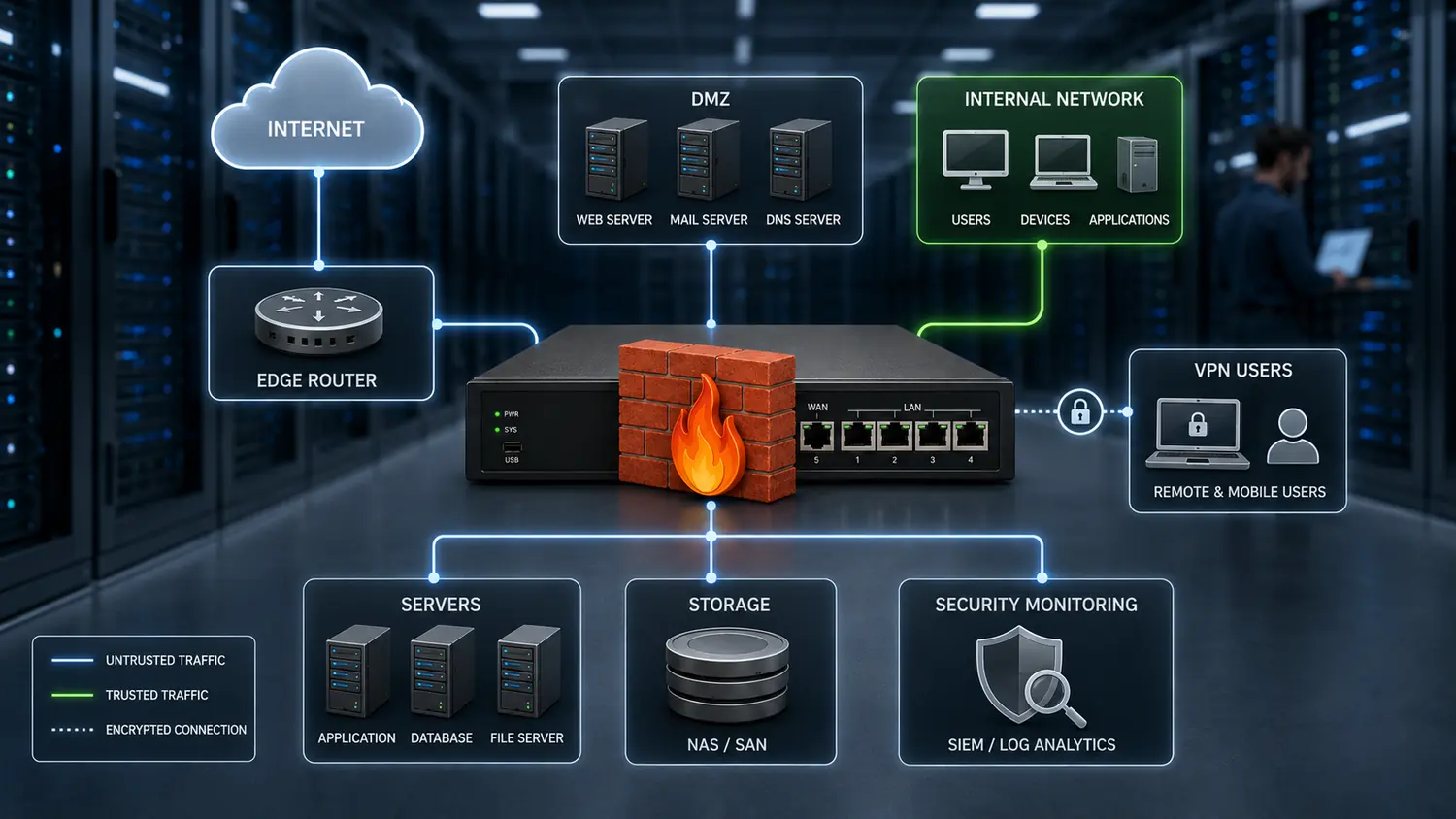
Firewall Risk Builds Up Over Time
Firewalls are often installed correctly at first, but business changes can weaken them over time. New servers are added, cloud services are connected, remote users are enabled, vendors request temporary access, and applications require open ports.
Configuration Drift
Temporary rules, old objects, retired systems, and emergency changes can stay active long after they are needed.
Public Exposure
Open ports, exposed management tools, weak VPN portals, and risky NAT rules can increase attack surface.
Limited Visibility
If logs are disabled, incomplete, or not monitored, suspicious activity may go unnoticed.

Misconfigurations Can Create Business Risk
Many firewall issues are not caused by one major mistake. They are usually the result of many small changes that were never reviewed, documented, or removed.
Overly Broad Rules
Any-to-any policies, broad source ranges, broad destination ranges, and “any service” rules allow more access than the business needs.
Old or Unused Rules
Rules created for projects, vendors, migrations, or temporary support may remain active after the original need is gone.
Risky Port Forwarding
Remote Desktop, SSH, FTP, SMB, database ports, legacy apps, camera systems, and management portals should not be exposed without strict controls.
Weak VPN Security
VPN access without strong authentication, MFA, monitoring, user restrictions, and periodic review can become a major security risk.
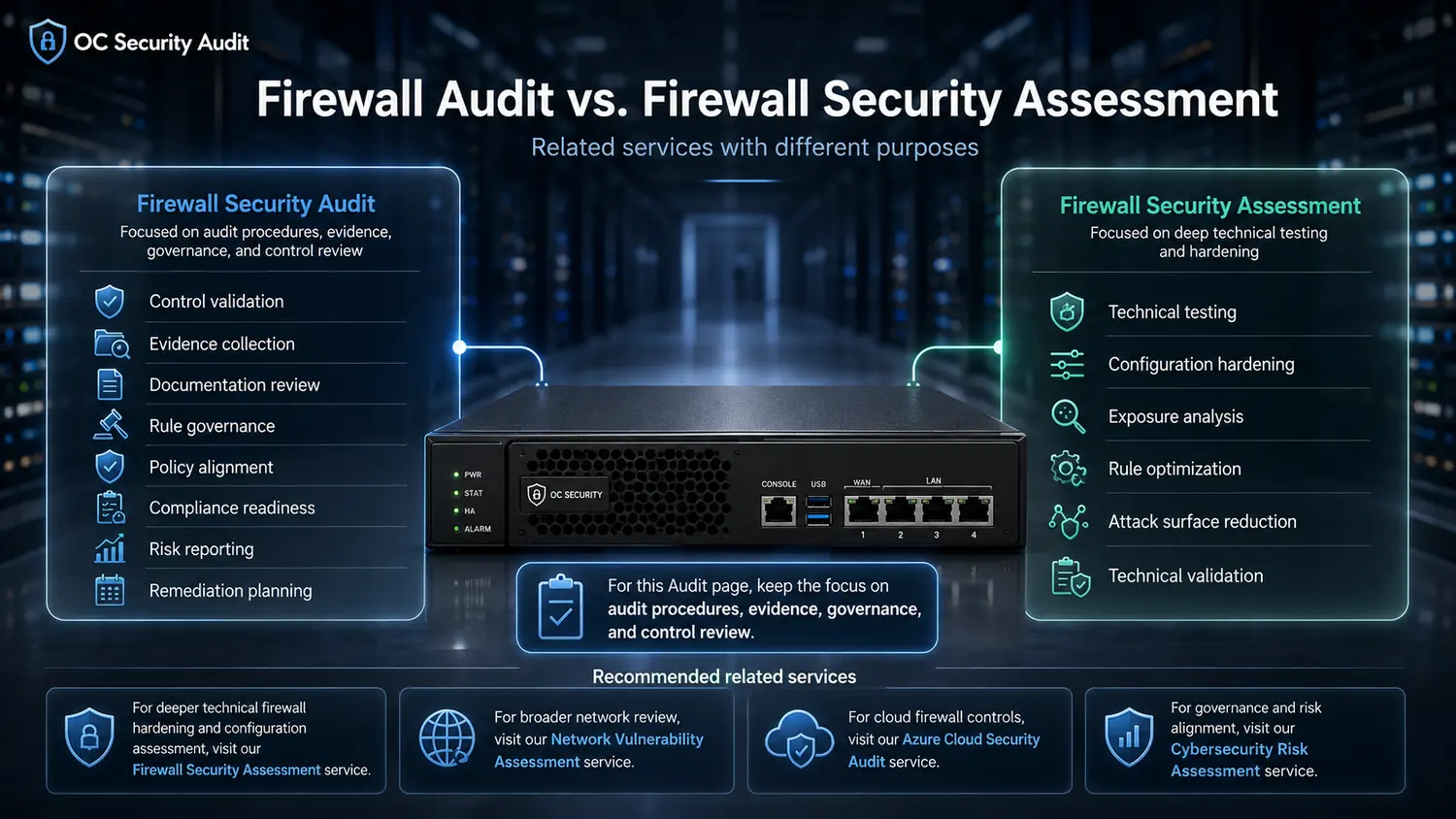
Firewall Audit vs. Firewall Security Assessment
A firewall audit and a firewall security assessment are related, but they do not have the same purpose. An audit often emphasizes evidence, control validation, governance, and policy alignment. A security assessment often emphasizes technical testing, exposure analysis, hardening, and attack surface reduction.
Use this checklist as a practical starting point. For deeper technical validation, visit the Network Firewall Security Assessment service. For governance and evidence review, visit the Firewall Security Audit service.
Firewall Security Checklist for Business Networks
Use these categories to review firewall security across scope, rules, public exposure, NAT, VPN, administration, logging, firmware, segmentation, threat controls, backups, and change management.
Firewall Inventory Checklist
Start by understanding what firewalls and related controls are in scope.
Firewall Rule Review Checklist
Firewall rules determine what traffic is allowed or denied.
Public Exposure Checklist
Public exposure means systems or services that can be reached from the internet.
NAT and Port Forwarding Checklist
NAT and port forwarding rules can create hidden risk if they are not reviewed.
VPN Security Checklist
VPN access should be reviewed carefully because it often provides direct access into the network.
Firewall Administrator Access Checklist
Firewall administrator access should be tightly controlled.
Logging and Monitoring Checklist
Firewall logging helps detect suspicious activity and support investigation.
Firmware and Patch Checklist
Firewalls require updates, signature maintenance, and vendor support review.
Network Segmentation Checklist
Segmentation helps limit movement between users, servers, cloud systems, and sensitive environments.
Threat Prevention Checklist
Modern firewalls often include security features beyond basic allow and deny rules.
Backup and Recovery Checklist
Firewall configuration backups help reduce downtime and support rollback.
Change Control Checklist
Firewall changes should be approved, documented, tested, and periodically reviewed.
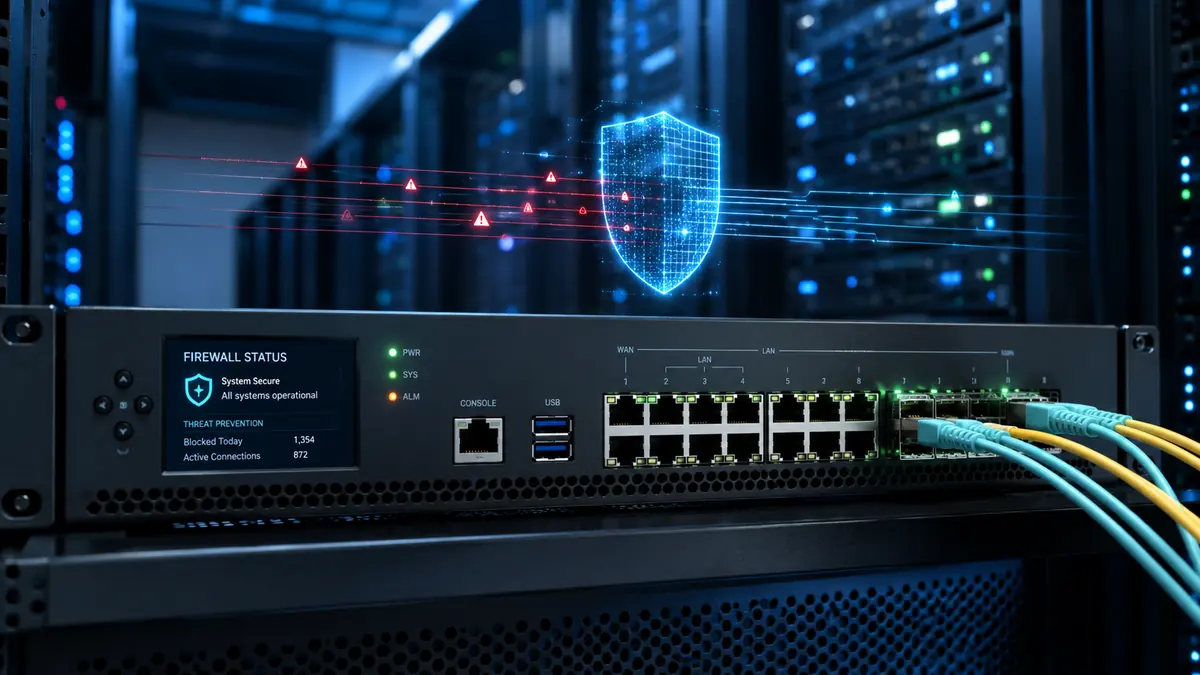
20-Point Firewall Security Checklist
- Identify all firewalls, VPNs, and cloud firewall controls.
- Export or back up the current firewall configuration.
- Review all active firewall rules.
- Identify any-to-any rules.
- Identify overly broad source, destination, or service rules.
- Review inbound access from the internet.
- Review outbound access from internal systems.
- Review NAT and port forwarding rules.
- Identify exposed public services.
- Review VPN users, groups, and access rights.
- Confirm multi-factor authentication for remote access.
- Review firewall administrator accounts.
- Restrict firewall management access.
- Confirm logging is enabled.
- Review VPN, admin, denied traffic, and threat logs.
- Check firmware and security update status.
- Review active security subscriptions and threat signatures.
- Confirm network segmentation between important systems.
- Remove old, unused, duplicate, or temporary rules.
- Document findings and create a remediation plan.
How to Perform a Firewall Security Check
A firewall checklist works best when your team follows a repeatable process and documents each finding with ownership, risk, and recommended action.
Define the Scope
Identify firewalls, locations, cloud networks, VPN connections, public IPs, and network segments included in the review.
Export the Current Configuration
Create a secure backup or export of the firewall configuration before analysis.
Inventory Firewall Rules
List active rules, disabled rules, NAT policies, VPN policies, object groups, and administrative access policies.
Identify Risky Rules
Look for any-to-any rules, broad access, exposed services, duplicate rules, unused rules, and rules without business justification.
Review VPN and Public Exposure
Check MFA, user groups, split tunneling, public ports, NAT rules, published services, and exposed remote access.
Check Logging, Alerts, Firmware, and Backups
Confirm that events are logged, retained, monitored, updated, backed up, and protected from unauthorized changes.
Document Findings and Validate Fixes
Create a list of findings with risk level, business impact, recommended action, owner, and remediation priority.
Review Rules for Need, Specificity, Logging, and Ownership
A weak firewall rule may allow any source, any service, or unknown access to an internal system. A stronger rule should be limited to an approved source, destination, required port, known owner, documented purpose, logging, review date, and expiration date when appropriate.
| Review Area | Weak Rule | Stronger Rule |
|---|---|---|
| Source | Any | Approved vendor IP or trusted network |
| Destination | Internal server | Specific application server |
| Service | Any | Required port only |
| Logging | Disabled | Enabled |
| Owner | Unknown | Application owner assigned |
| Purpose | Unknown | Documented business purpose |
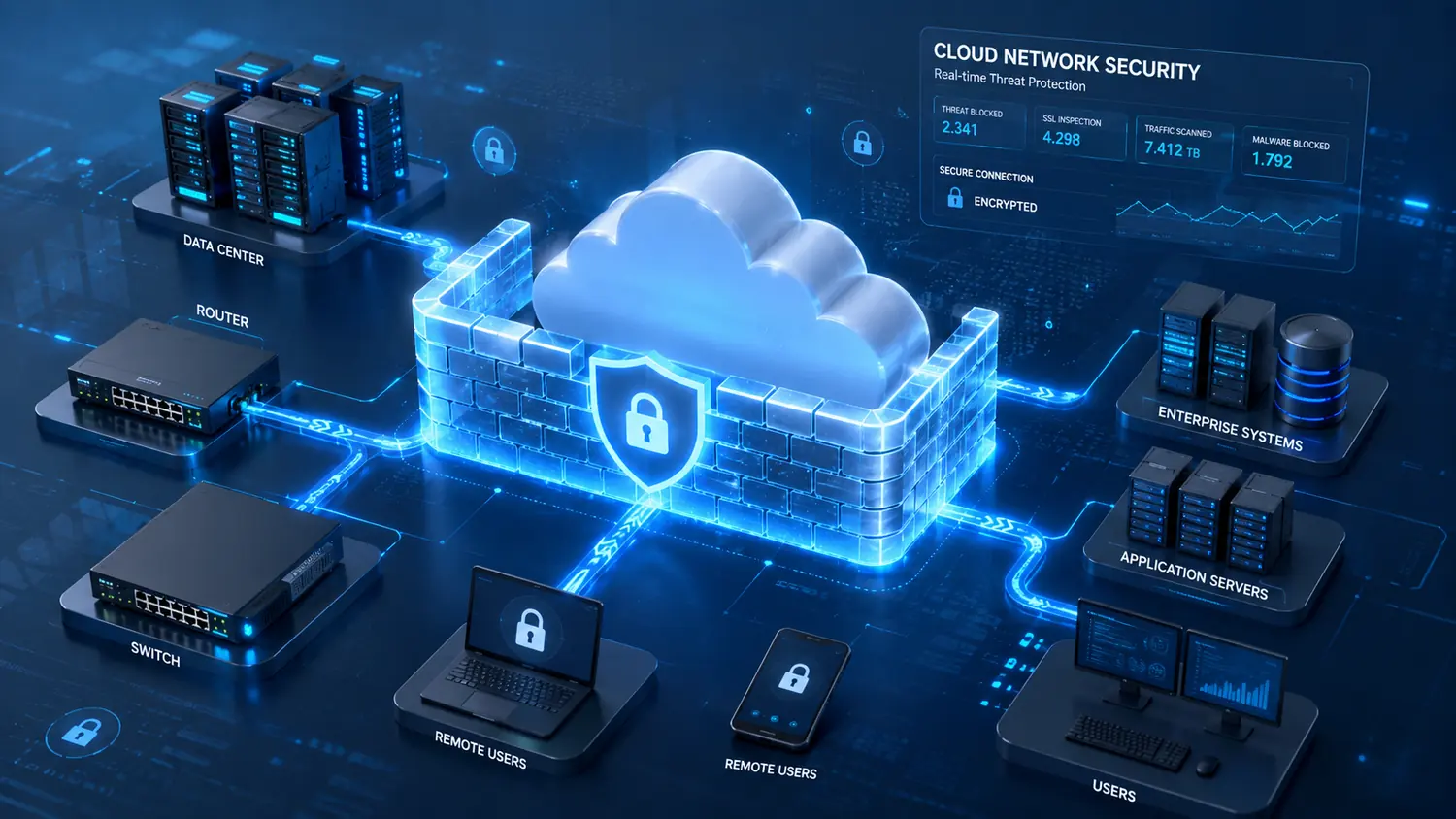
How to Prioritize Firewall Findings
Not every firewall issue has the same level of risk. Findings should be prioritized based on likelihood, business impact, exposure, exploitability, and the sensitivity of affected systems.
Fix Immediately
- Public management interface
- Any-to-any inbound rule
- VPN without MFA
- Known exploited vulnerability
- Public RDP, SMB, or database access
Fix Quickly
- Broad inbound rules
- Weak admin access
- Outdated firmware
- Inactive VPN users
- Broad vendor access
Plan Remediation
- Duplicate rules
- Missing comments
- Incomplete documentation
- Inconsistent logging
- Unclear rule ownership
Clean Up
- Naming inconsistencies
- Minor documentation gaps
- Formatting issues
- Non-critical cleanup items

When to Hire a Firewall Security Consultant
A checklist can help identify common firewall issues, but some environments need deeper technical validation, risk prioritization, executive reporting, and remediation guidance.
- Your firewall has not been reviewed in over a year.
- You have many old, temporary, or undocumented rules.
- You allow remote access, VPN access, or vendor access.
- You have public-facing servers, applications, or cloud systems.
- You are preparing for compliance readiness or cyber insurance renewal.
- You recently changed IT providers or experienced suspicious activity.
- You need an independent review and prioritized remediation roadmap.
Professional Cybersecurity Guidance for Southern California Businesses
OC Security Audit, with 25+ years of experience under the management of Ali Hassani, has worked on dozens of networks for businesses in the Southern California, Irvine, and Los Angeles areas.
With certifications such as CISSP, CCISO, MCSE, MCSA Security, MCITP, CCNA, CCNP, and other professional IT and cybersecurity credentials, we help organizations make networks and data more secure, strengthen business continuity, reduce cyber risk, and support compliance readiness.
Firewall Review
Rules, NAT, VPN, public exposure, logging, firmware, and segmentation.
Risk Reduction
Prioritized findings that help leadership and IT teams focus on what matters.
Compliance Readiness
Control review, documentation support, gap analysis, and preparation guidance.
Business Protection
Practical security recommendations aligned to business operations.
Frequently Asked Questions
What is a firewall security checklist?
A firewall security checklist is a structured list of items used to review firewall rules, public exposure, NAT policies, VPN access, administrator access, logging, firmware, segmentation, backups, and change-control practices.
How do I know if my firewall is secure?
Start by reviewing whether firewall rules are specific, public exposure is limited, VPN access uses multi-factor authentication, logs are enabled, firmware is current, and administrator access is restricted. A professional assessment can provide deeper validation.
How often should firewall rules be reviewed?
Firewall rules should be reviewed at least annually. Higher-risk or more complex environments may need quarterly reviews or reviews after major changes.
What are the most common firewall mistakes?
Common mistakes include overly broad rules, exposed remote access, unused rules, weak VPN security, missing logging, outdated firmware, public management access, and poor network segmentation.
Should I remove old firewall rules?
Old firewall rules should be reviewed before removal. If a rule is no longer needed, has no business owner, has no traffic, or references retired systems, it may be a candidate for removal after proper validation and approval.
Is VPN security part of firewall security?
Yes. Many firewalls provide VPN access, and VPN configuration should be part of a firewall security review. This includes MFA, user access, encryption, split tunneling, logging, and vendor access.
Can a firewall checklist help with compliance readiness?
Yes. A firewall checklist can support compliance readiness by helping identify gaps in access control, logging, segmentation, change control, remote access, and evidence collection.
Do small businesses need firewall reviews?
Yes. Small businesses often rely heavily on a single firewall for network protection, VPN access, internet access, and public exposure control. A firewall review can help identify risks before they become costly security problems.

Schedule a Firewall Security Review with OC Security Audit
A firewall checklist is a good starting point. A professional assessment provides deeper validation, prioritized findings, executive visibility, and practical remediation guidance.
OC Security Audit helps organizations identify risky firewall rules, exposed services, weak VPN access, missing logs, outdated firmware, segmentation gaps, and other firewall security issues.
OC Security Audit provides cybersecurity assessment, readiness, advisory, documentation support, control review, and remediation guidance. Compliance services are readiness and advisory services unless a separate engagement states otherwise.