

LIBRARY 9.51Microsoft 365 Security Library
How to Turn On and Review Microsoft 365 Alert Policies
Microsoft 365 already watches for suspicious forwarding, new admin roles, malware and more. Those alerts only help if they’re switched on, sent to someone, and read. Here is how to make sure they are.
Reviewed by Ali Hassani, C|CISO, CISSP · Last verified November 20, 2026
Microsoft lists alert policies as available in Microsoft 365 Enterprise and Office 365 Enterprise organizations, with advanced functionality in E5 or add-ons (Microsoft Learn). Check the Alert policy page in your own tenant if you’re on a Business plan.
In one minute
- Check no default alert policy has been turned off.
- Send email notifications to a monitored security mailbox.
- Review the Alerts page every week, and resolve each alert with a note.
- Add custom alerts for things that matter to you, such as new admin roles.
Alerting is part of the logging and monitoring checks in our Microsoft 365 Security Audit.
What it is
What alert policies do
An alert policy watches activity in Microsoft 365 and raises an alert when something matches. Microsoft ships built-in System policies that are turned on by default; you can turn them off or on, choose who gets email notifications and set a daily limit, but not change their logic (Microsoft Learn).
Default alerts worth watching
| Alert policy | What it catches | Severity |
|---|---|---|
| Suspicious email forwarding activity | Auto-forwarding to a suspicious external account | High |
| Suspicious email sending patterns detected | A mailbox at risk of being restricted for spam | Medium |
| Tenant restricted from sending email | Microsoft has blocked your organization’s outbound mail | High |
| Creation of forwarding/redirect rule | New inbox rules that forward or redirect mail | Informational |
| eDiscovery search started or exported | Someone searching or exporting mail | Informational |
Descriptions and severities are from Microsoft’s list of default alert policies (Microsoft Learn).
Why it matters
Most attacks leave a trail someone could have read
- Account compromisedAttacker adds a forwarding rule.
- Alert firesSuspicious email forwarding activity.
- Someone reads itRule removed, password reset.
- Alert off or ignoredWithout it: mail leaks for weeks.
- Invoice fraudPayment diverted.
Drawing: where a read alert breaks the path.
for a new or changed alert policy to start working.
Source: Microsoft Learnlost to business email compromise in 2024, often after forwarding rules went unnoticed.
Source: CyberScoop on FBI IC3severity Microsoft gives the suspicious email forwarding alert.
Source: Microsoft Learnweekly review of the Alerts page is enough for most small companies.
Source: Our recommendationMaking alerts useful
| Practice | What it does | Effect |
|---|---|---|
| Notifications to a shared security mailbox | Alerts don’t depend on one person’s inbox. | Seen |
| Weekly review with resolution notes | Each alert is closed with a reason. | Acted on |
| Custom alerts for admin changes | New Global Admins or Conditional Access changes raise alerts. | Early warning |
| Default policies turned off | Nobody hears about forwarding or spam. | Blind |
What we find in audits
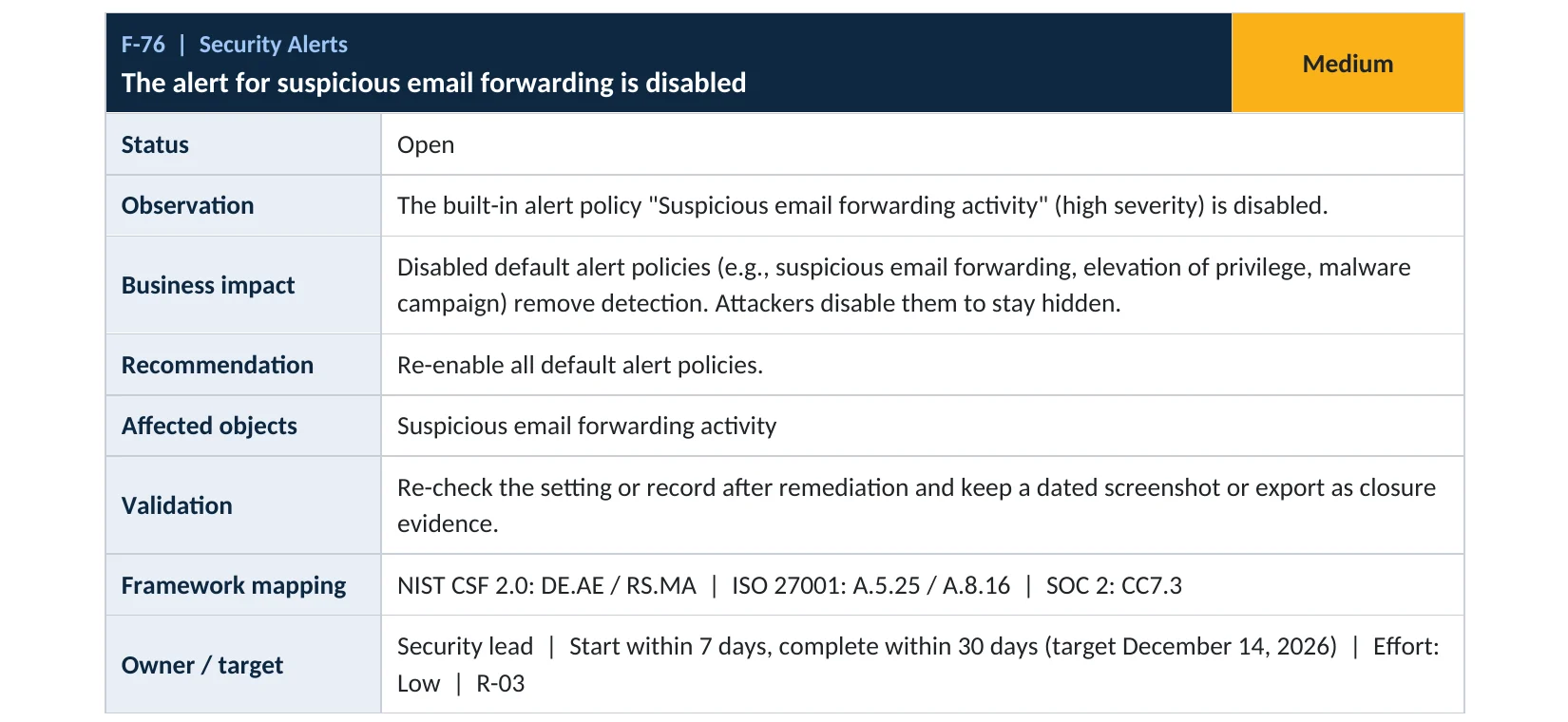
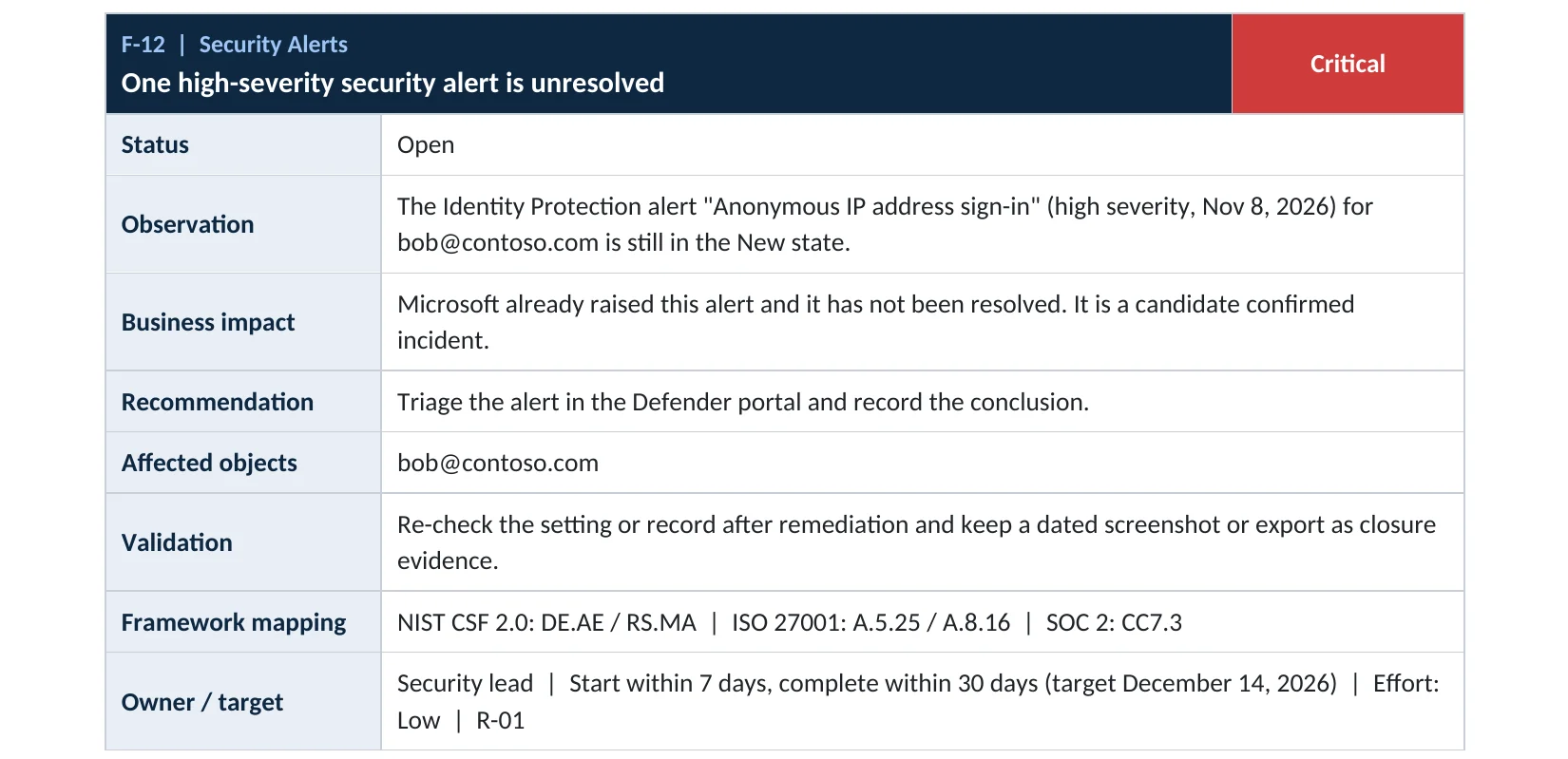
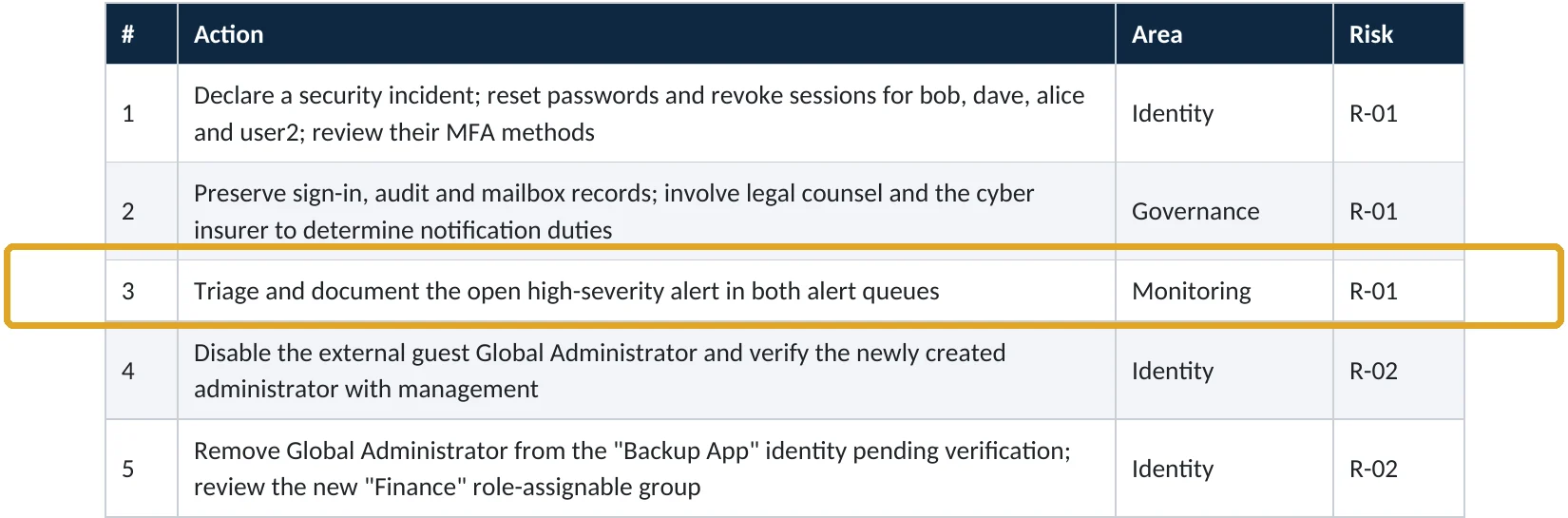
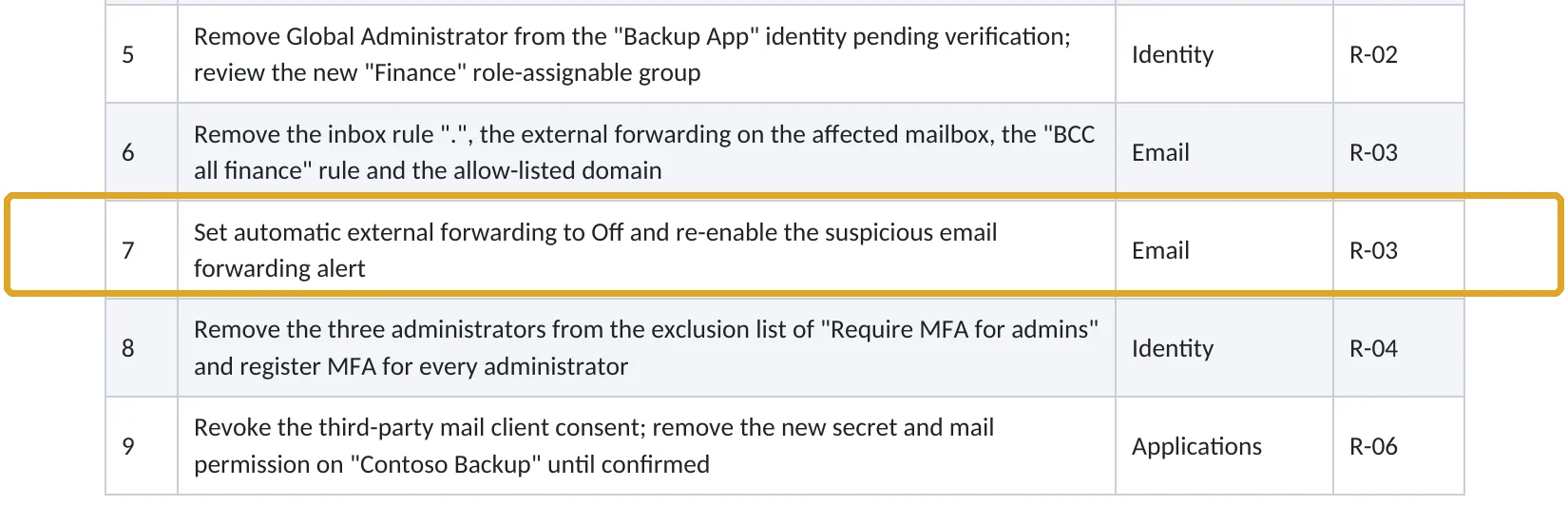
What this finding looks like in our audit reports
These are real pages from our published compromise assessment sample, written for a fictional company. Click any page to open it full size.
Your options
What each plan gives you
| Capability | Enterprise plans (E1, E3) | E5 or add-ons |
|---|---|---|
| Default (System) alert policies | Yes | Yes |
| Email notifications and daily limits | Yes | Yes |
| Custom alert policies | Yes (single-event) | Yes, including threshold-based |
| Automated investigation on some alerts | No | Defender for Office 365 Plan 2 or E5 |
Microsoft lists the advanced alerting functionality as needing E5 or add-ons such as Defender for Office 365 Plan 2 (Microsoft Learn).
How to check it yourself
See which alerts are on and who gets them, without changing anything
Sort by Status and look for System policies that are Off. Open the important ones and check Email recipients.
Read-only PowerShell: alert policies that are off
Connect-IPPSSession
Get-ProtectionAlert | Where-Object { $_.Disabled } |
  Select-Object Name, Severity, NotifyUser
The command only reads settings. Any policy listed is switched off.
How to configure
How to turn on and act on alerts, step by step
All plans
Turn alerts on and route them
- Open Defender › Policies & rules › Alert policy.
- Turn back on any System policy that’s off, starting with Suspicious email forwarding activity.
- For high-severity policies, set Email recipients to a monitored security mailbox.
- Create custom alerts for activities that matter to you, such as adding a member to a privileged role.
- Allow up to 24 hours for new or changed policies to start working.
Every week
Review and resolve
- Open Incidents & alerts › Alerts and filter to the last seven days.
- Investigate each high and medium alert.
- Set a status and add a note explaining the outcome.
- Escalate anything you can’t explain.
What your users will notice
Nothing. Only the security mailbox receives notifications.
How to undo it
Turn a policy off on the same page. We don’t recommend turning off System policies.
Proof and questions
How to prove it is fixed, and what to ask your IT provider
Evidence it is fixed
- No System alert policy is turned off without a documented reason.
- High-severity alerts email a monitored mailbox.
- The Alerts page shows recent alerts with statuses and notes.
- No high-severity alert is open for more than a few days.
Questions for your IT provider
- Who receives our Microsoft 365 security alerts?
- How often are alerts reviewed, and by whom?
- Are any default alert policies turned off?
- How many alerts are open right now?
- Would we be alerted if a new Global Administrator were added?
Signs it was already abused
If alerts may already have been missed, look for these signs
Red flags
- High-severity alerts open for weeks.
- Alert policies turned off by an account nobody recognizes.
- Notification recipients changed to an outside address.
- Forwarding or spam alerts on mailboxes nobody checked.
- Microsoft restricting your tenant from sending email.
If you find unresolved alerts, investigate them before closing. Our compromise investigation establishes what happened, and the Microsoft 365 Evidence Clock shows how long the records are kept.
Framework mapping
Where alerting fits
| Framework | Where it fits |
|---|---|
| NIST CSF 2.0 | DE.CM-01 to DE.CM-09: continuous monitoring; DE.AE-02: adverse events analyzed |
| ISO/IEC 27001:2022 | Annex A 8.16 Monitoring activities; 5.25 Assessment and decision on information security events |
| SOC 2 | CC7.2 monitoring for anomalies; CC7.3 evaluating security events |
Reviewed by
Written and reviewed by a practicing CISO

Ali Hassani, C|CISO, CISSP
Ali has more than 25 years of IT and cybersecurity experience and holds the Certified CISO and CISSP certifications along with Microsoft and Cisco credentials. He leads every OC Security Audit engagement from Irvine, on-site across Southern California and remotely nationwide. Every Microsoft 365 audit is read-only.
FAQ
Frequently asked questions about alert policies
Does Microsoft 365 have security alerts built in?
Yes. Default alert policies watch for things like suspicious email forwarding, unusual sending and malware, and they're on by default.
Who gets the alerts?
Only the recipients you set on each policy. Set a monitored security mailbox so alerts don't depend on one person.
How long does a new alert policy take to work?
Up to 24 hours, according to Microsoft.
Can we create our own alerts?
Yes, on plans that include alert policies. Threshold-based and advanced alerting need E5 or add-ons.
How often should we review alerts?
Weekly at minimum, and immediately for high-severity alerts.
Is this the same as the audit log?
No. The audit log records activity; alerts notify you about specific activity. You need both.
Next step
Hear about attacks while they’re happening
Prevent
Microsoft 365 Security Audit
$3,500 fixed
About 200 read-only checks across logging, alerting, sign-in protection, email and sharing, for any tenant size, with four reports and a remediation roadmap.
Respond
Microsoft 365 & Azure Compromise Investigation
From $3,500
For when an alert fired and nobody acted: we establish what happened since.
Want to see the deliverables first? Open the Microsoft 365 audit sample report or browse all our sample reports.

Service
Microsoft 365 Security Audit
The fixed-price audit that checks this item and about 200 more.
See the audit ›
Sample
Sample audit report
Every page of the five deliverables, with fictional data.
View the sample ›
Service
Compromise Investigation
When an account or mailbox may already be in an attacker’s hands.
See the investigation ›Related reading: How long Microsoft 365 keeps audit logs · How to block external email forwarding · How to find malicious inbox rules
Sources
Sources used on this page
- Microsoft Learn, Alert policies in the Microsoft Defender portal
- Microsoft Learn, Alert policies in the Microsoft Defender portal (Defender for Office 365)
- Microsoft Learn, Respond to a compromised email account
- CyberScoop, 10 key numbers from the 2024 FBI IC3 report
This guide is general information, not a guarantee of protection or legal advice. Microsoft changes its admin centers often: menu names and steps were checked against Microsoft Learn on November 20, 2026. Drawings are simplified and are not screenshots of Microsoft products. Sample findings come from fictional companies. Incidents are described as reported by the cited sources; OC Security Audit was not involved in them. Questions? Call 949-777-5567 or email support@ocsecurityaudit.com.