

Microsoft 365 Compromise Assessment Sample Report
See every page of the five deliverables we produce when a Microsoft 365, Entra ID or Azure environment shows signs of compromise. Built from a fictional company.

Records expire. Review them while they exist.
Sign-in, audit and activity records are kept for a limited time that depends on licensing. The sample shows what can be reconstructed when the records are still there.

Facts for leadership, detail for IT
An executive report, a technical report, a risk register, a 180-day roadmap and an Excel workbook, written so leadership, IT, counsel and insurers work from the same facts.
What a Microsoft 365 compromise assessment hands you
When a mailbox starts forwarding invoices, an unknown administrator appears or sign-ins arrive from places nobody travels to, leadership needs clear answers and IT needs a precise list of what to check and fix.
This page shows the complete deliverable set from a sample assessment of Contoso Ltd, a fictional 25-user company on Microsoft 365 Business Premium with one Azure subscription. The review looked at identities, administrator access, sign-in activity, email, connected applications, file sharing, devices and Azure, and recorded 93 findings consolidated into 16 business risks.
- Every finding tied to the records that support it
- Plain-language risk statements for leadership
- A containment-first roadmap with owners and dates
- An Excel workbook your IT team can sort and track

Five deliverables from one compromise assessment
Each deliverable is written for a different reader. Use the arrows, the thumbnails or your keyboard to move through the pages, and click the centre page to open it full size.
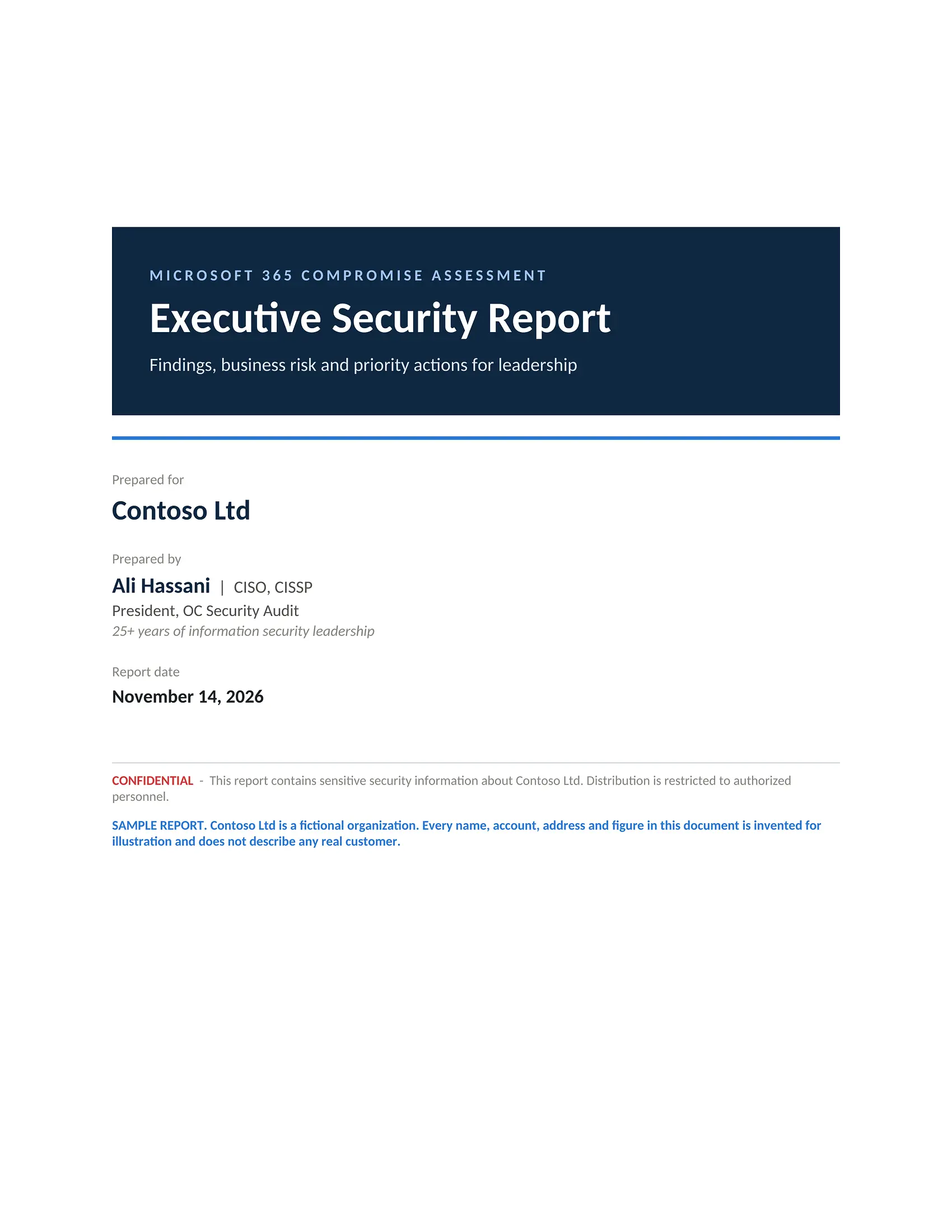
Executive Security Report
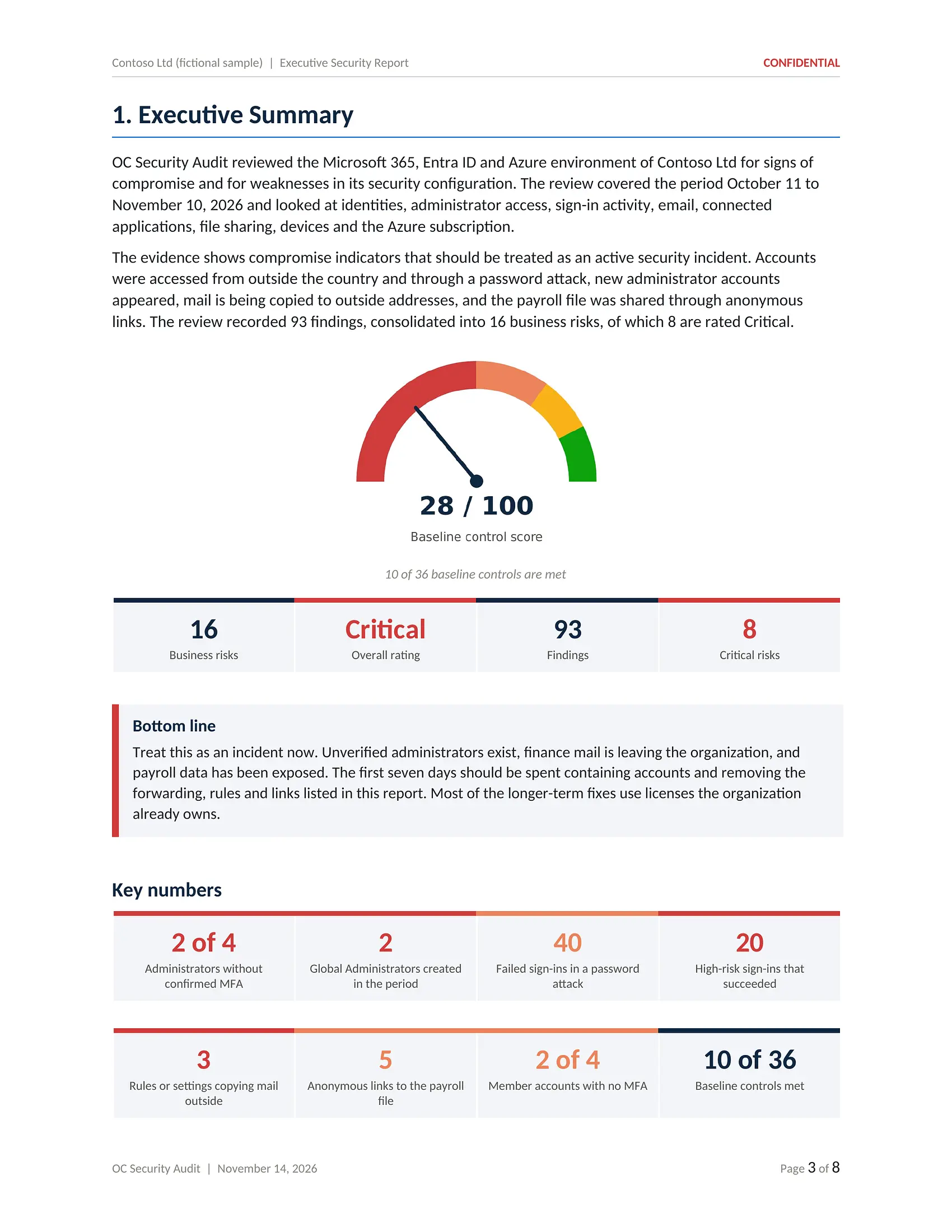
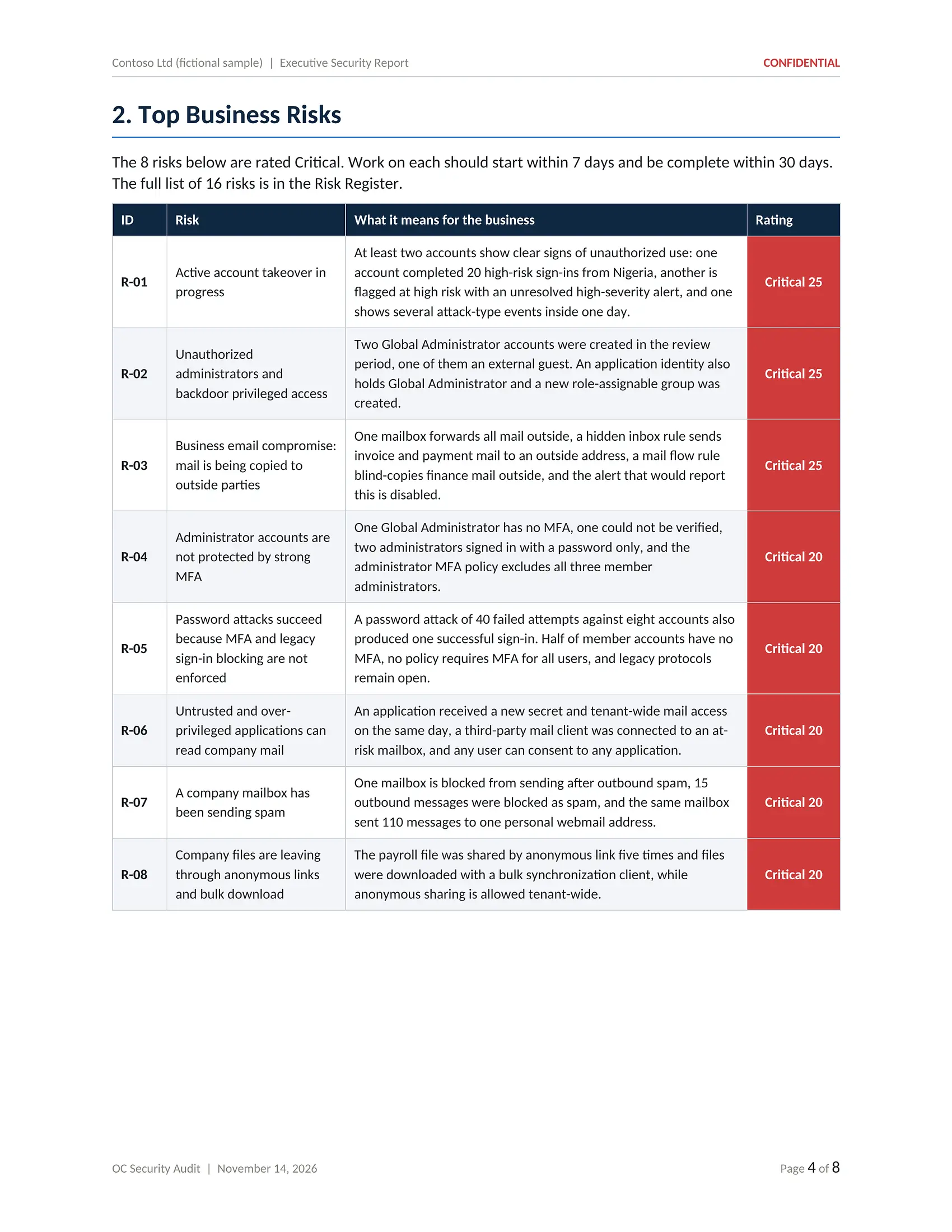
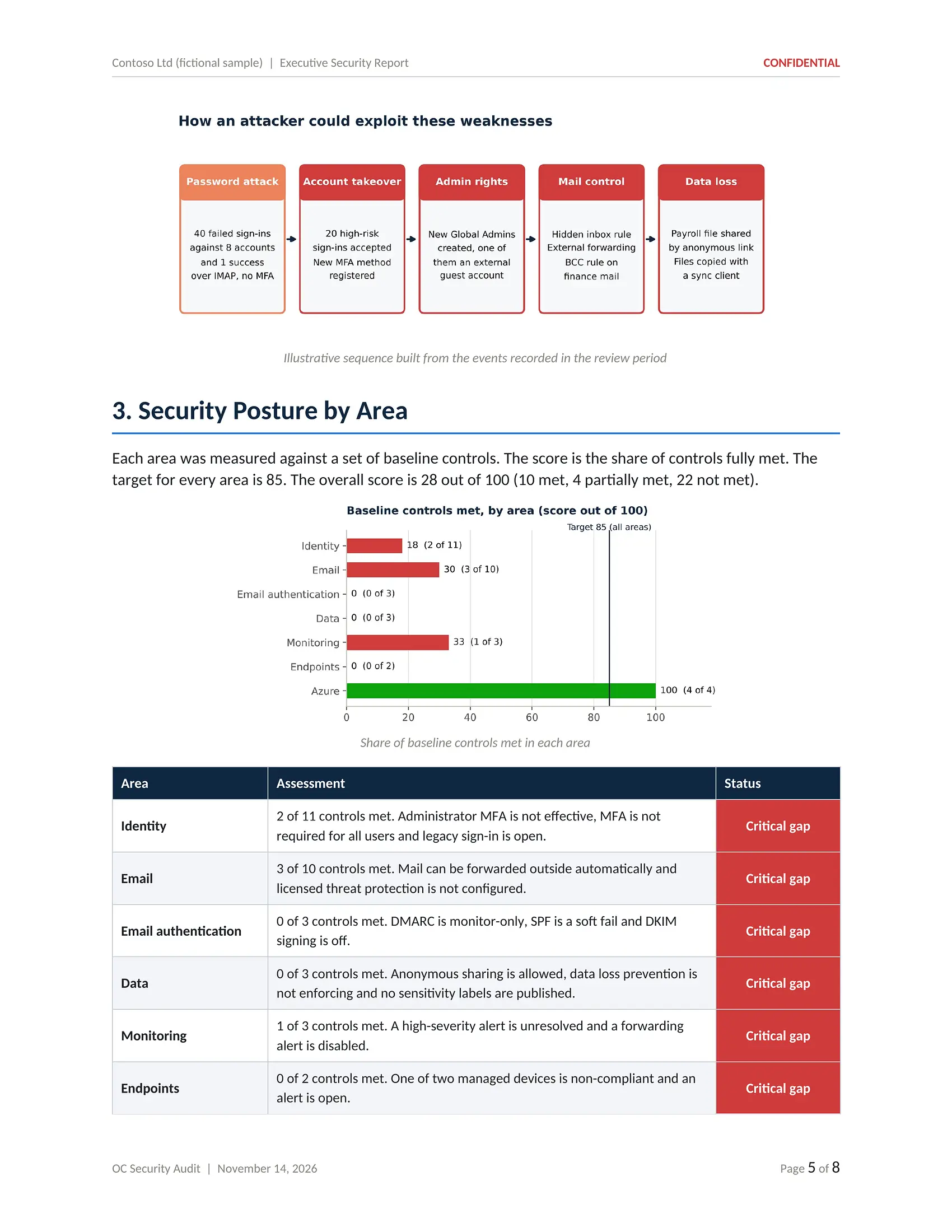
PDF · 8 pagesFor owners, executives and board members who need the facts in plain language: what was found, what it means for the business and which decisions to make first.
- Executive summary and overall rating
- Key numbers on one page
- Top Critical business risks
- Illustrative attack path
- Posture by area against baseline
- What is already working
- Ten priority actions
- Decisions requested from leadership
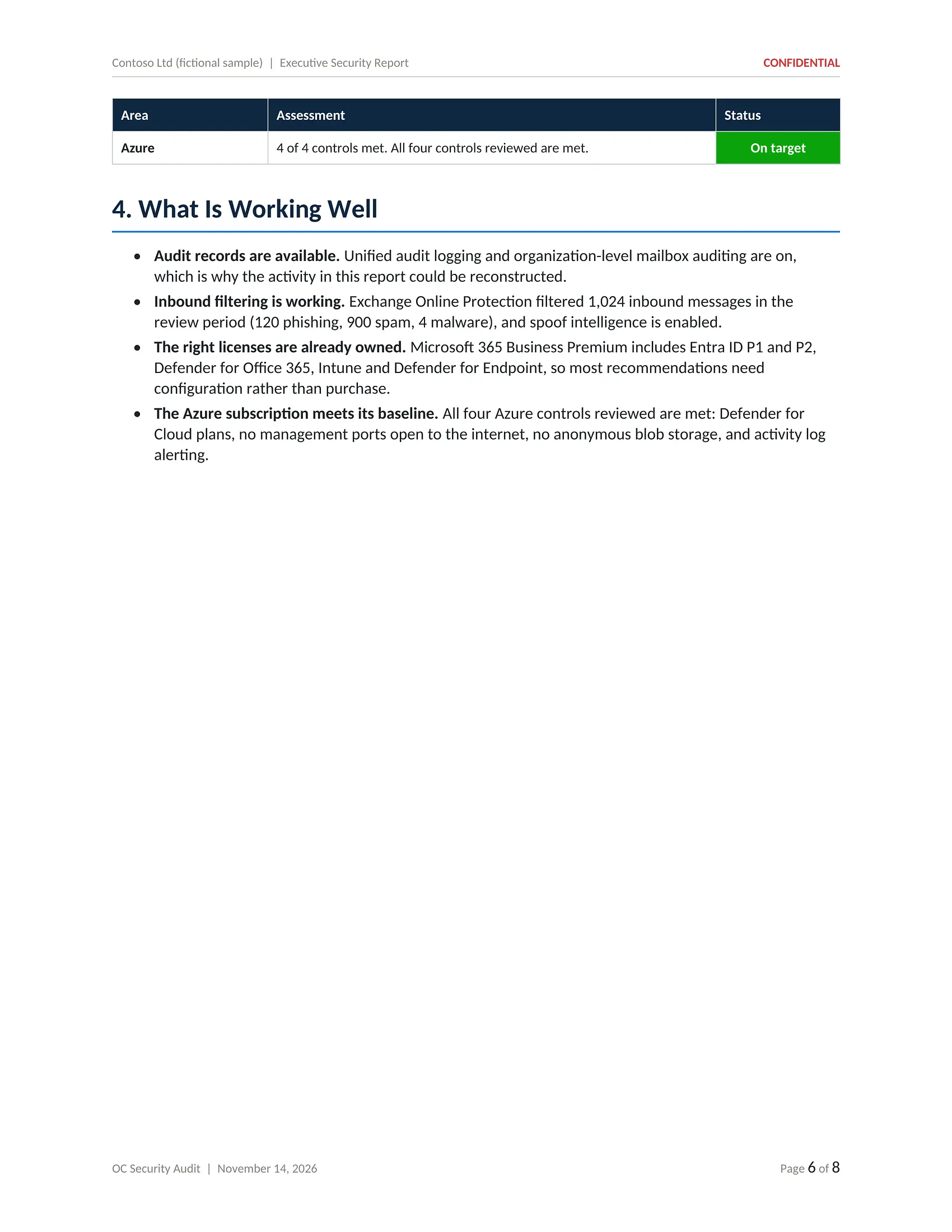
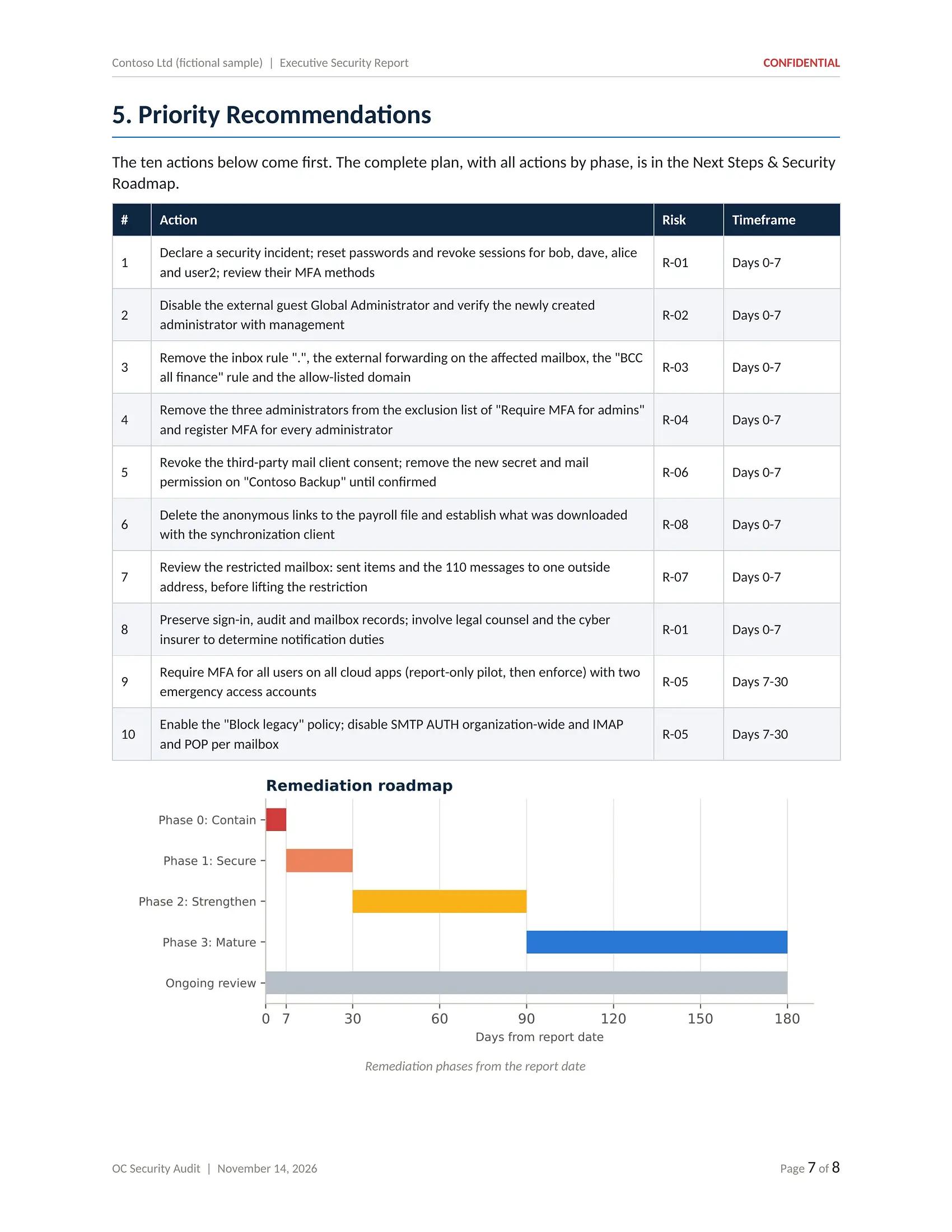
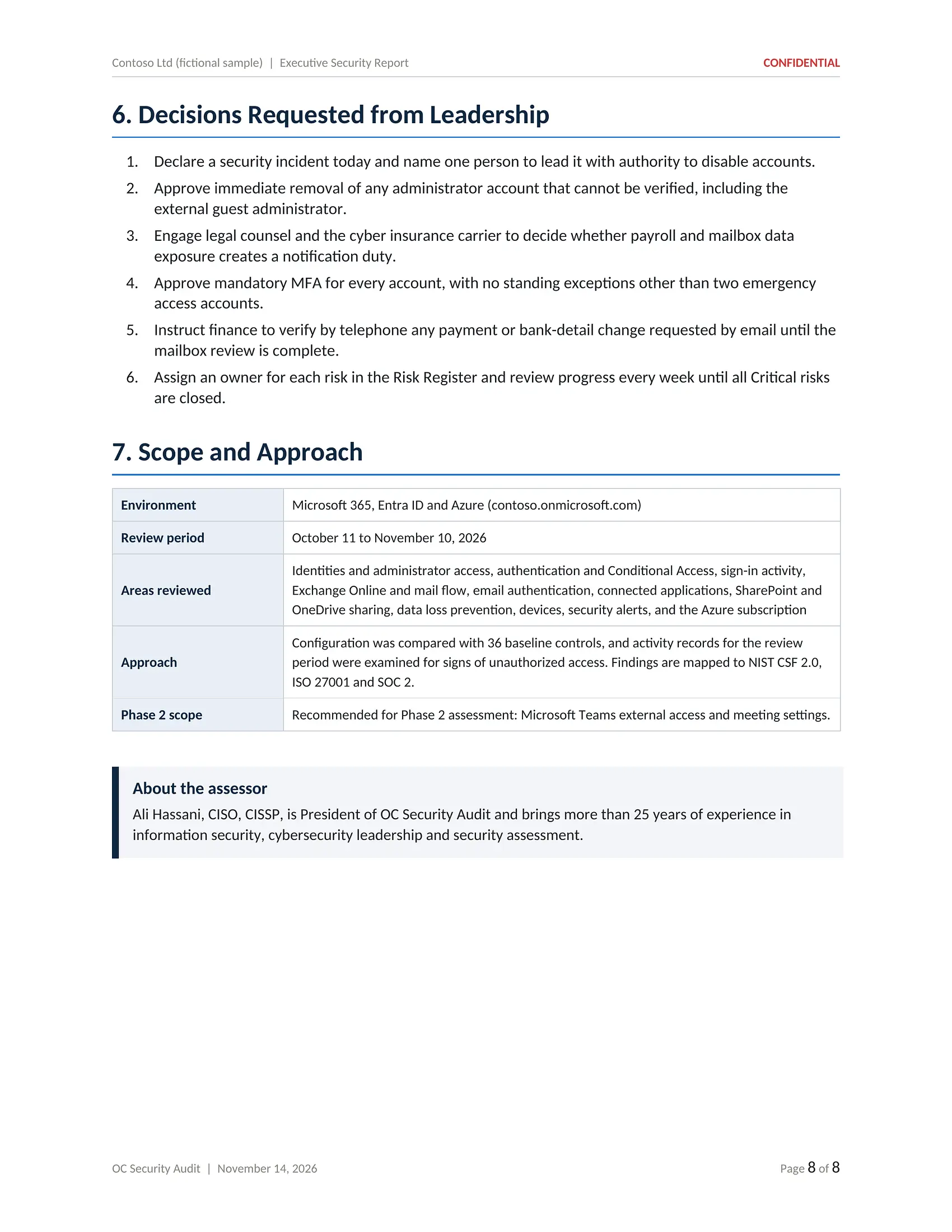
Click or tap the page to open it full size and zoom in
Executive Security Report for Contoso Ltd: findings, business risk and priority actions for leadership.
Technical Security Report
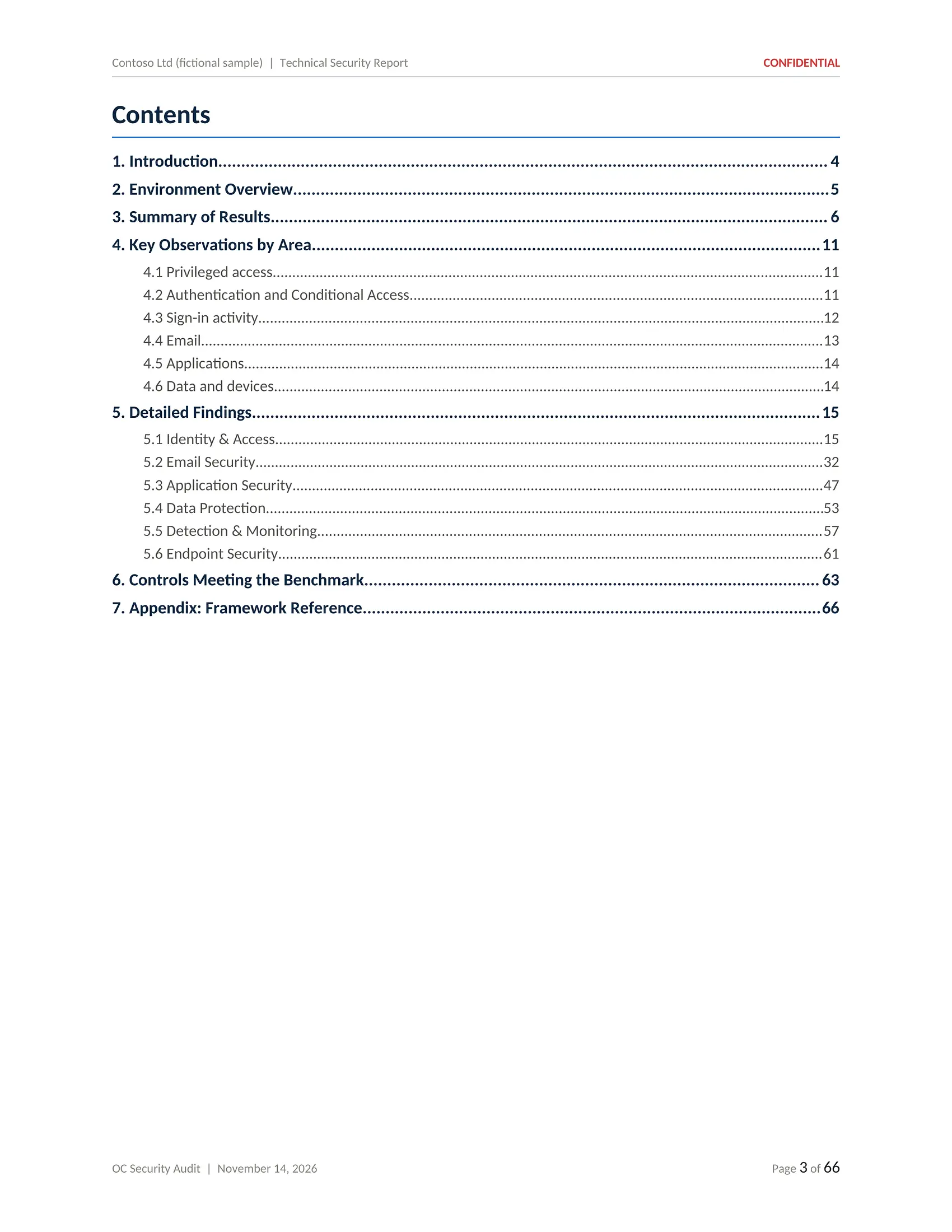
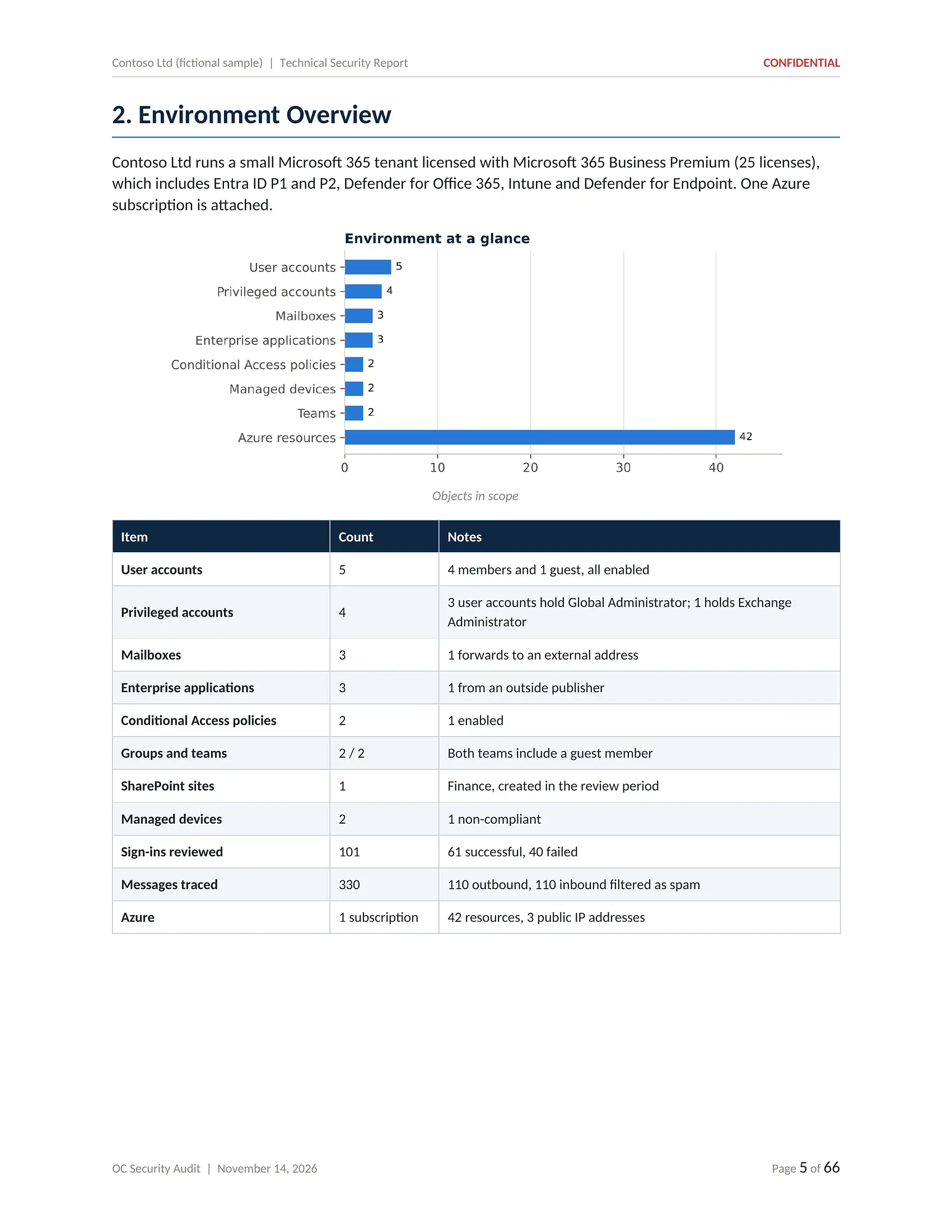
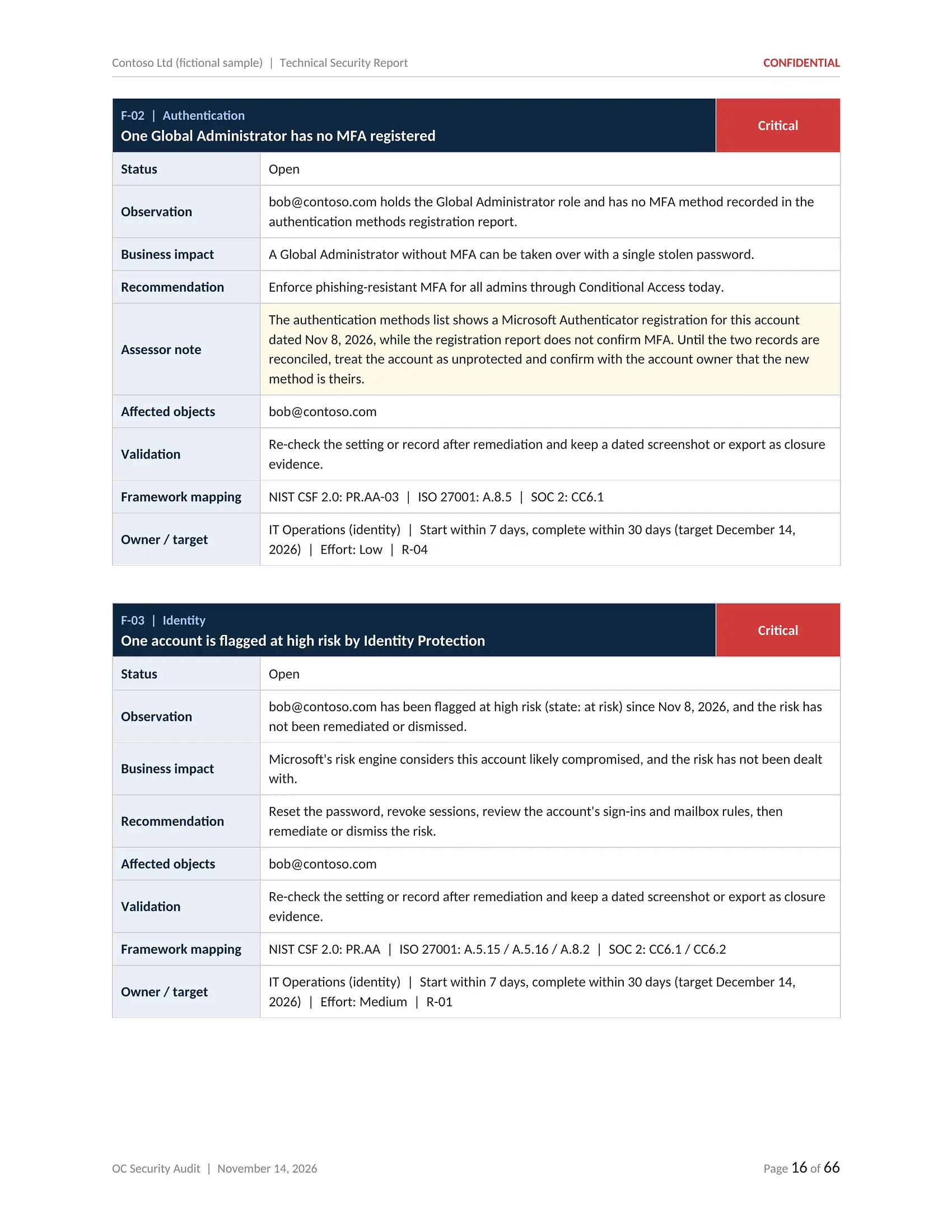
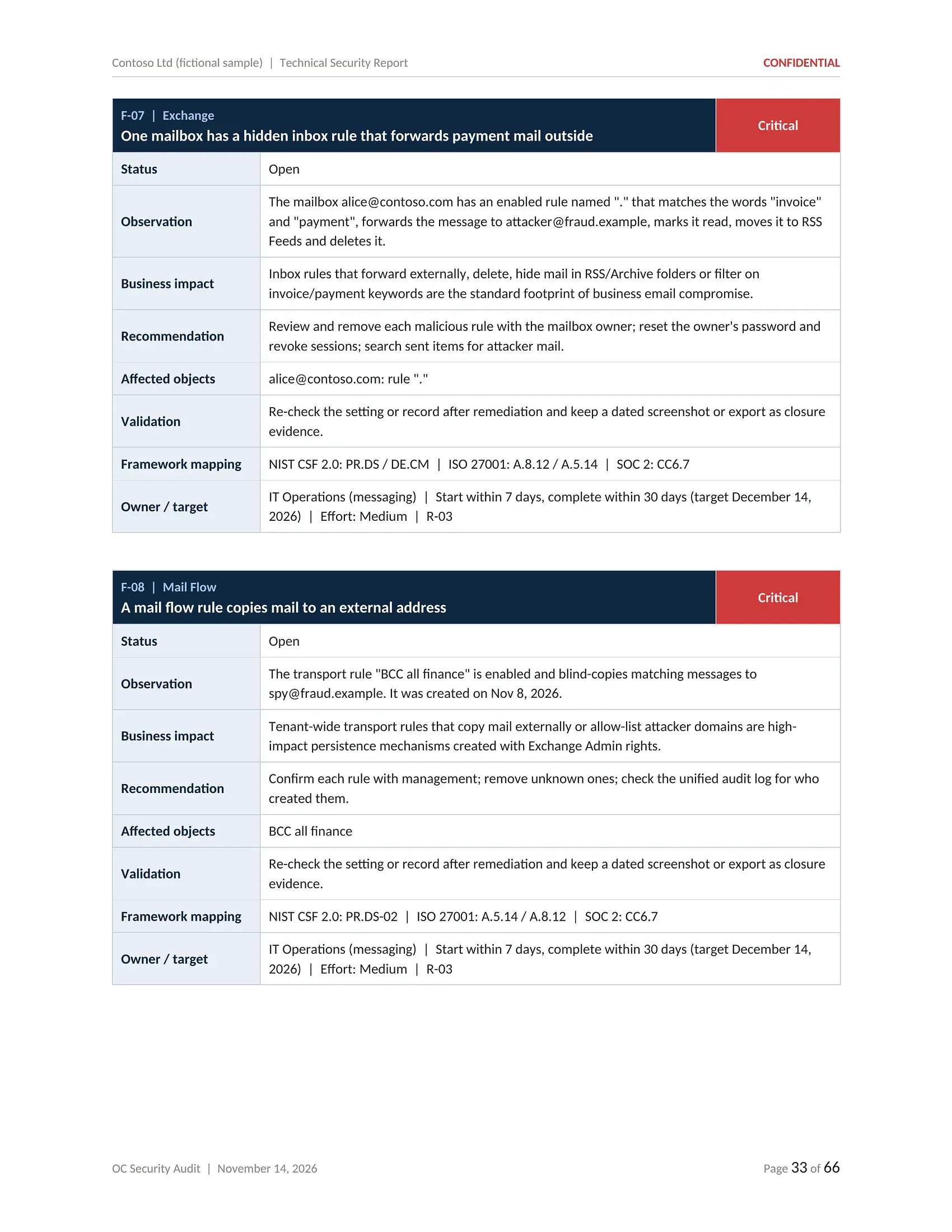
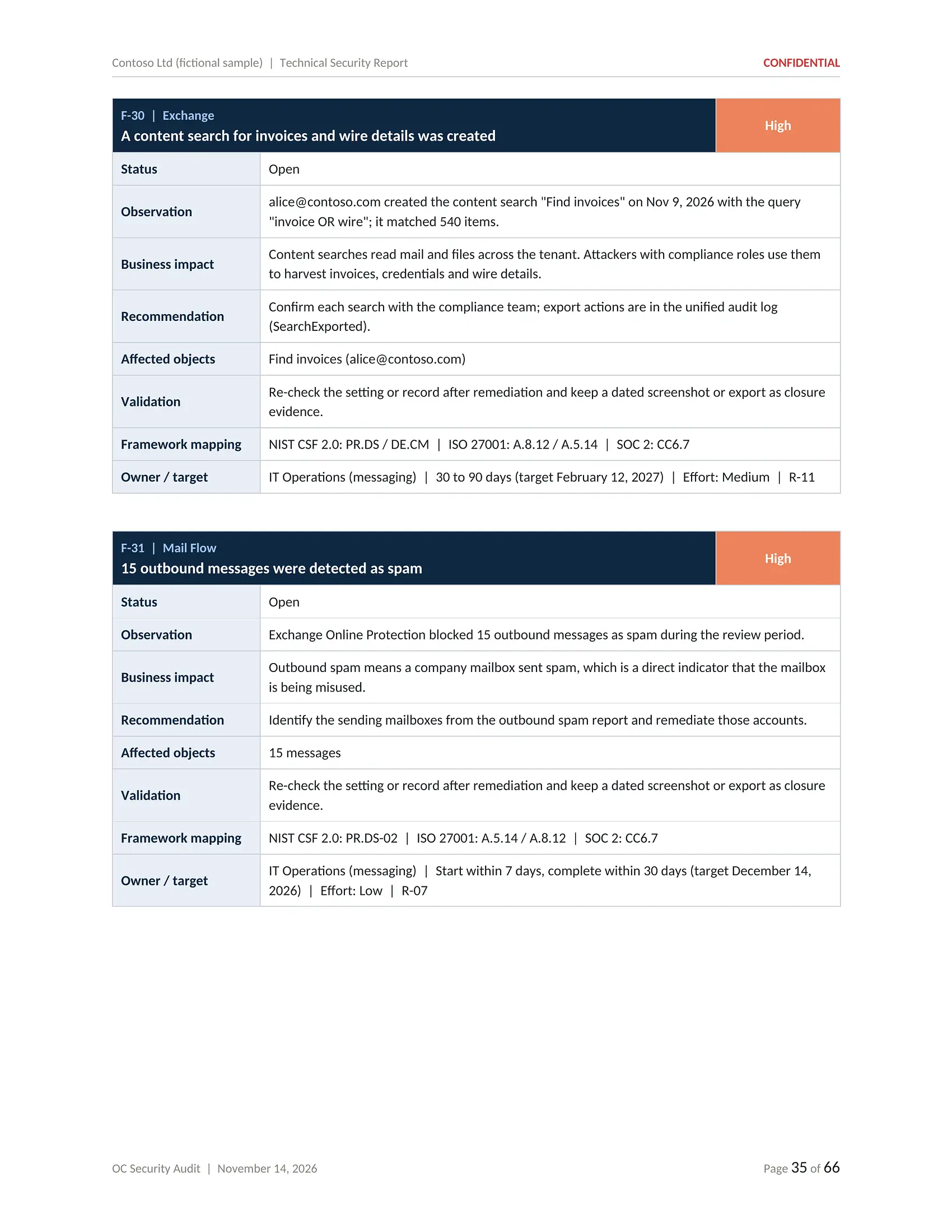
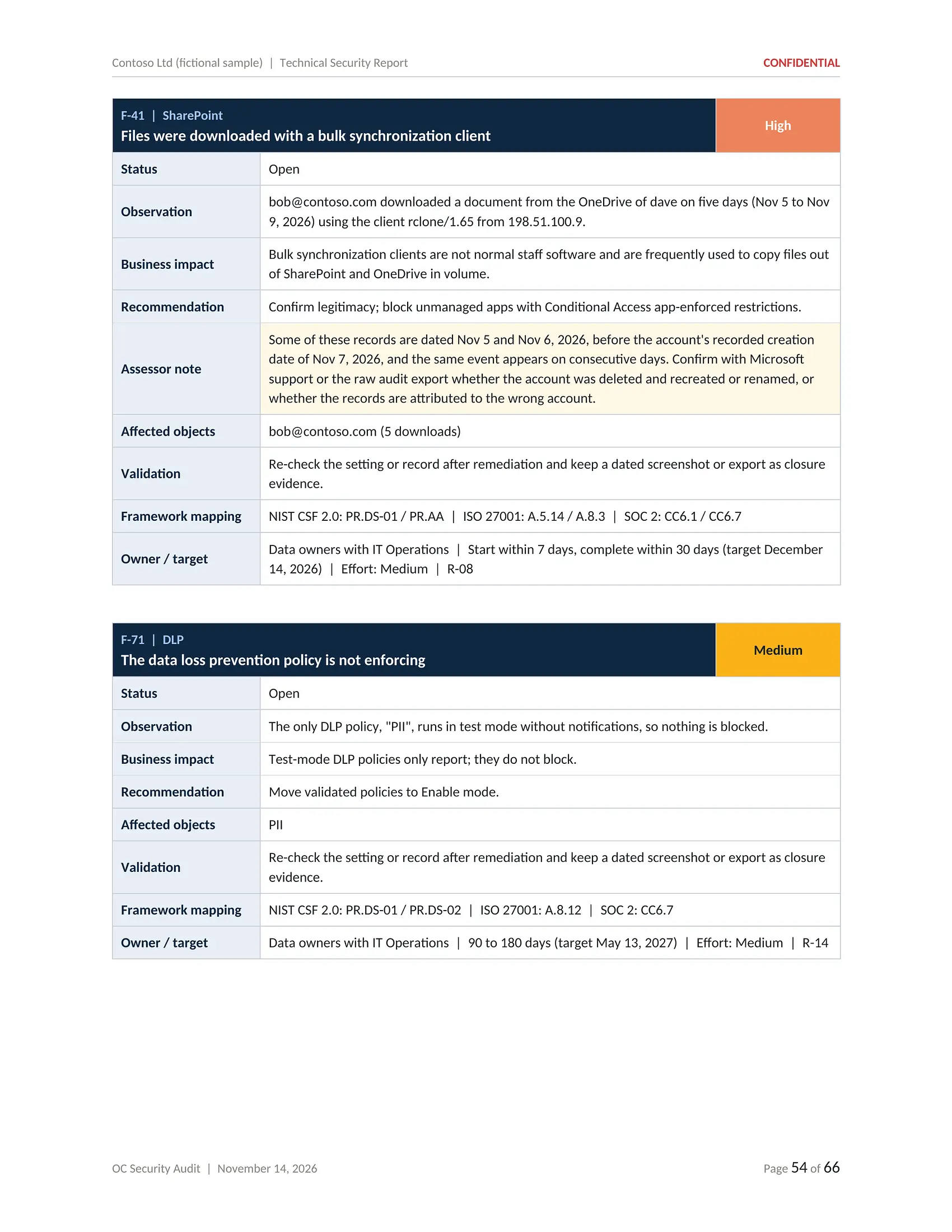
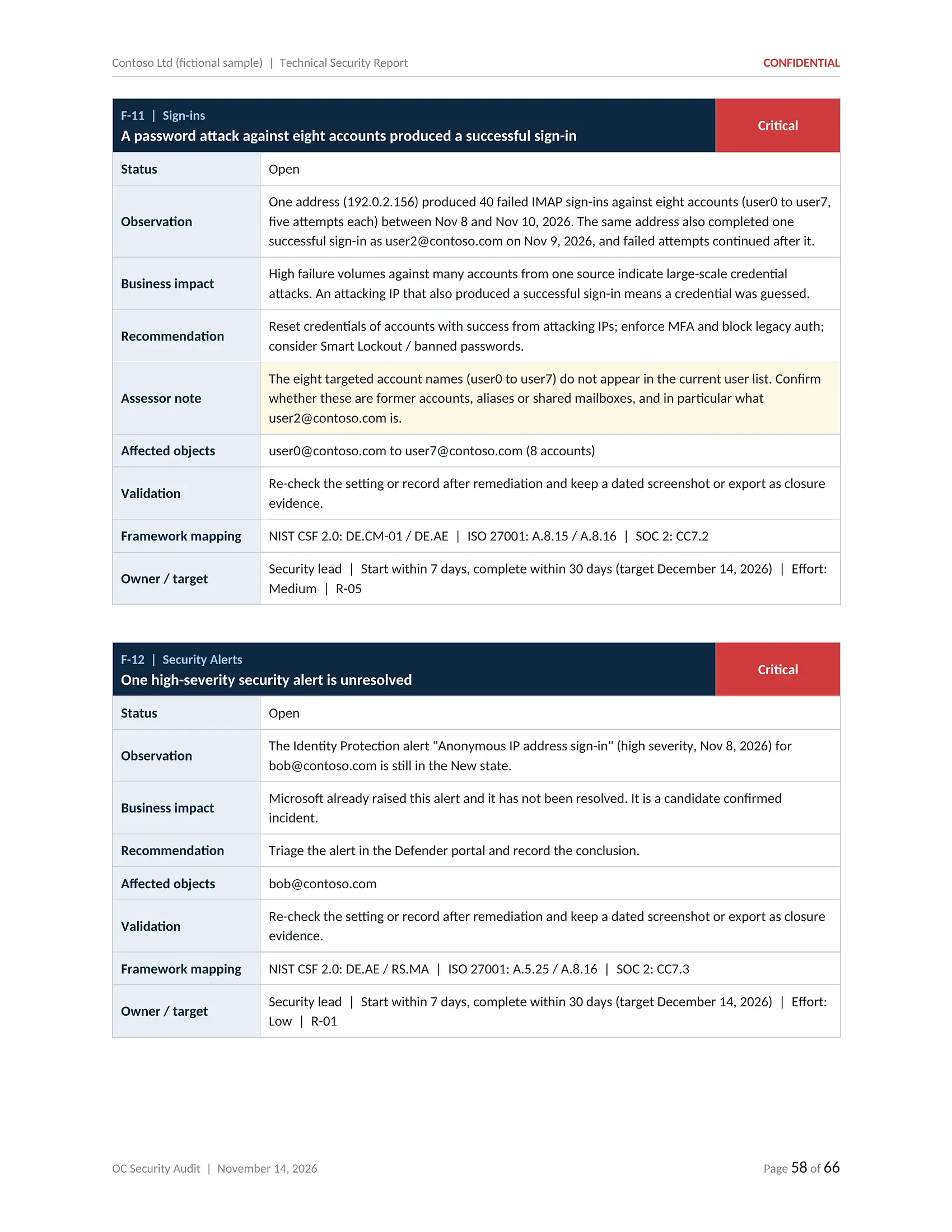
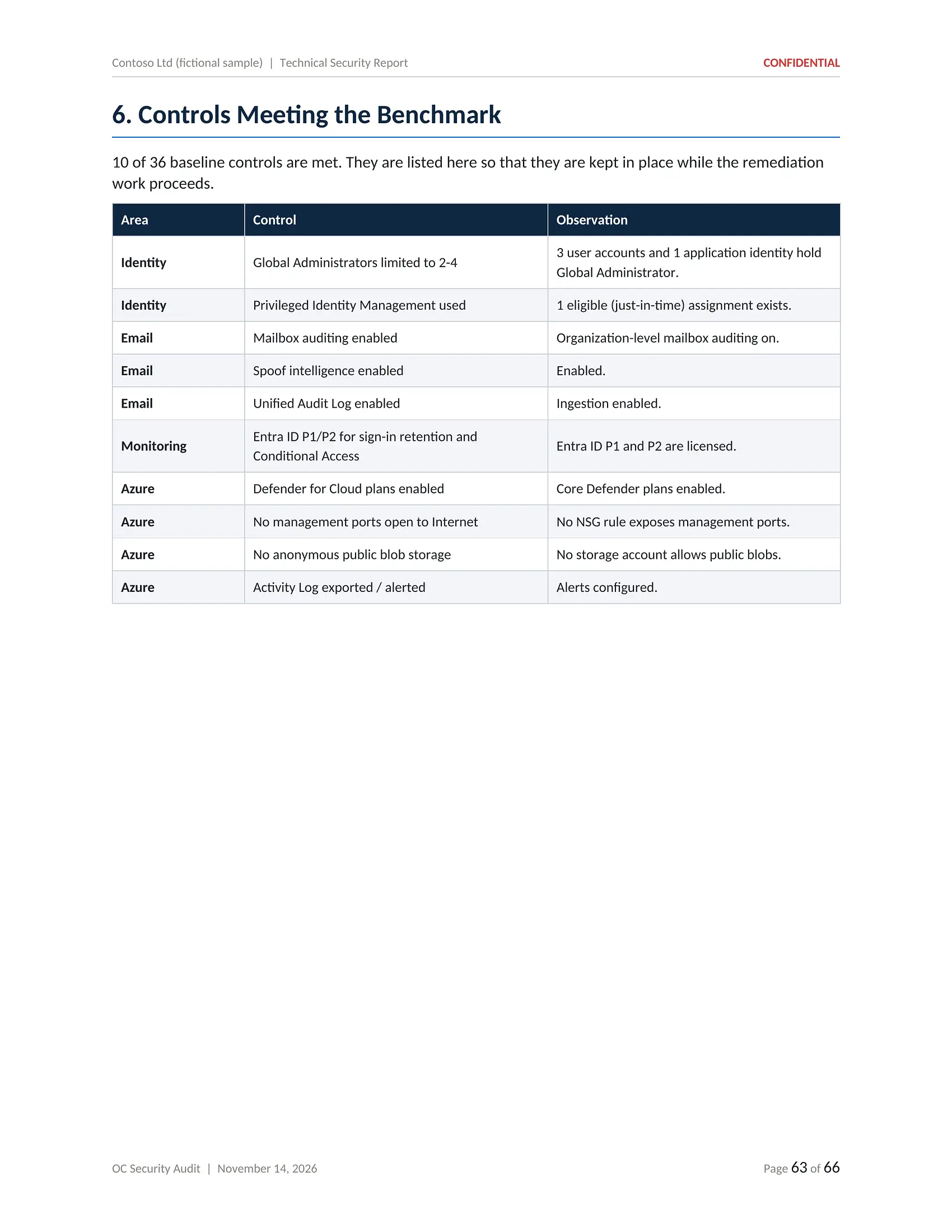
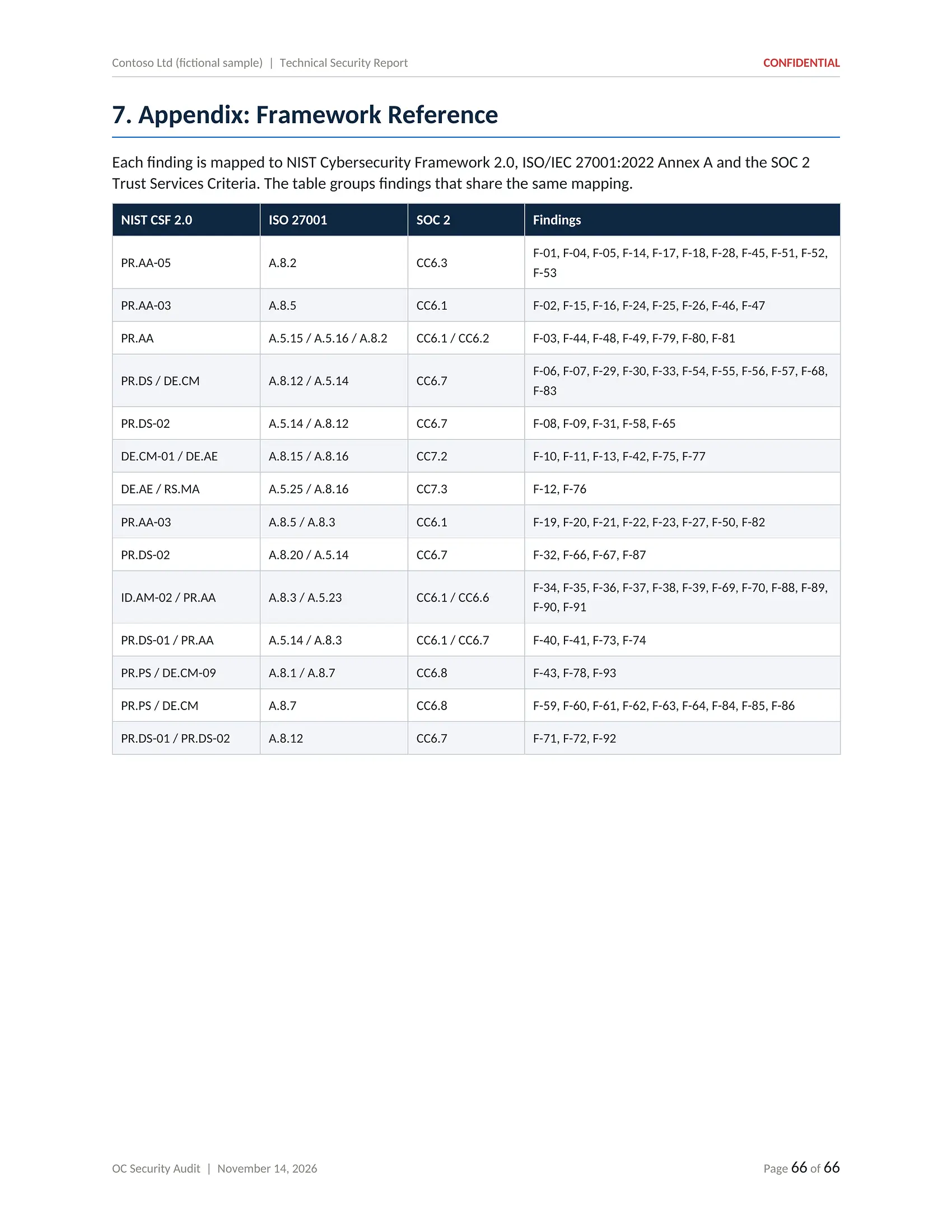
PDF · 66 pagesThe full technical record: environment overview, observations by area and one card per finding with evidence, business impact, recommendation, validation step and framework mapping.
- Environment overview and scope
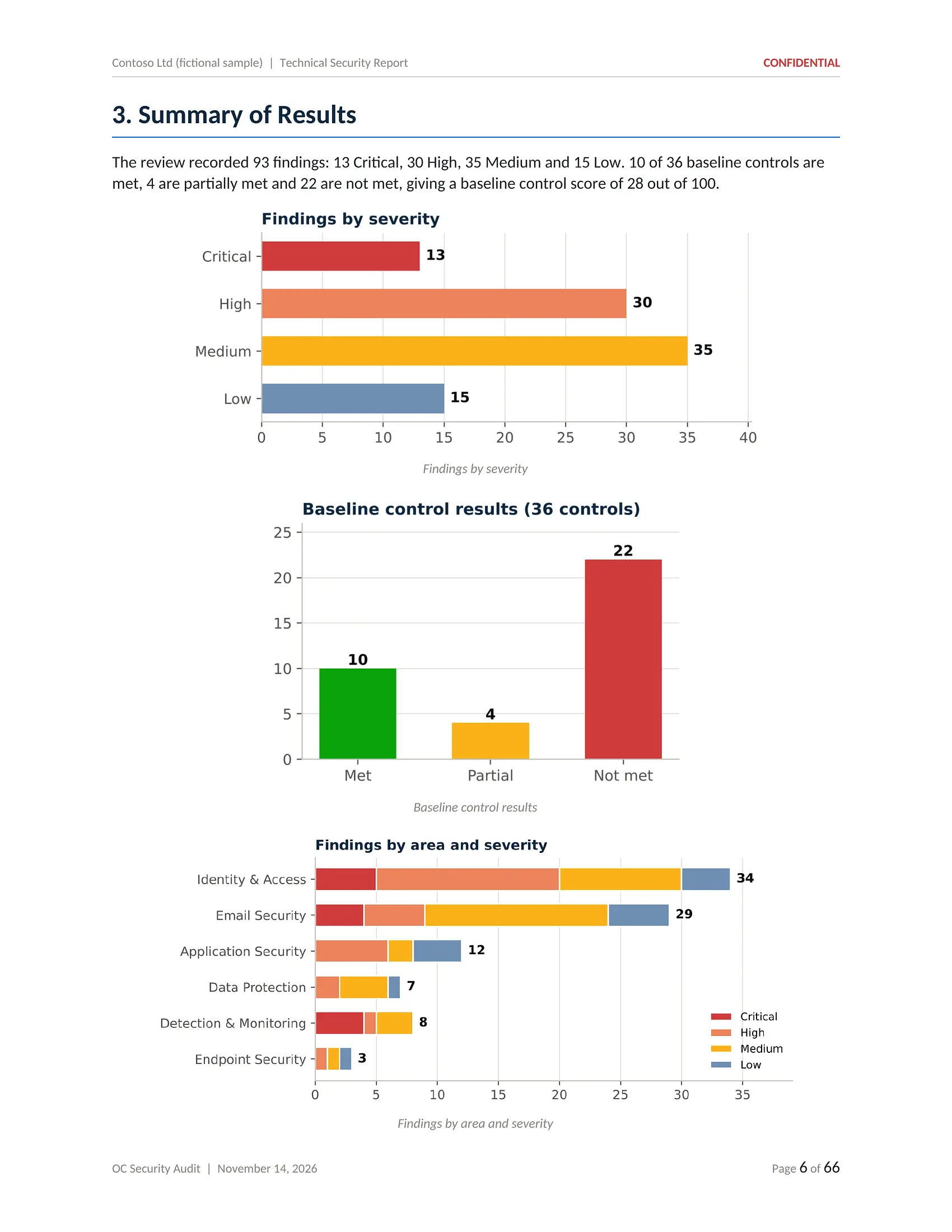
- Summary of results by severity
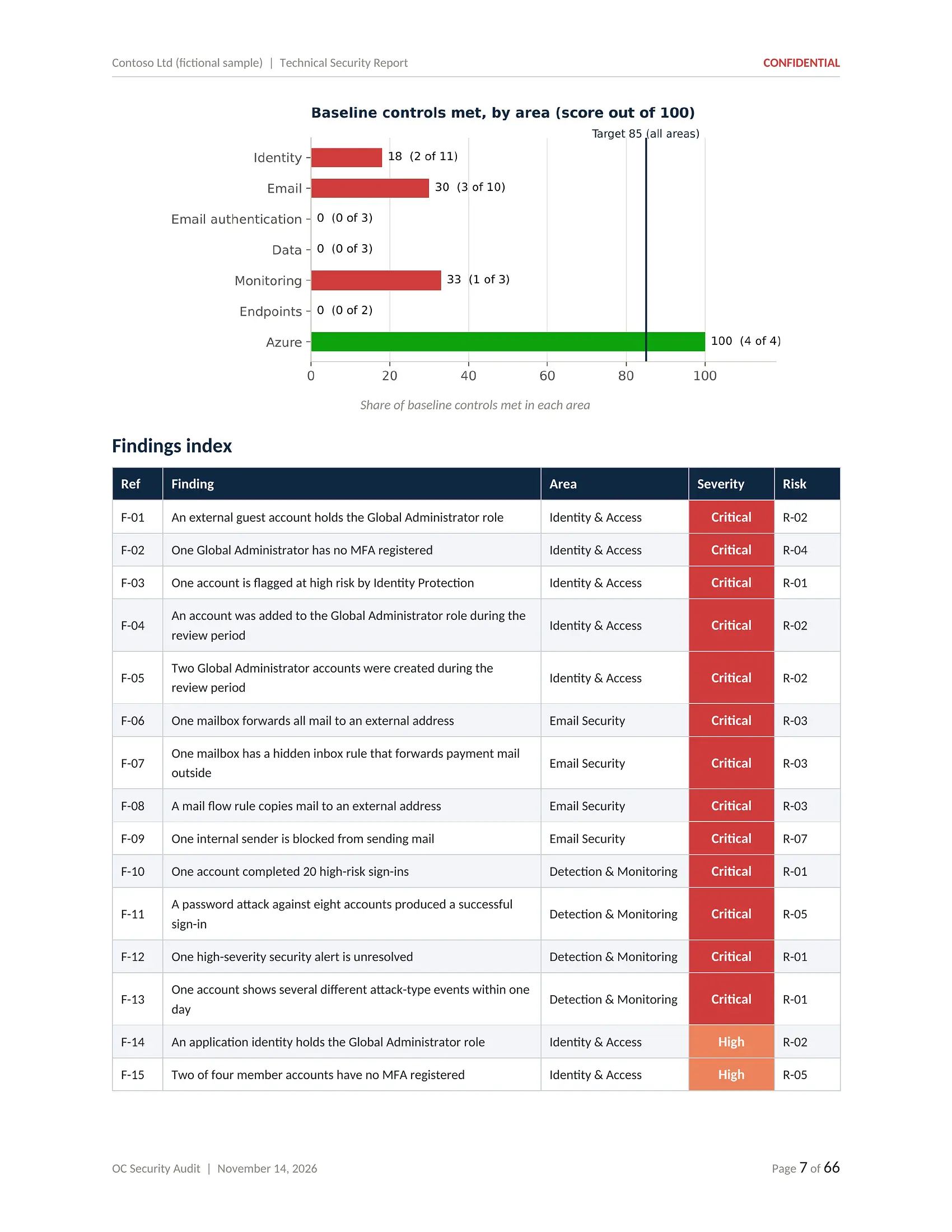
- Findings index
- Privileged access and sign-in analysis
- Email, rules and connected applications
- One card per finding
- Controls already meeting the baseline
- NIST CSF 2.0, ISO 27001 and SOC 2 mapping
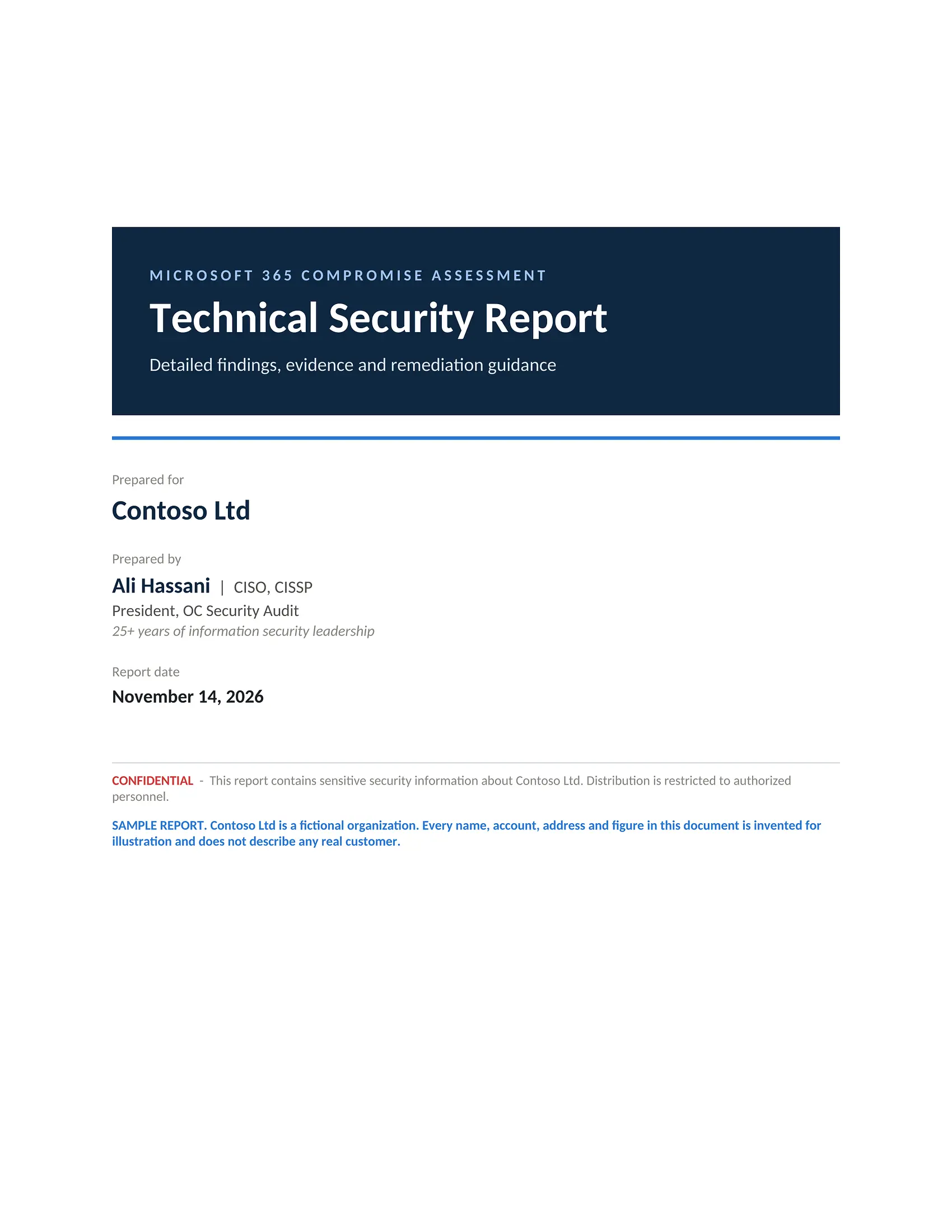
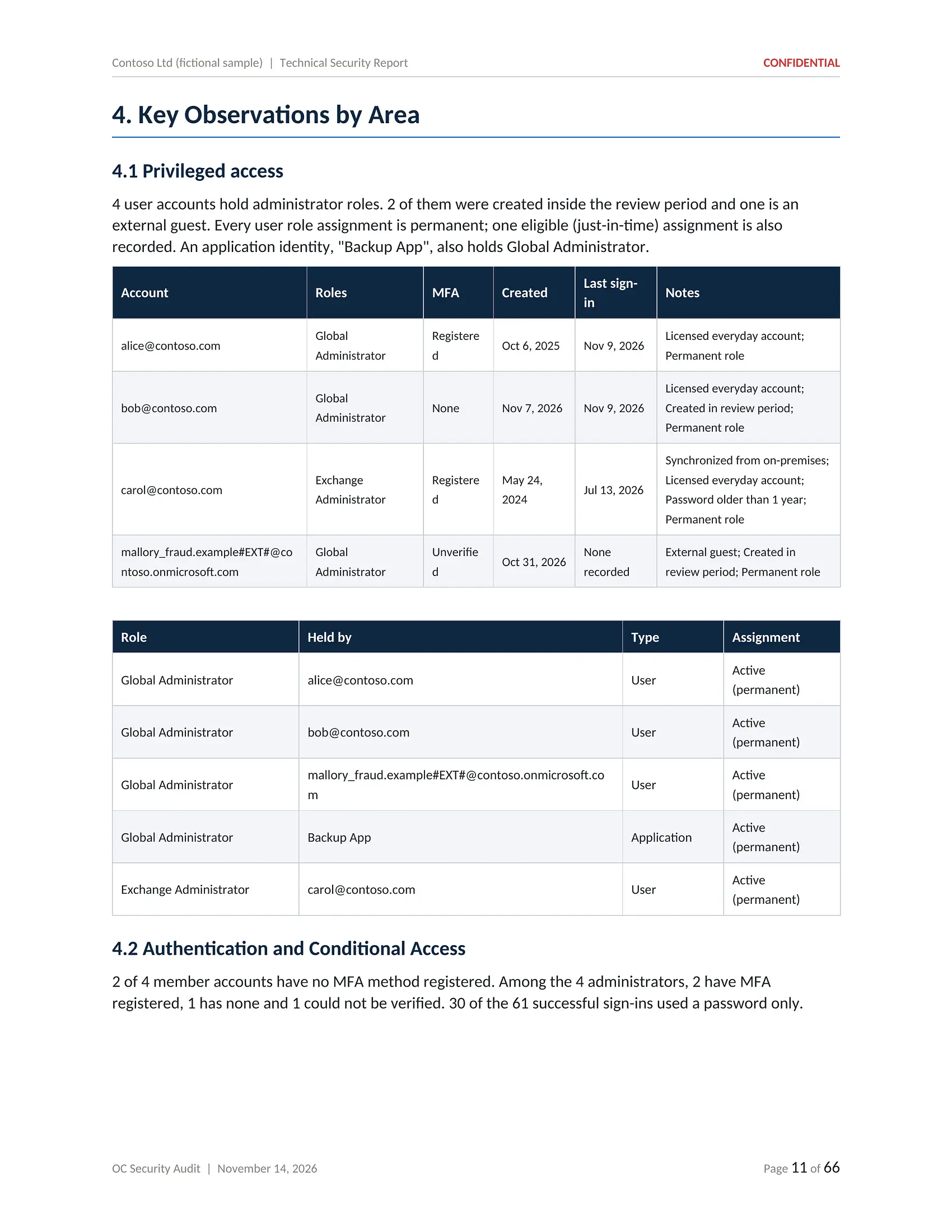
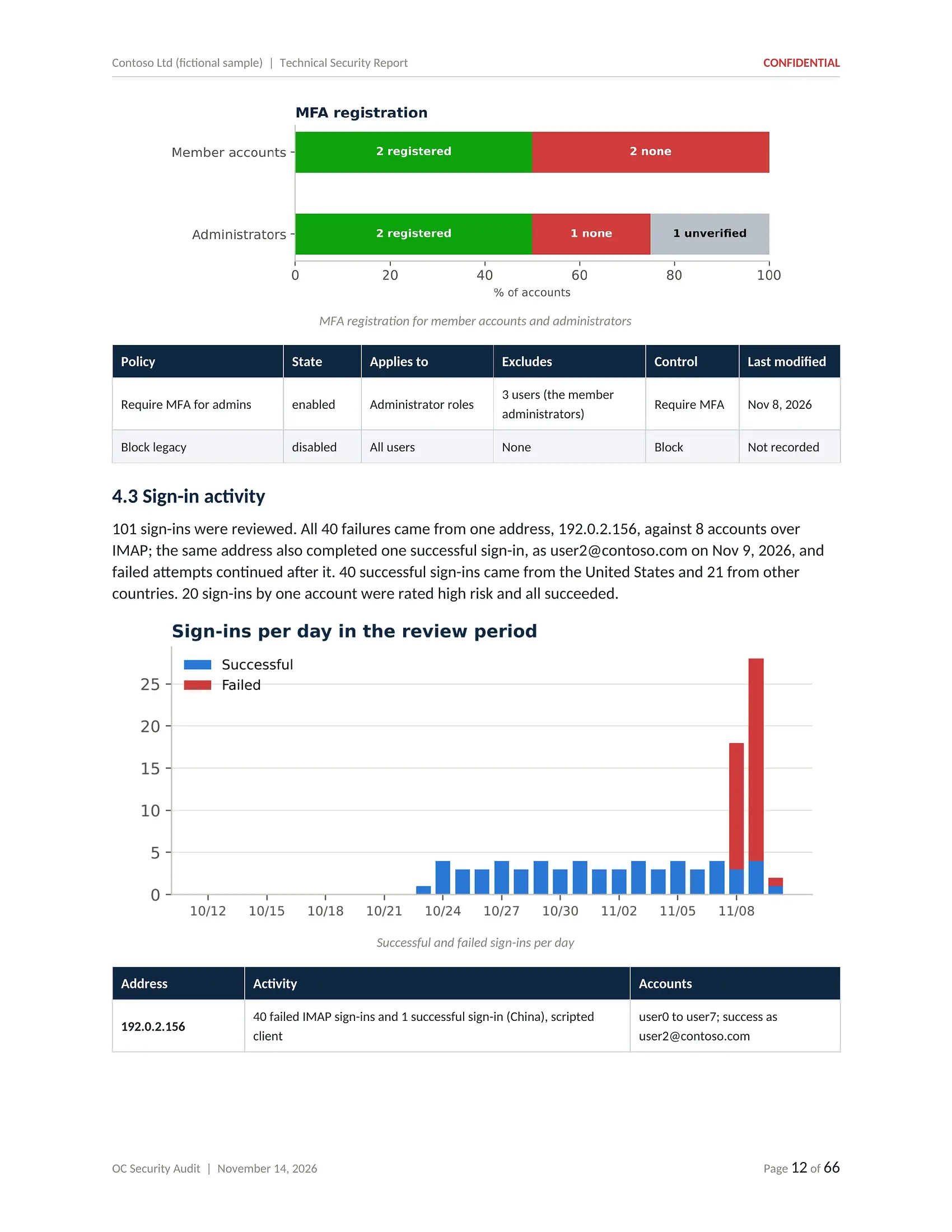
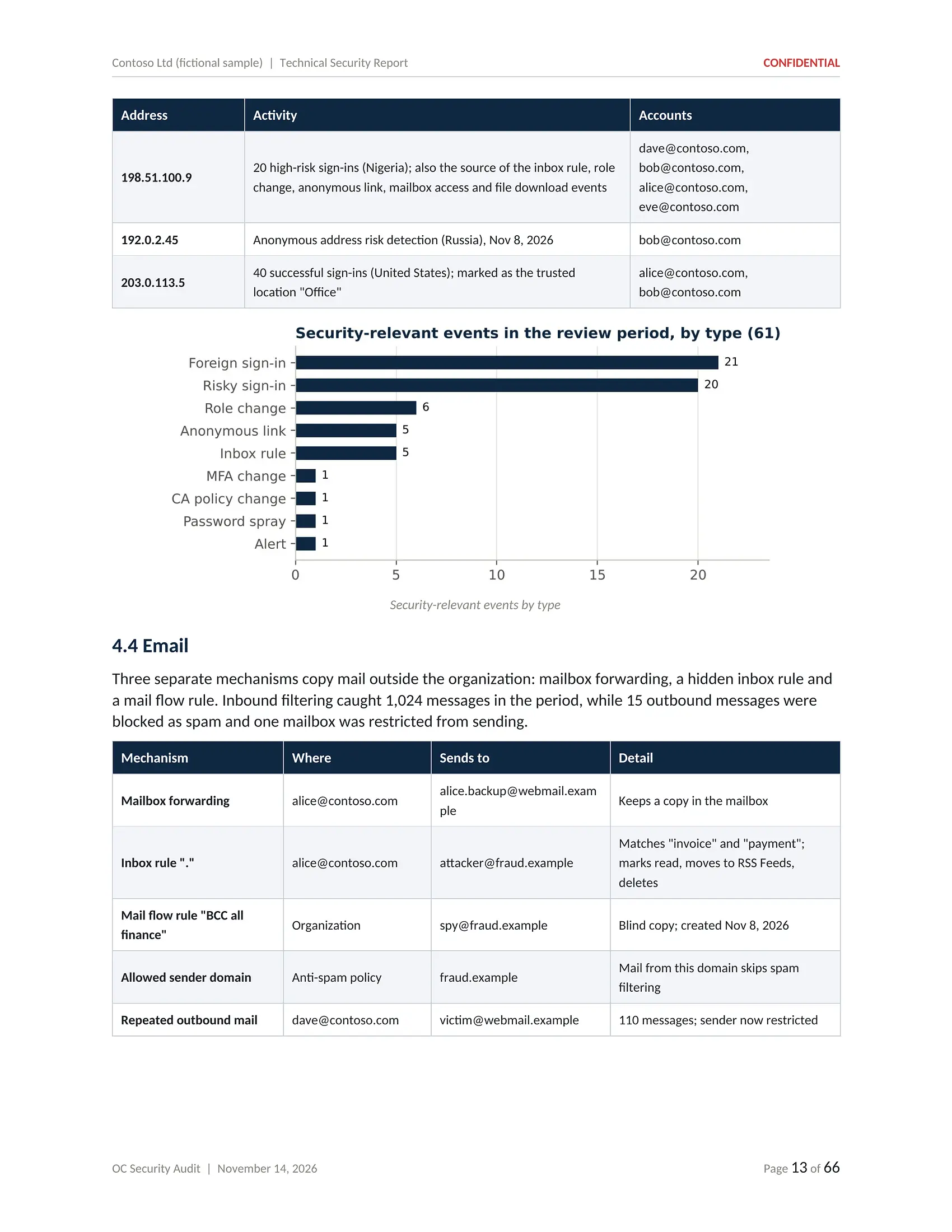
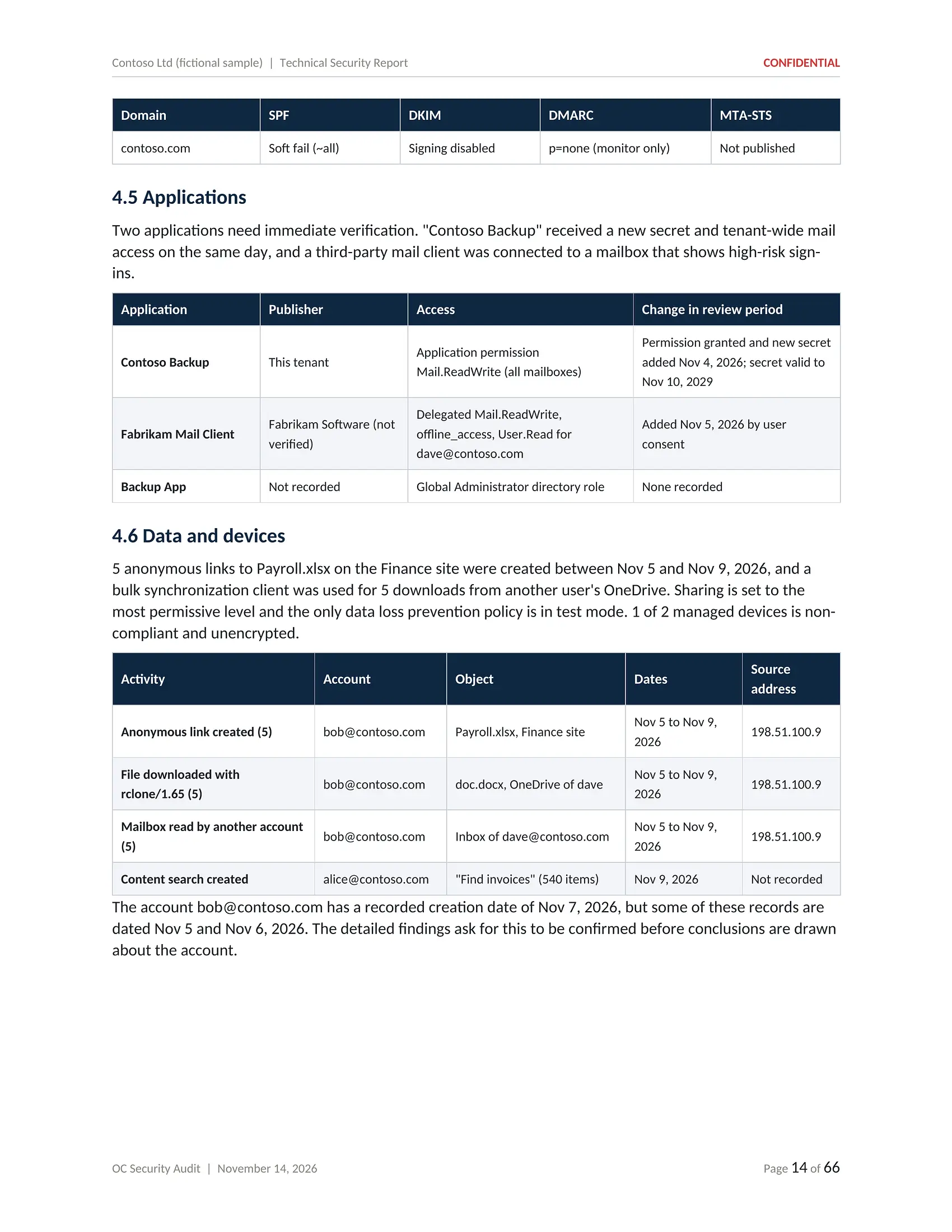
Click or tap the page to open it full size and zoom in
Technical Security Report: detailed findings, evidence and remediation guidance.
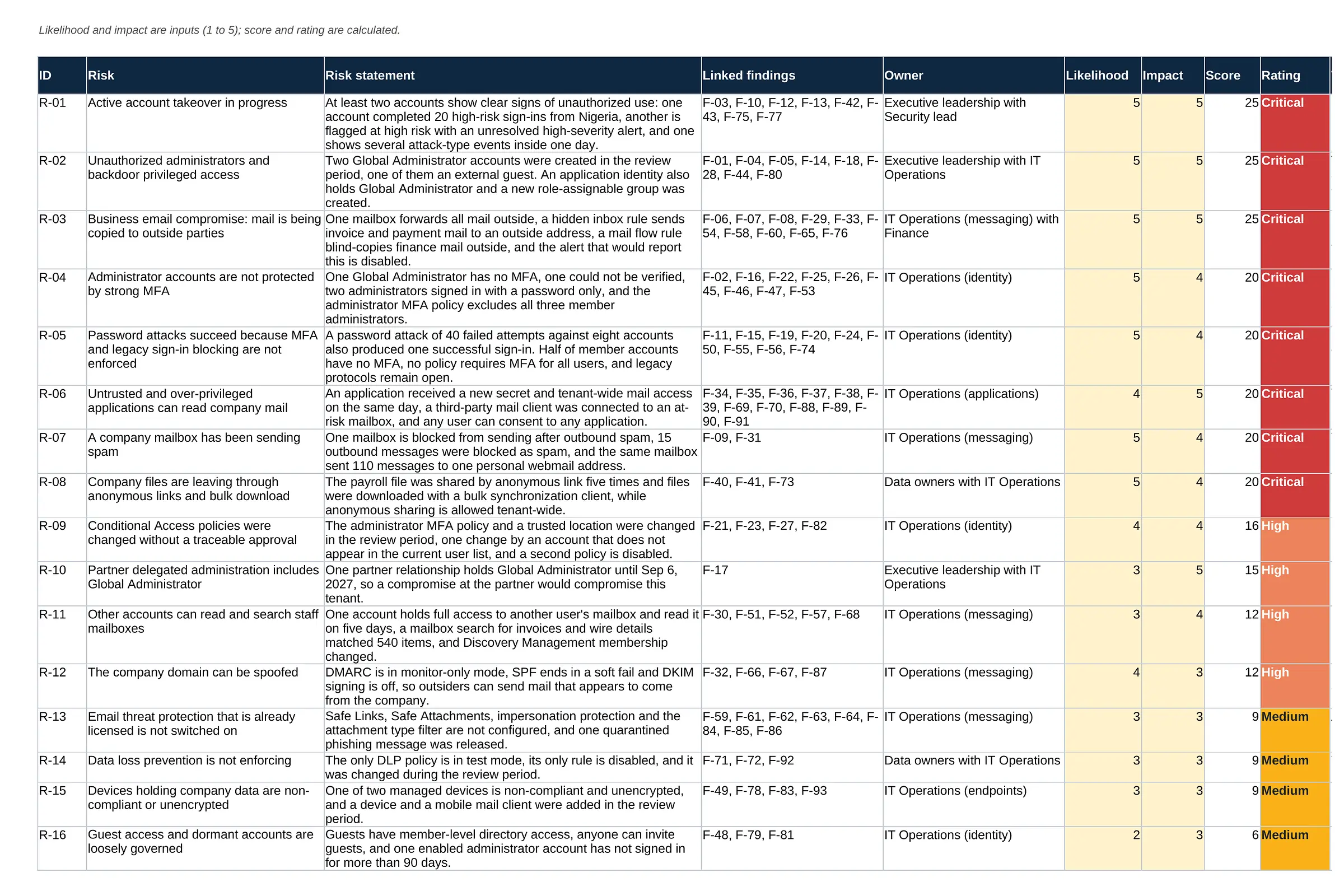
Risk Register
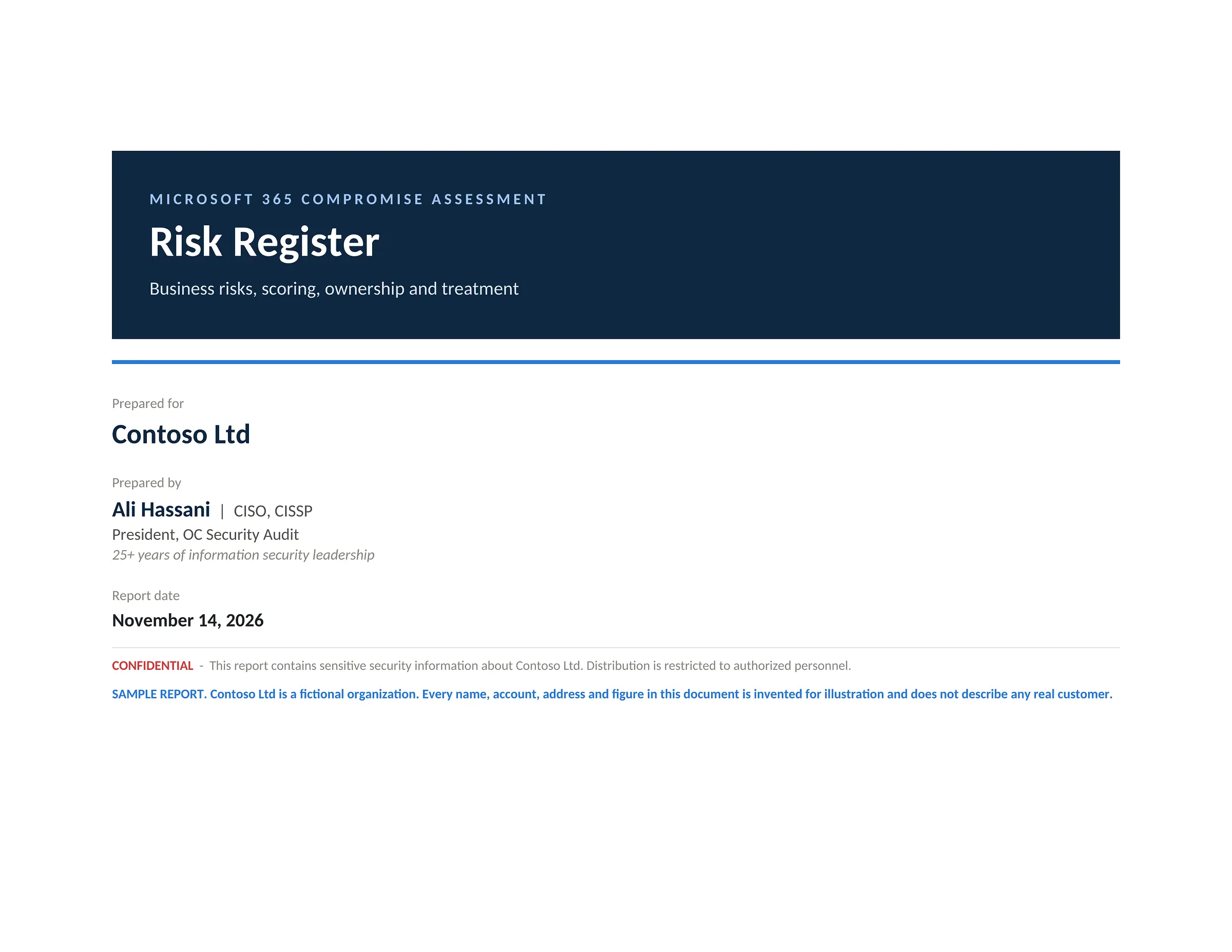
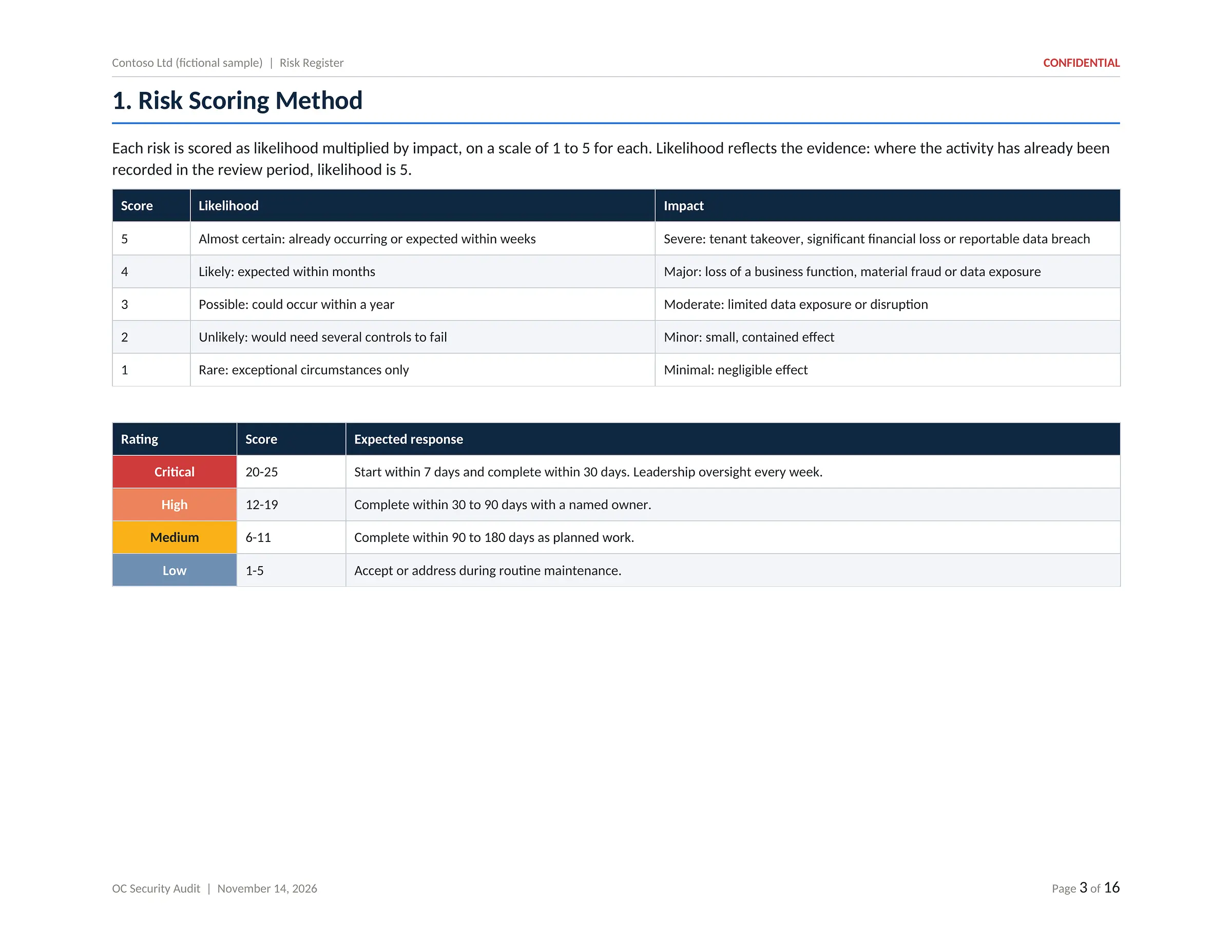
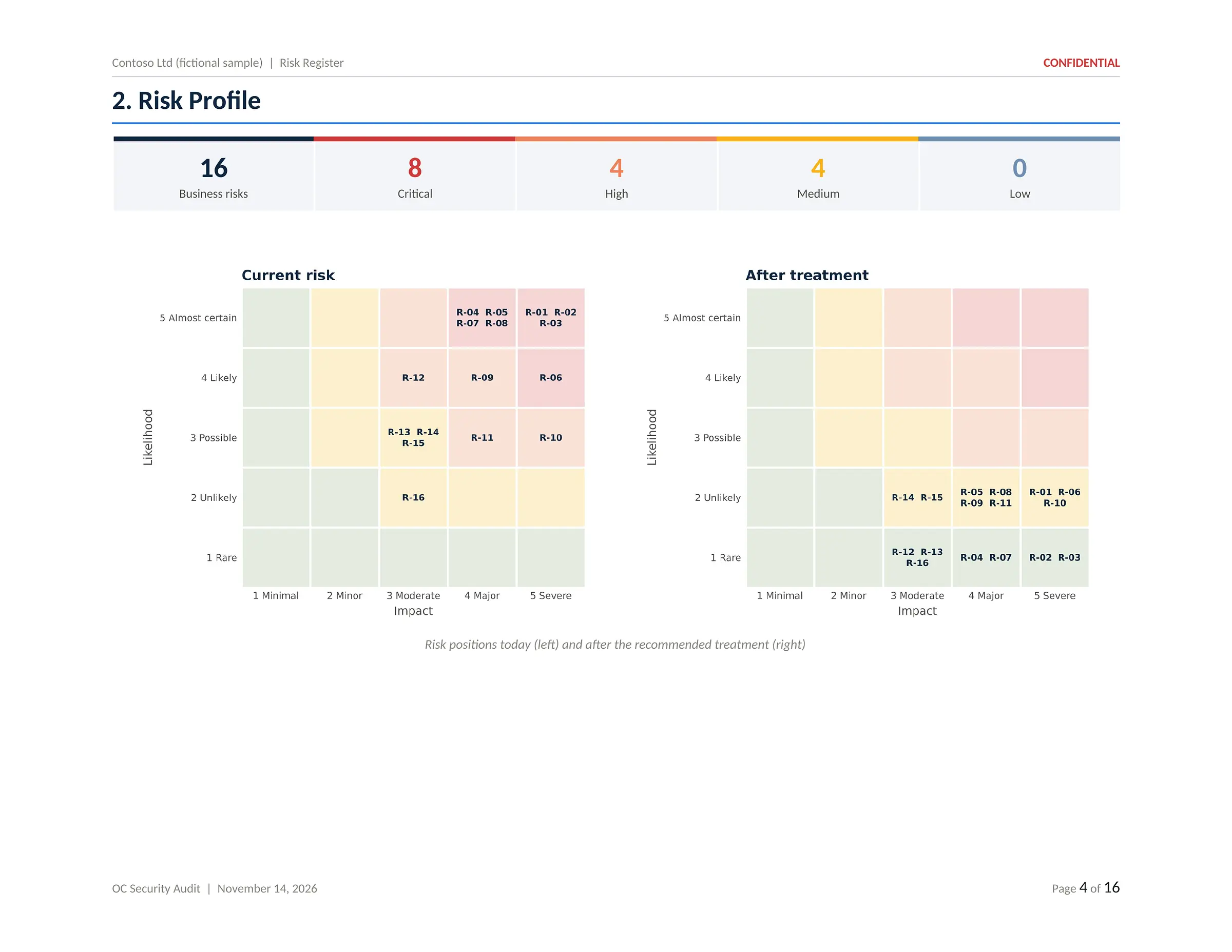
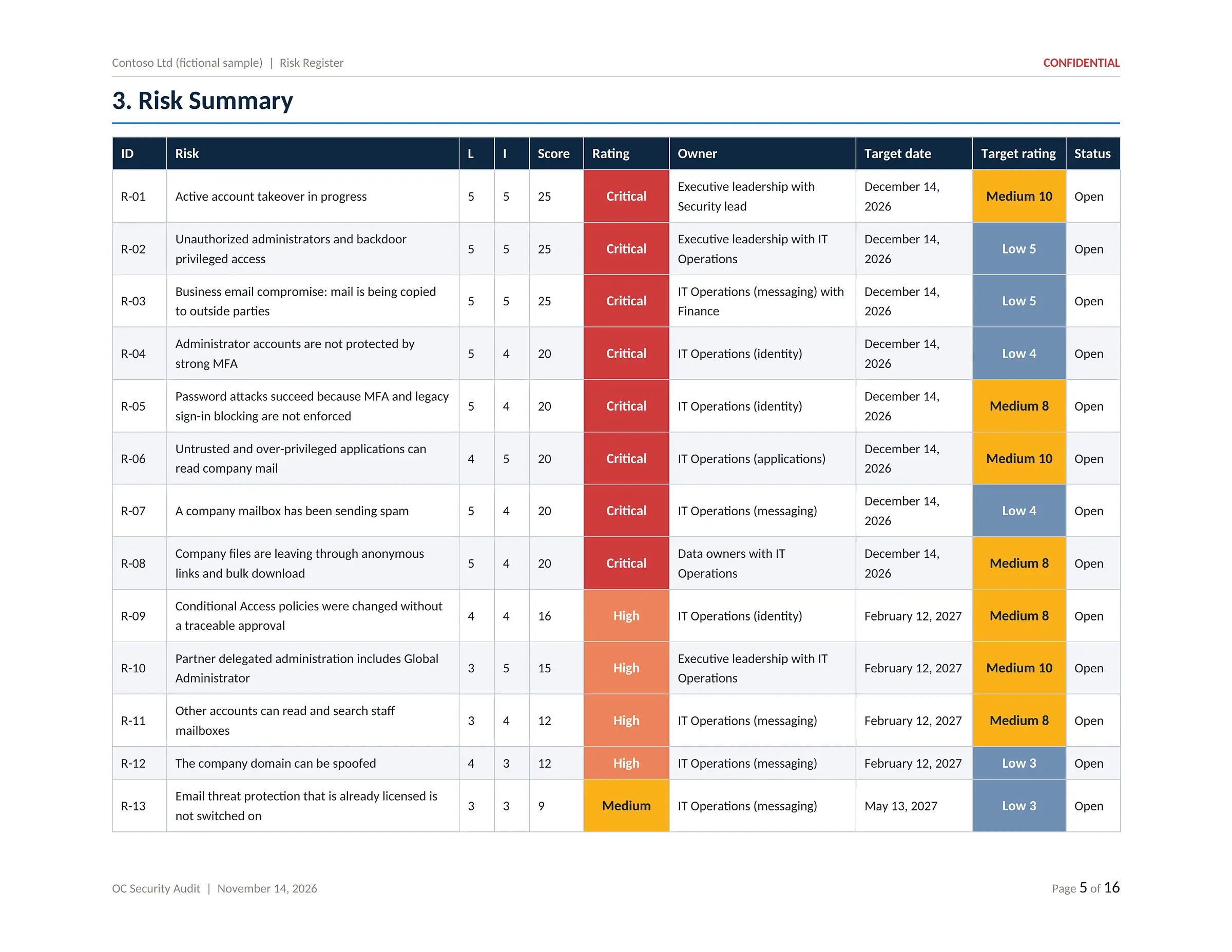
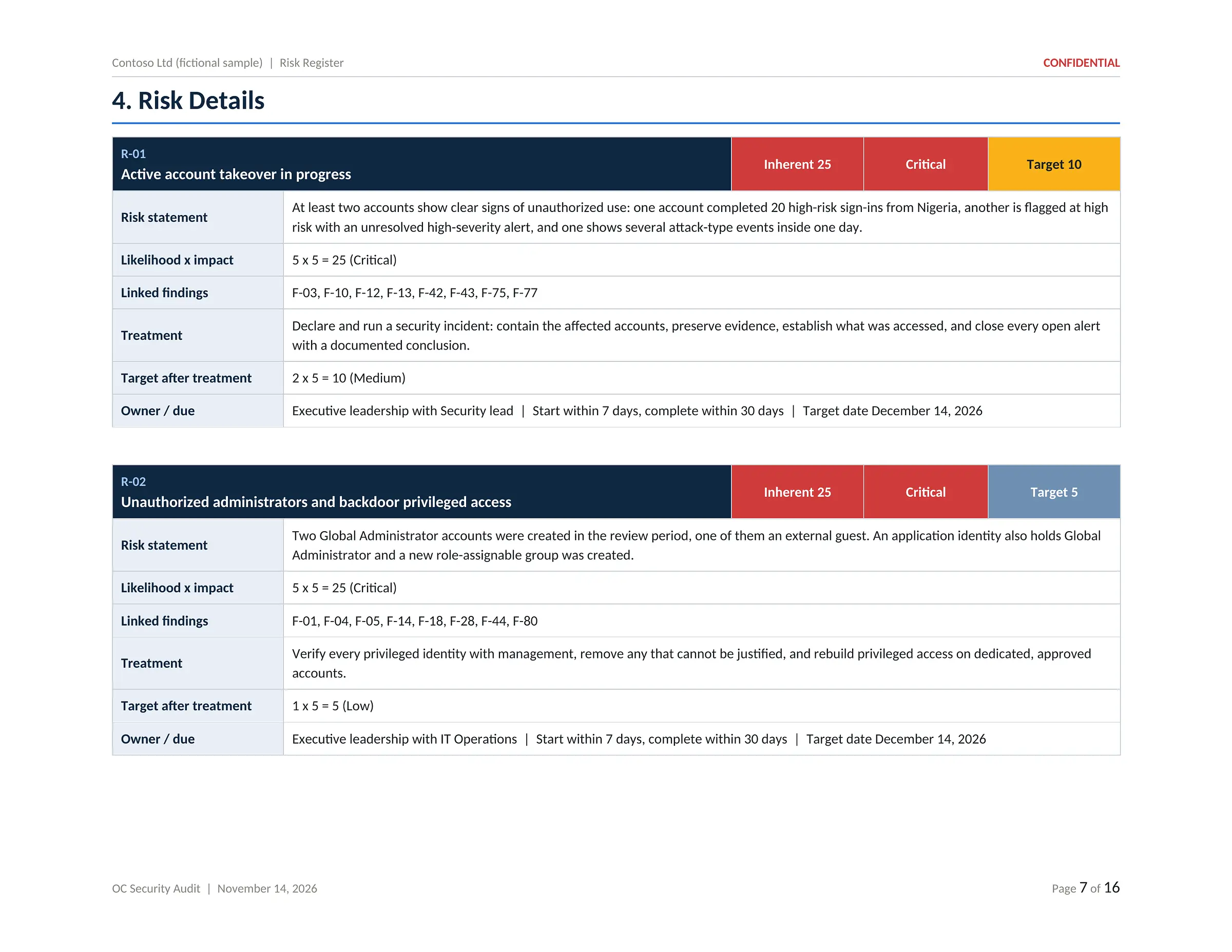
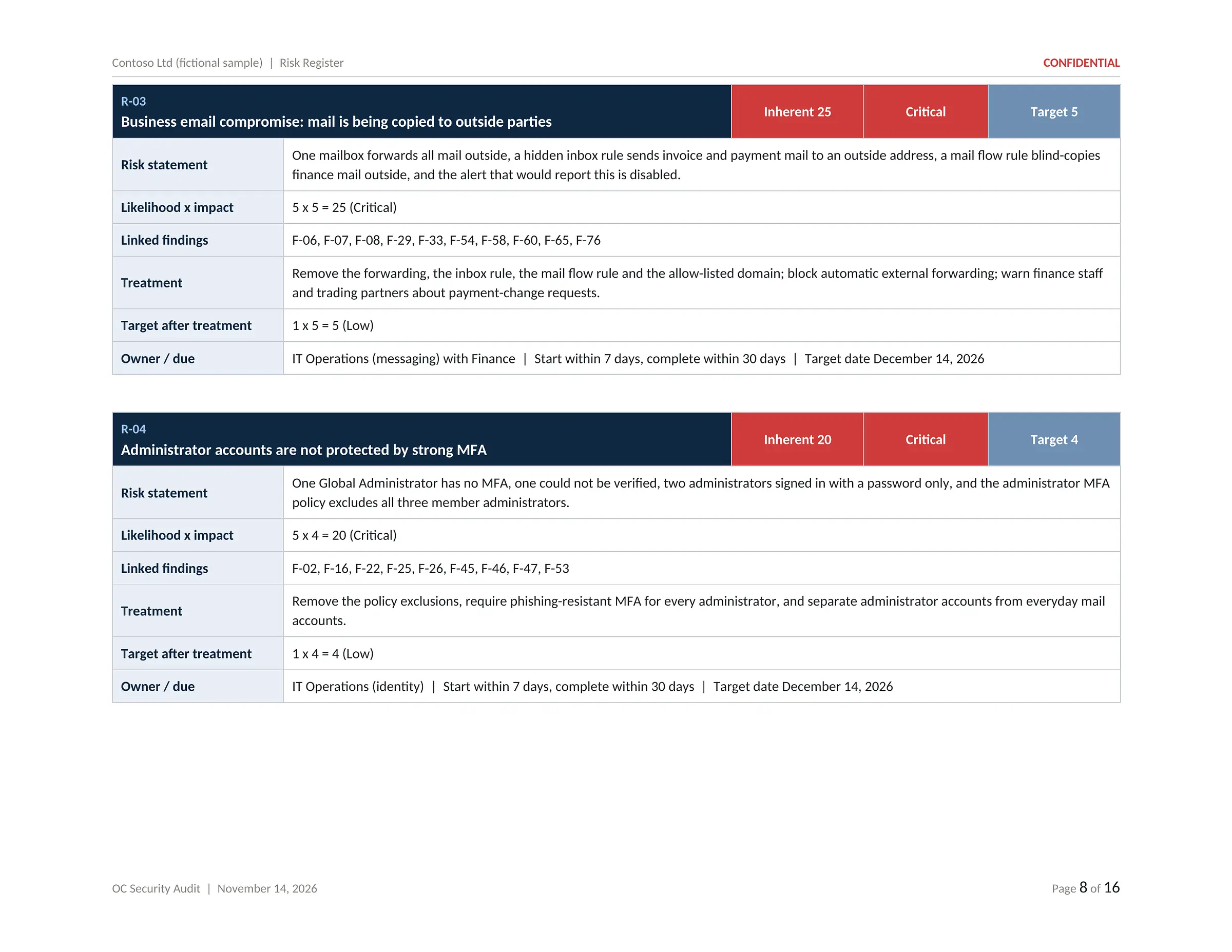
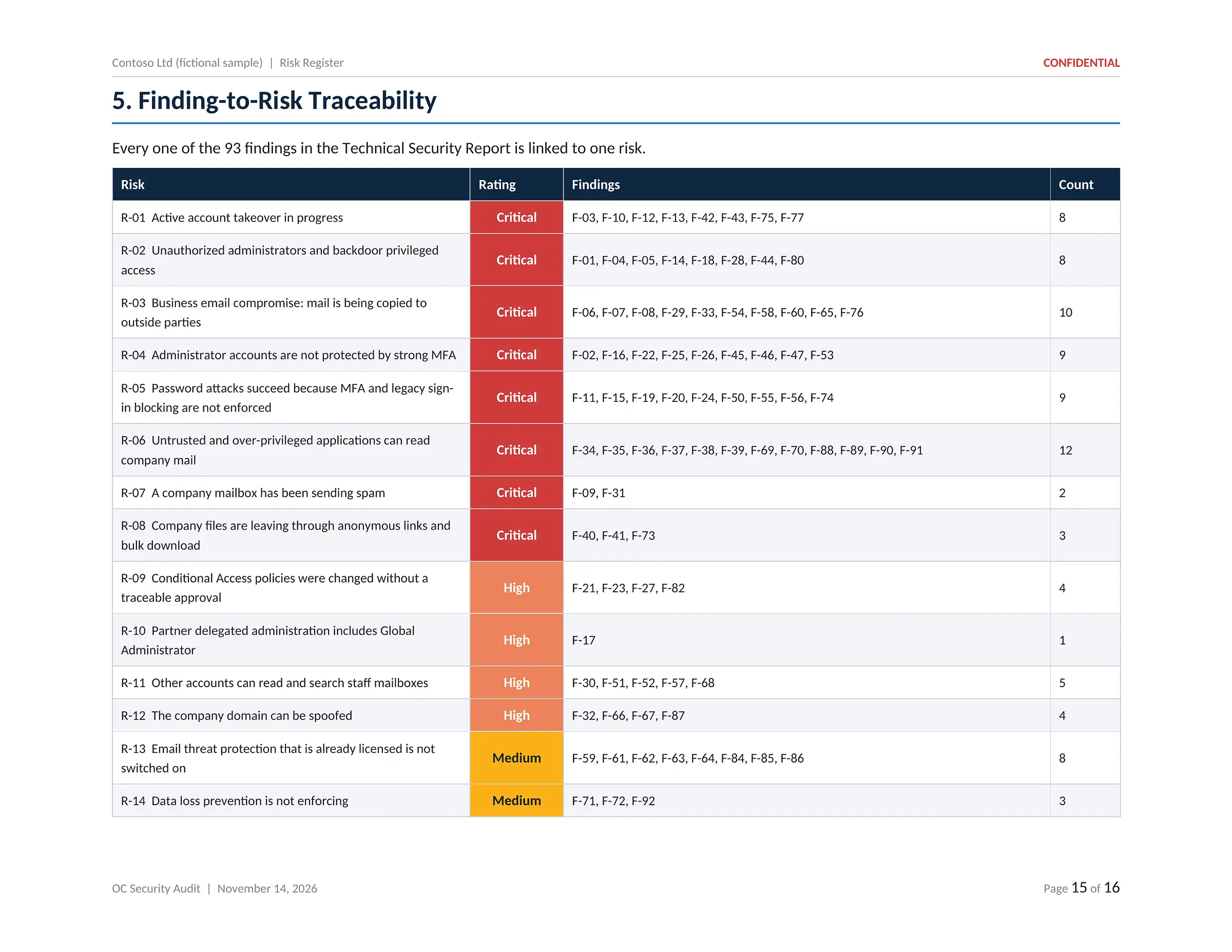
PDF · 16 pagesFindings consolidated into business risks, each scored by likelihood and impact, with an owner, a target date and a target rating, and a trace back to every finding.
- Risk scoring method
- Risk profile today and after treatment
- Risk summary table
- Detail page per risk
- Owner and target date
- Finding-to-risk traceability
Click or tap the page to open it full size and zoom in
Risk Register: business risks, scoring, ownership and treatment.
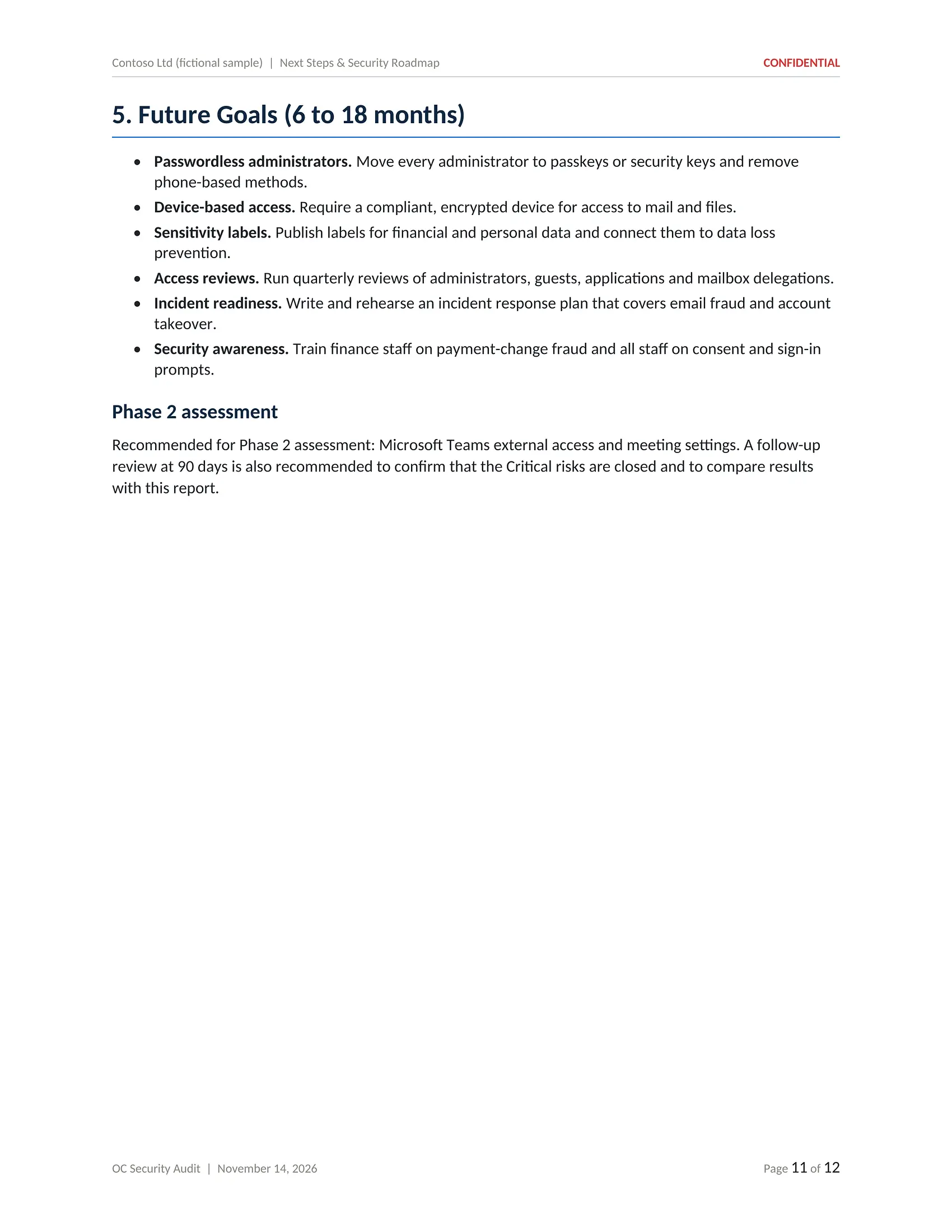
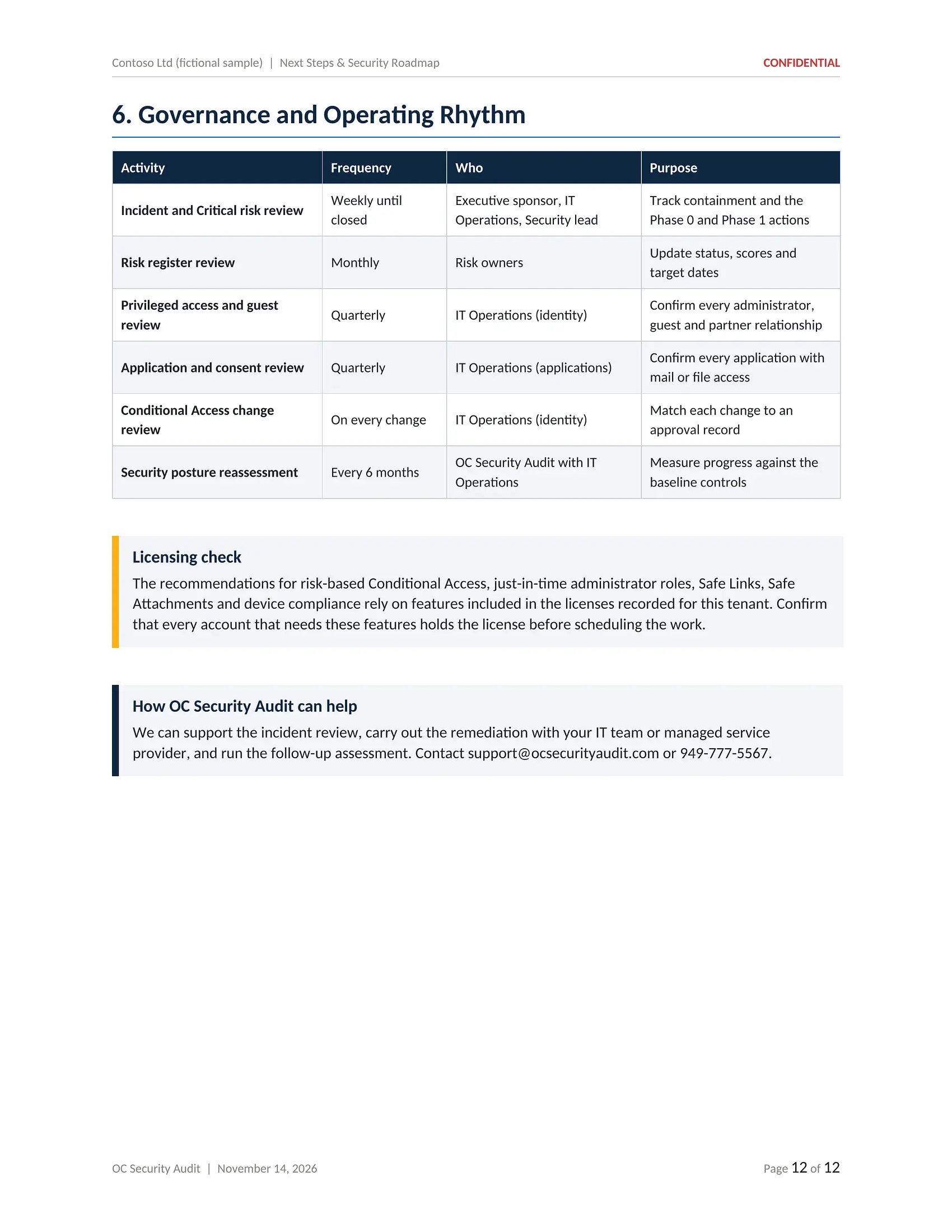
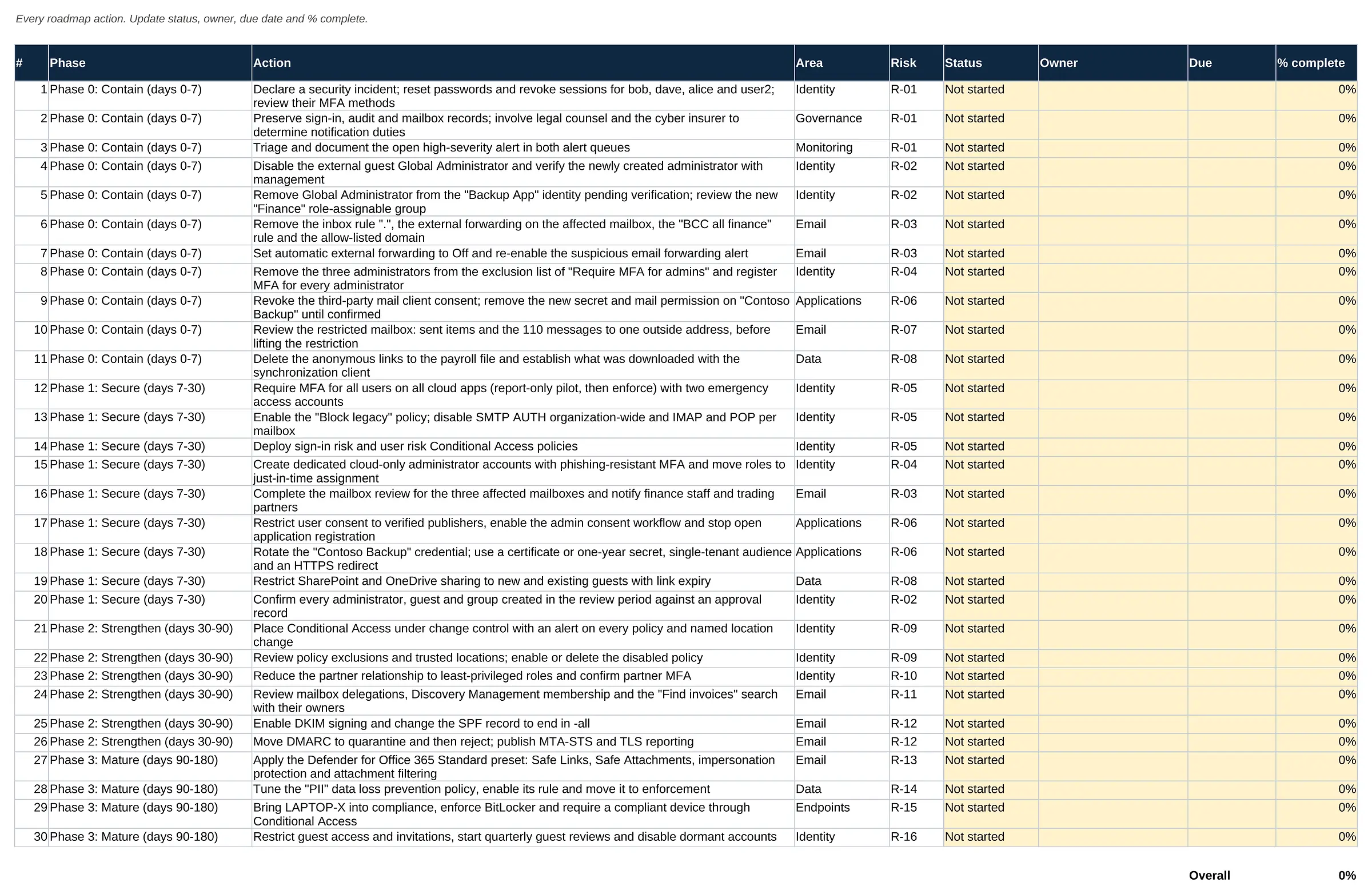
Next Steps & Security Roadmap
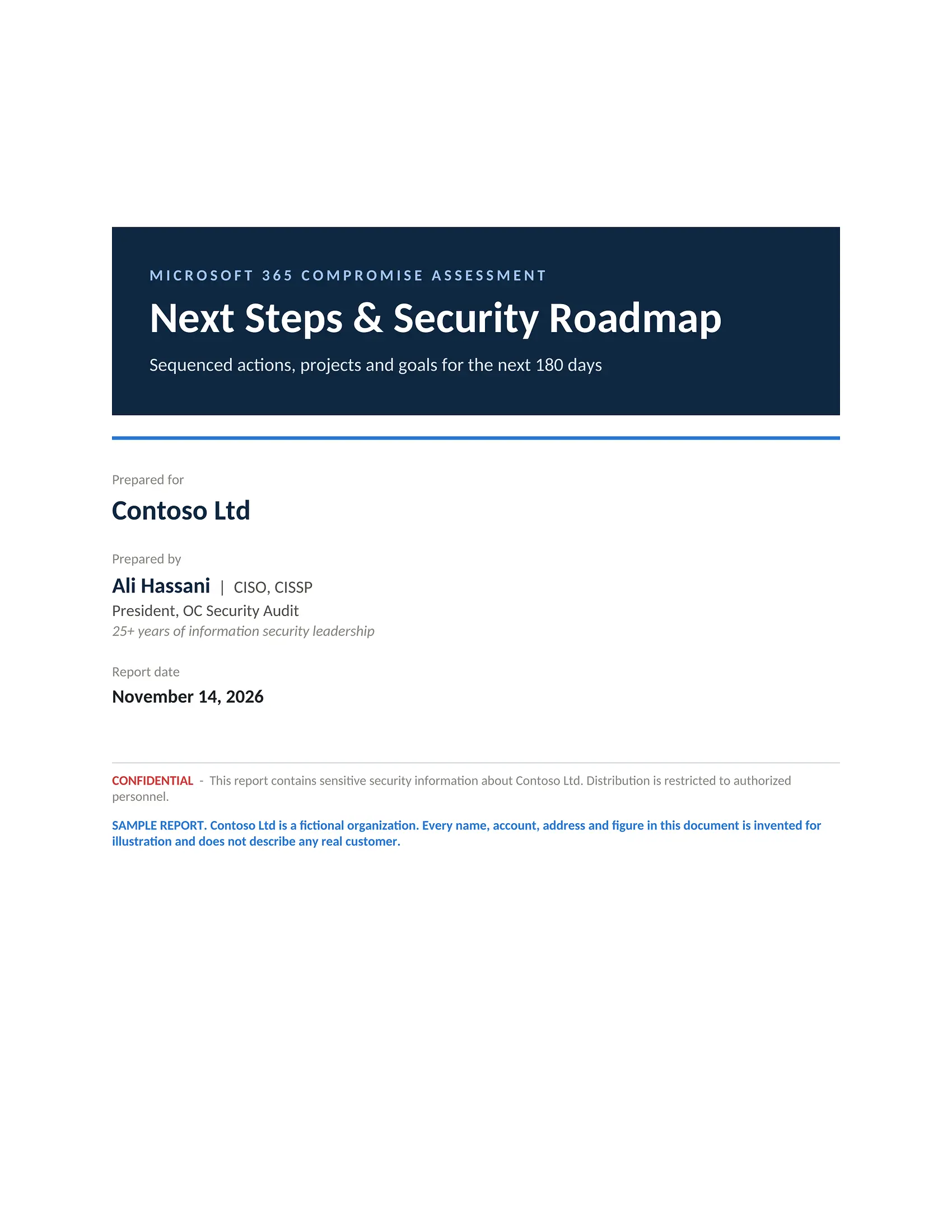
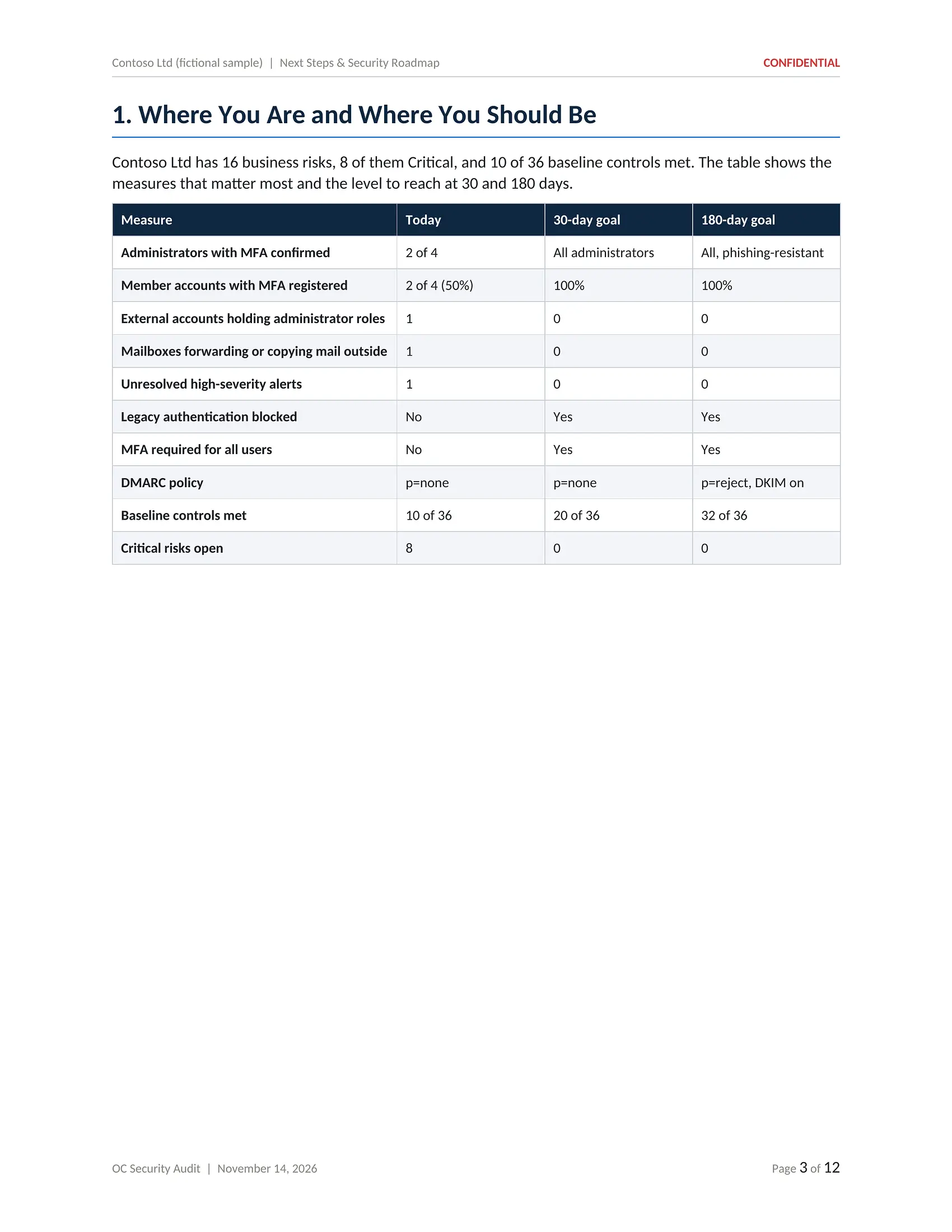
PDF · 12 pagesA sequenced plan that starts with containment in the first seven days and moves through hardening to maturity over 180 days, grouped into projects with owners and a governance rhythm.
- Where you are and 30/180-day goals
- Four phases from Contain to Mature
- Numbered actions linked to risks
- Six recommended projects
- Expected outcome after remediation
- Future goals for 6 to 18 months
- Governance and meeting rhythm
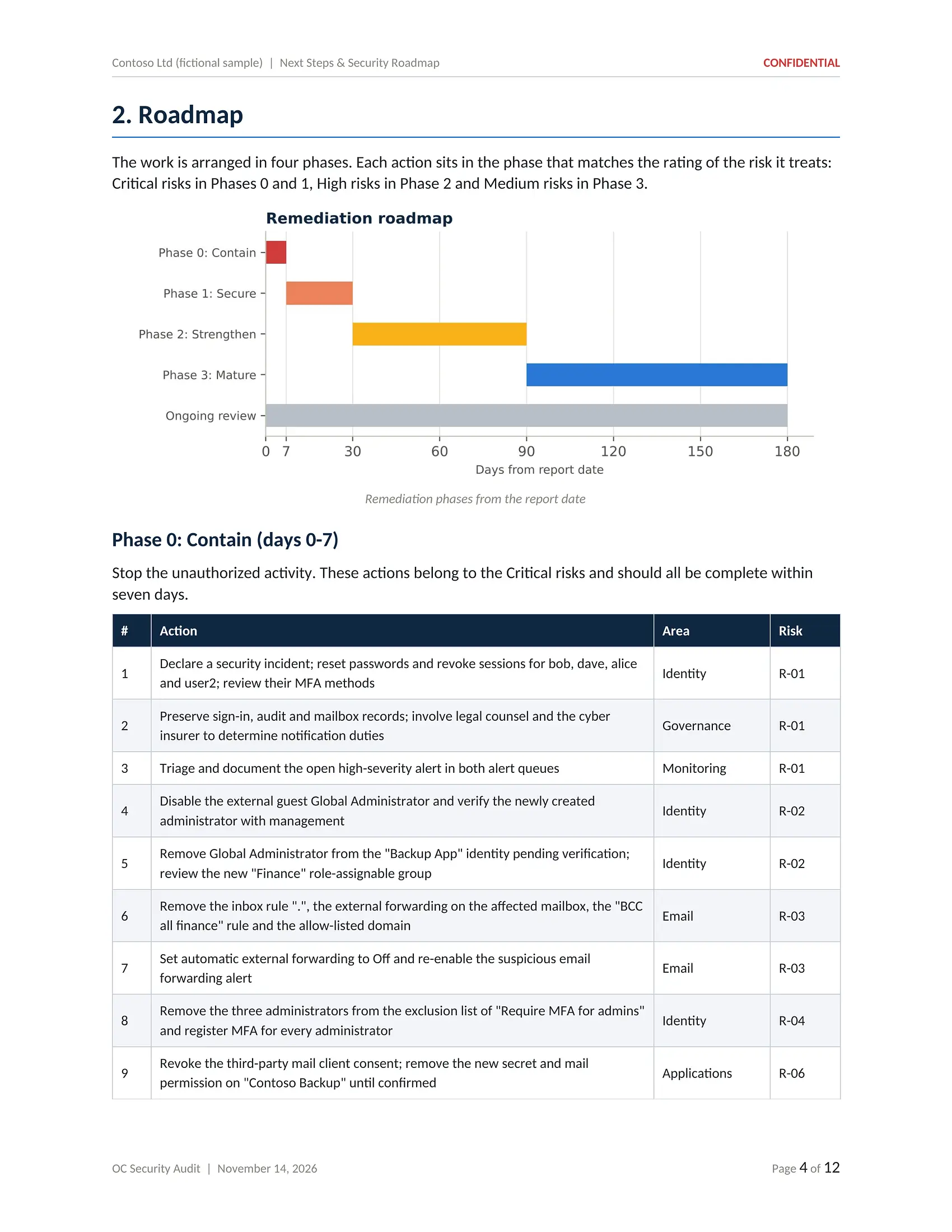
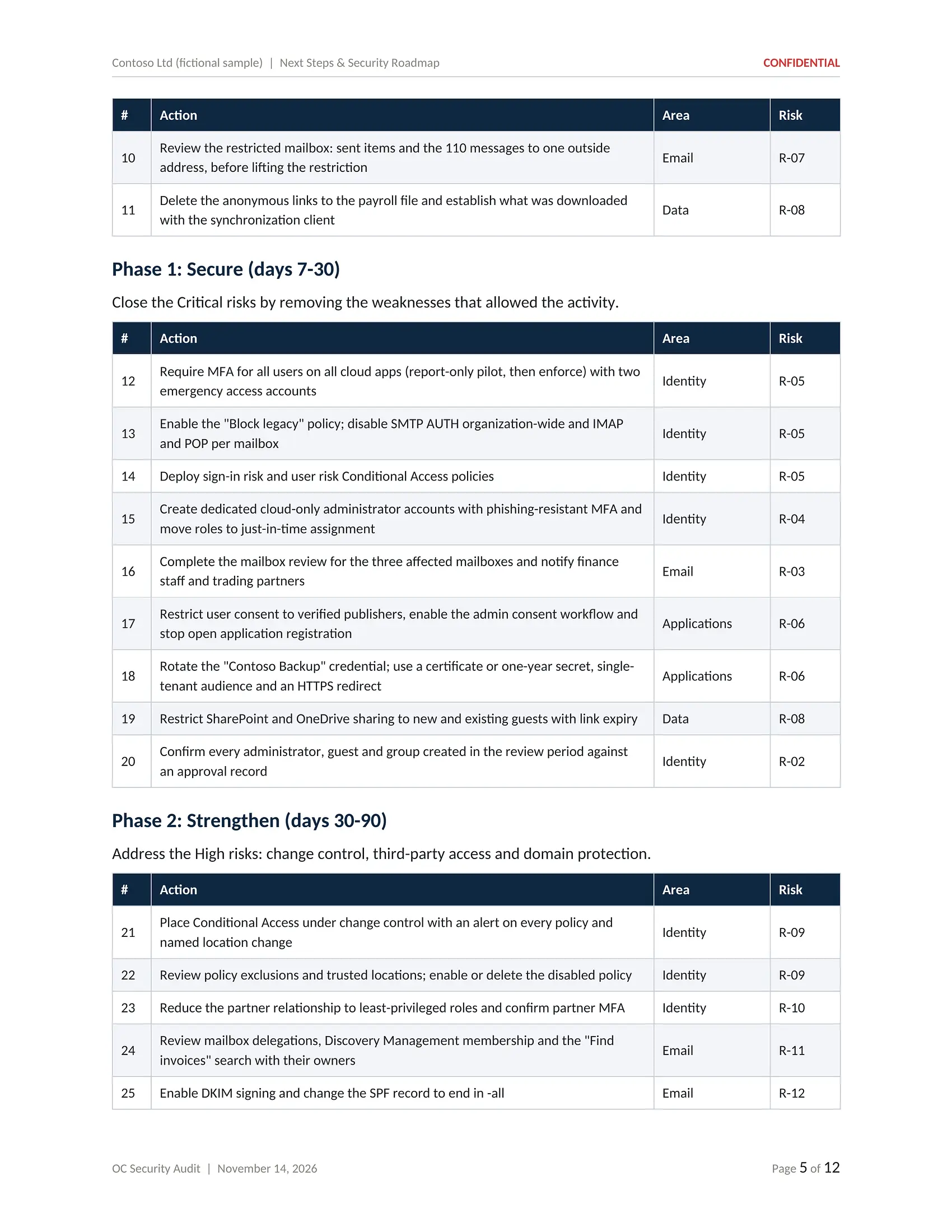
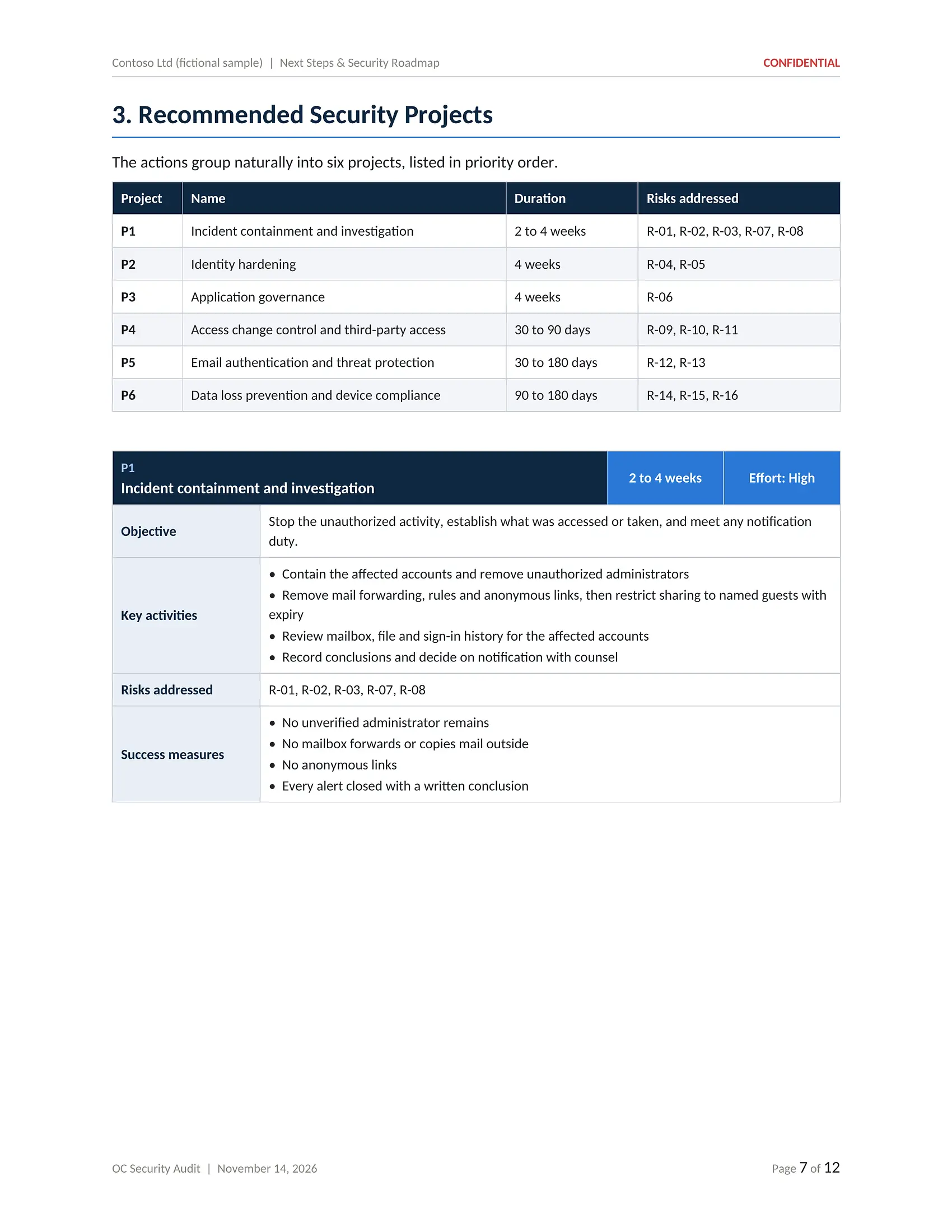
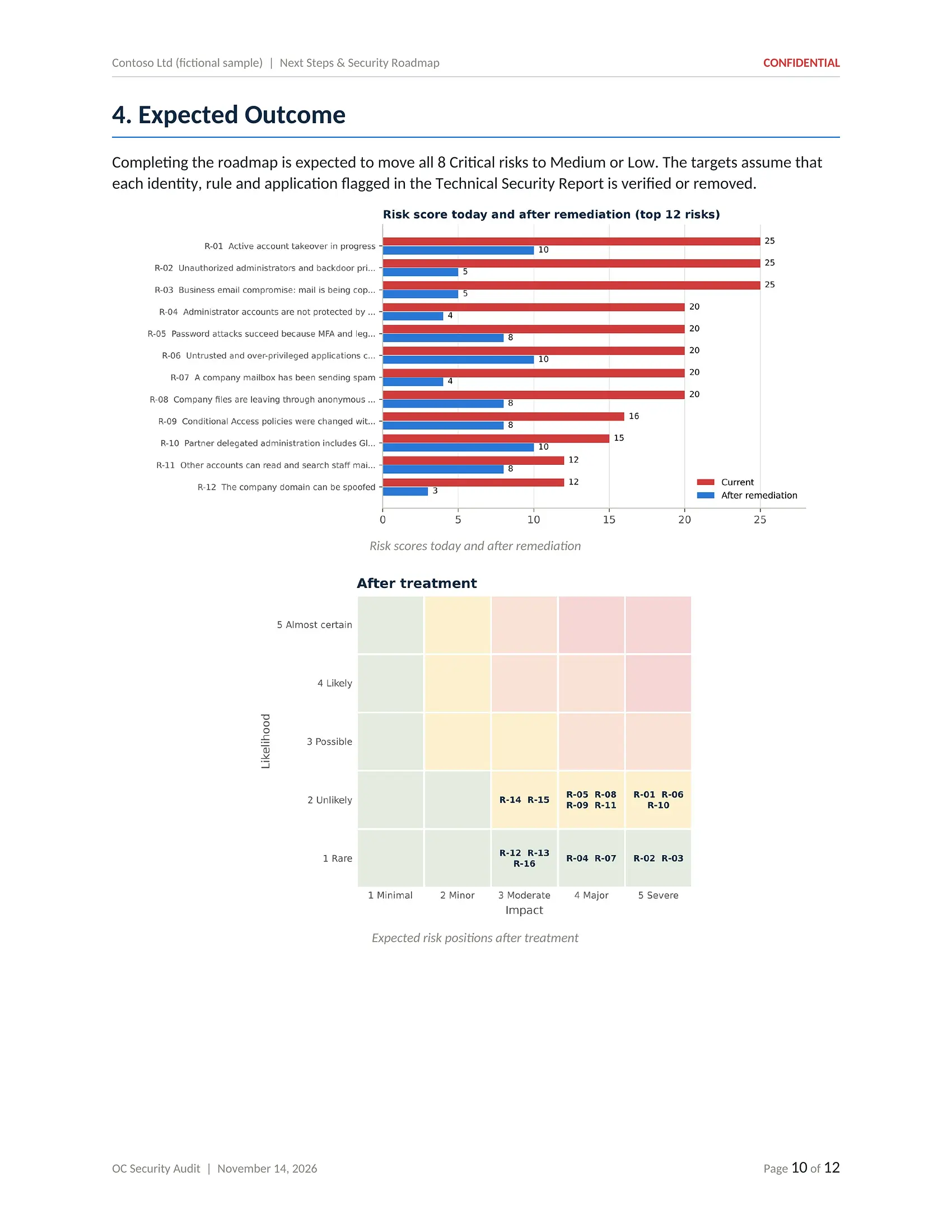
Click or tap the page to open it full size and zoom in
Next Steps & Security Roadmap: sequenced actions, projects and goals for the next 180 days.
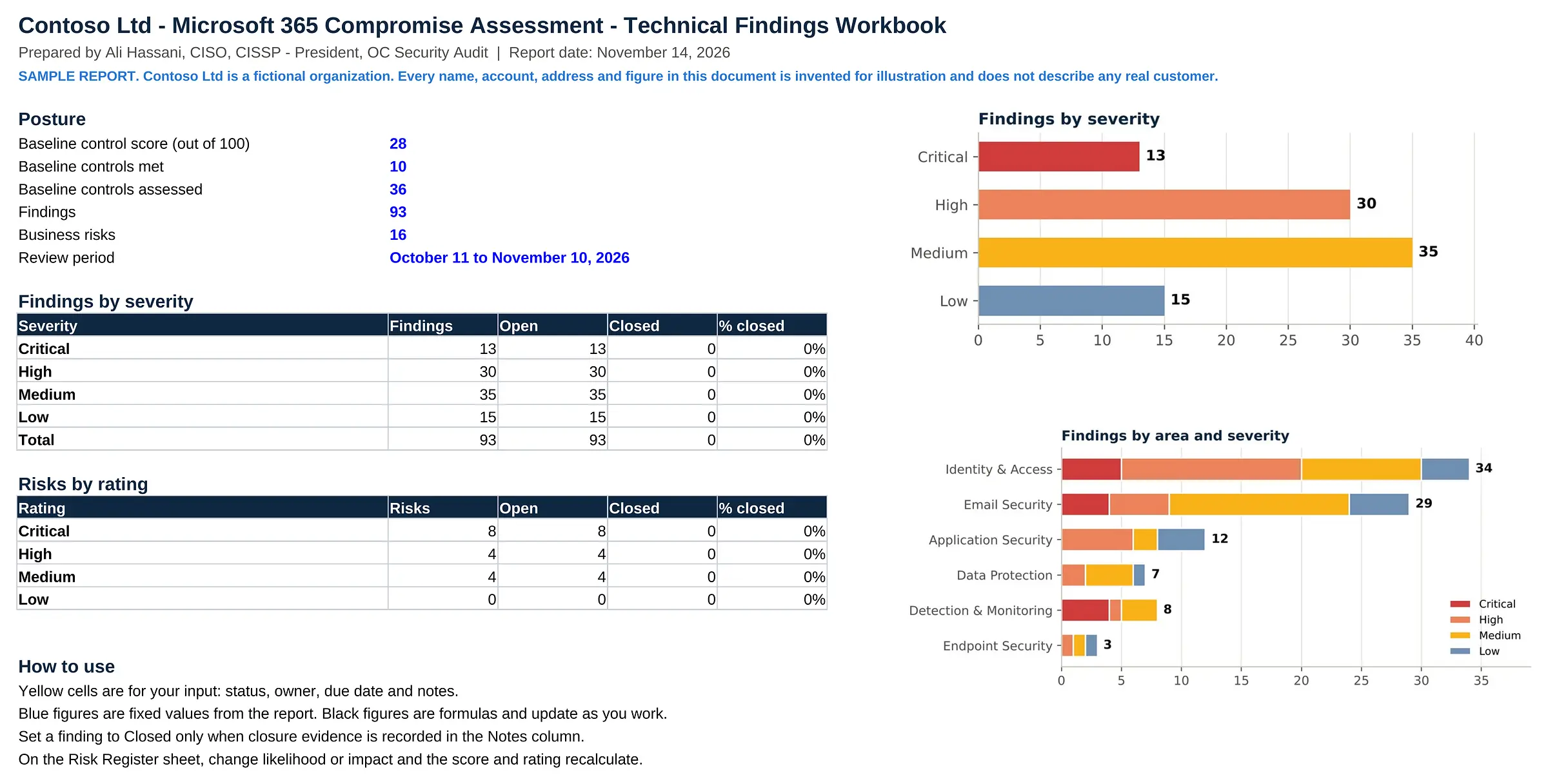
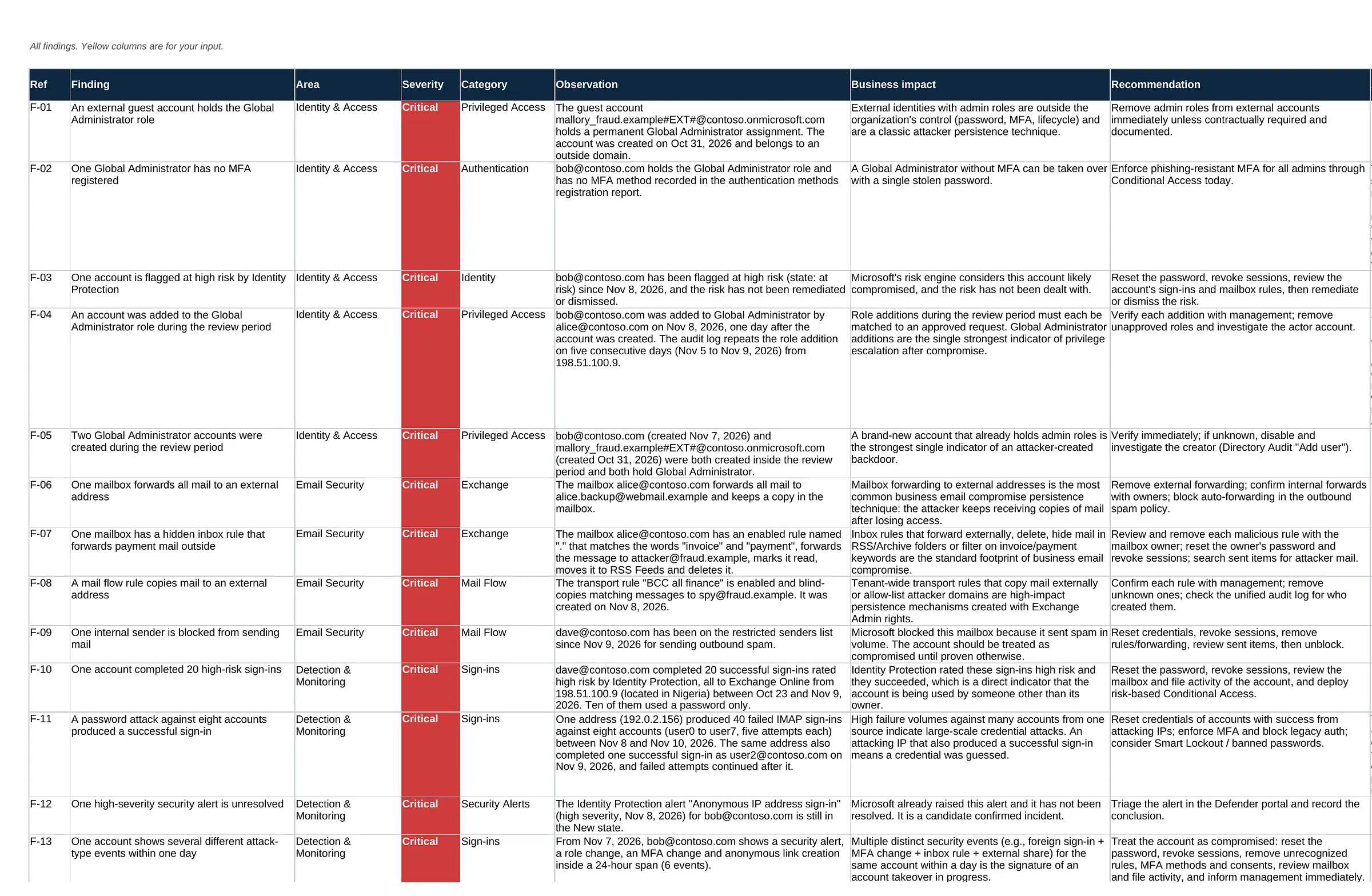
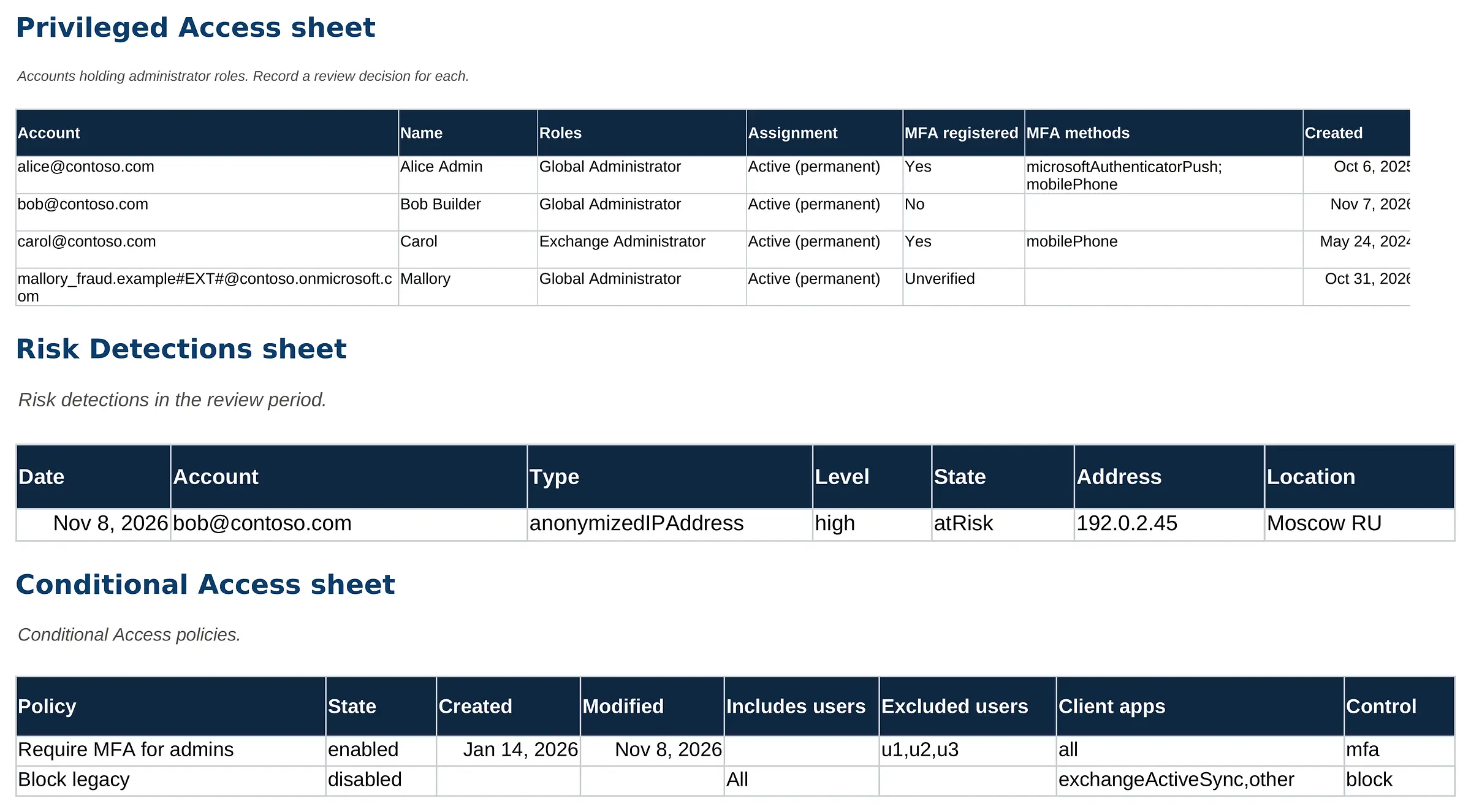
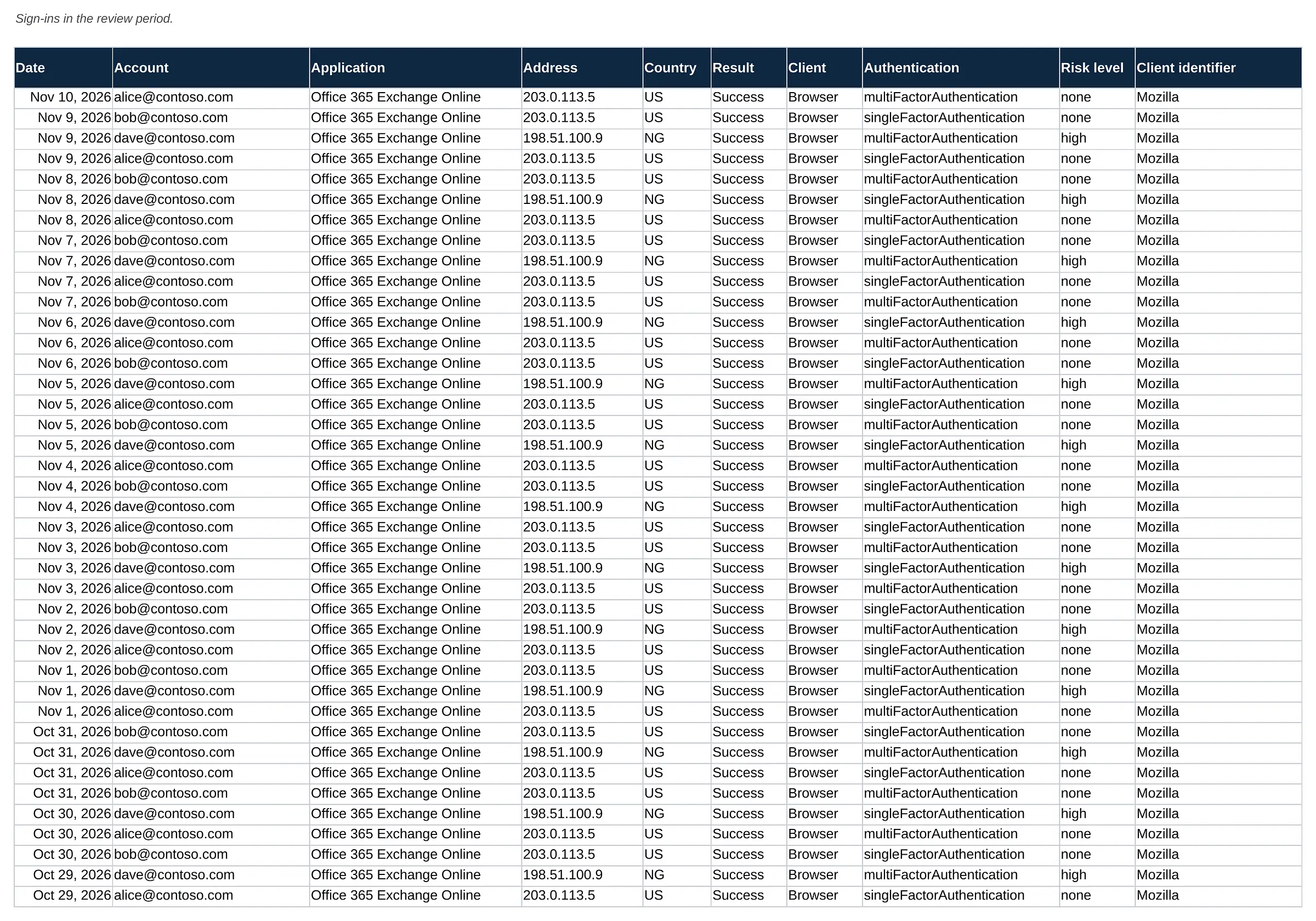
Technical Findings Workbook
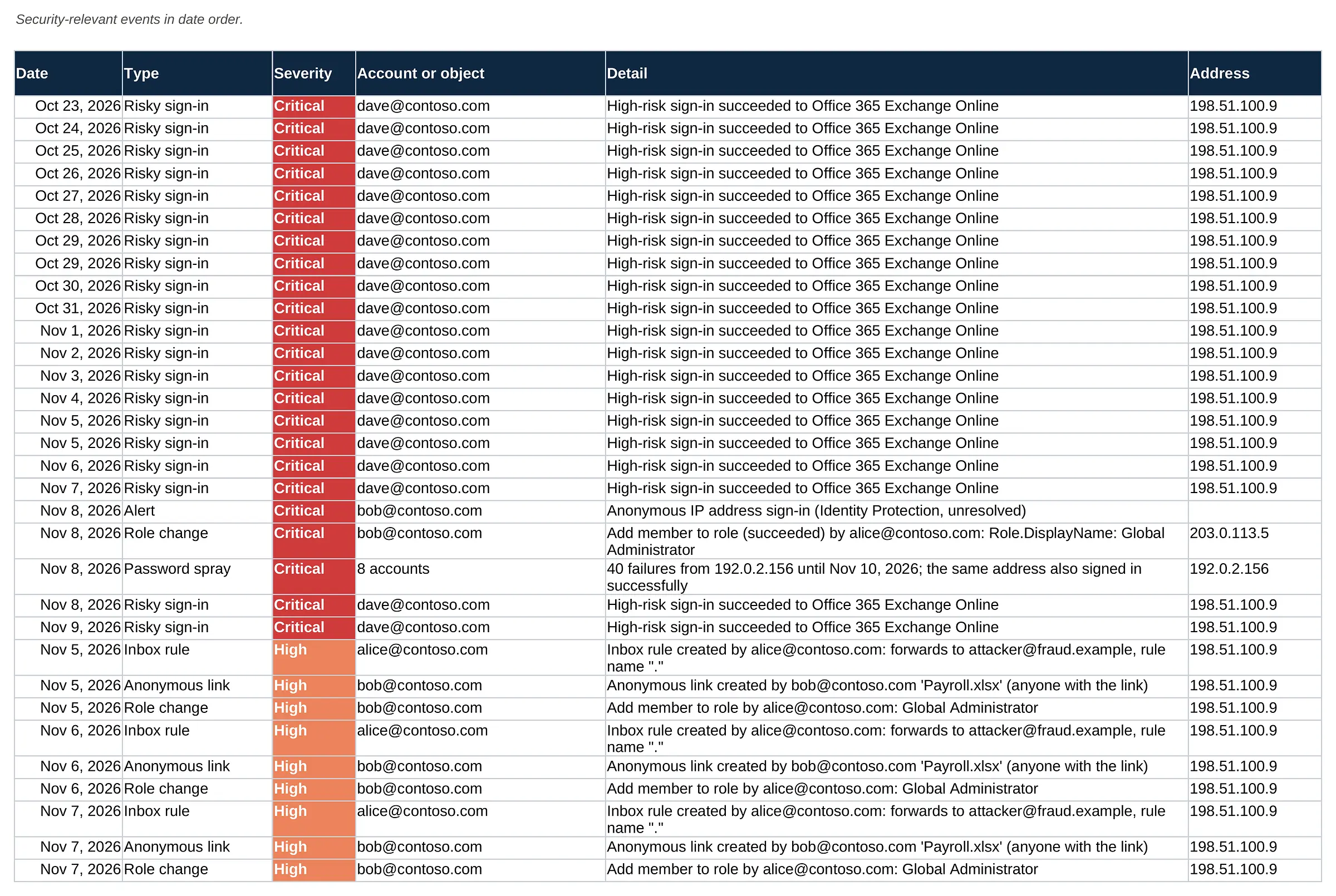
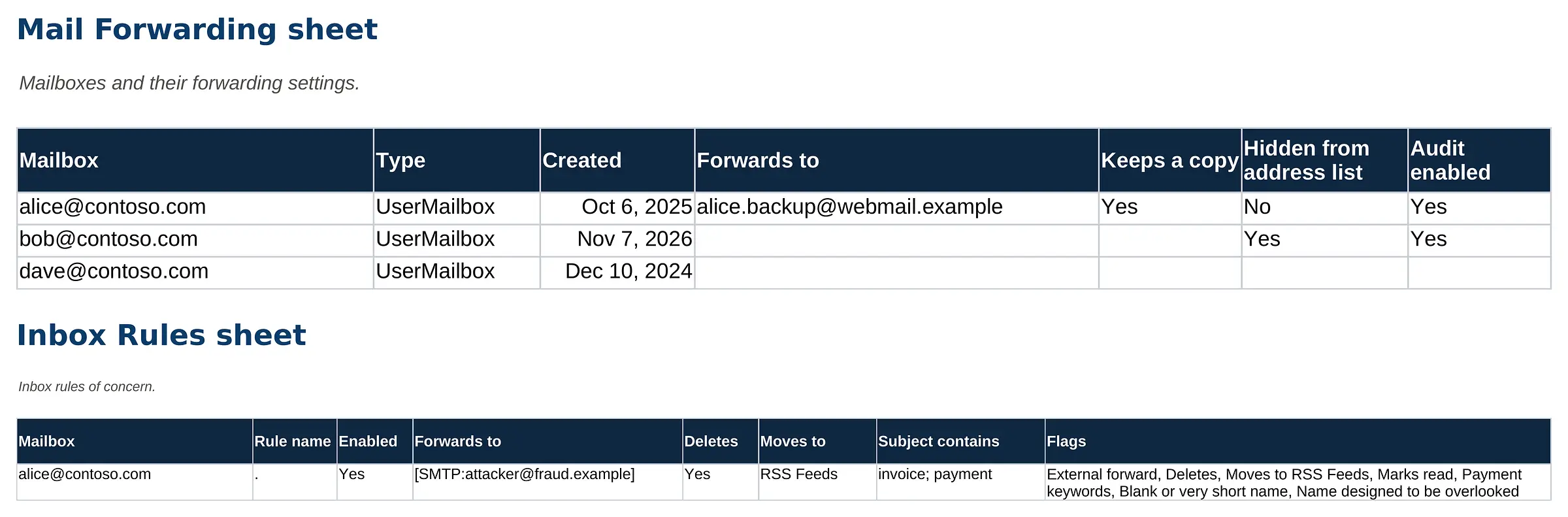
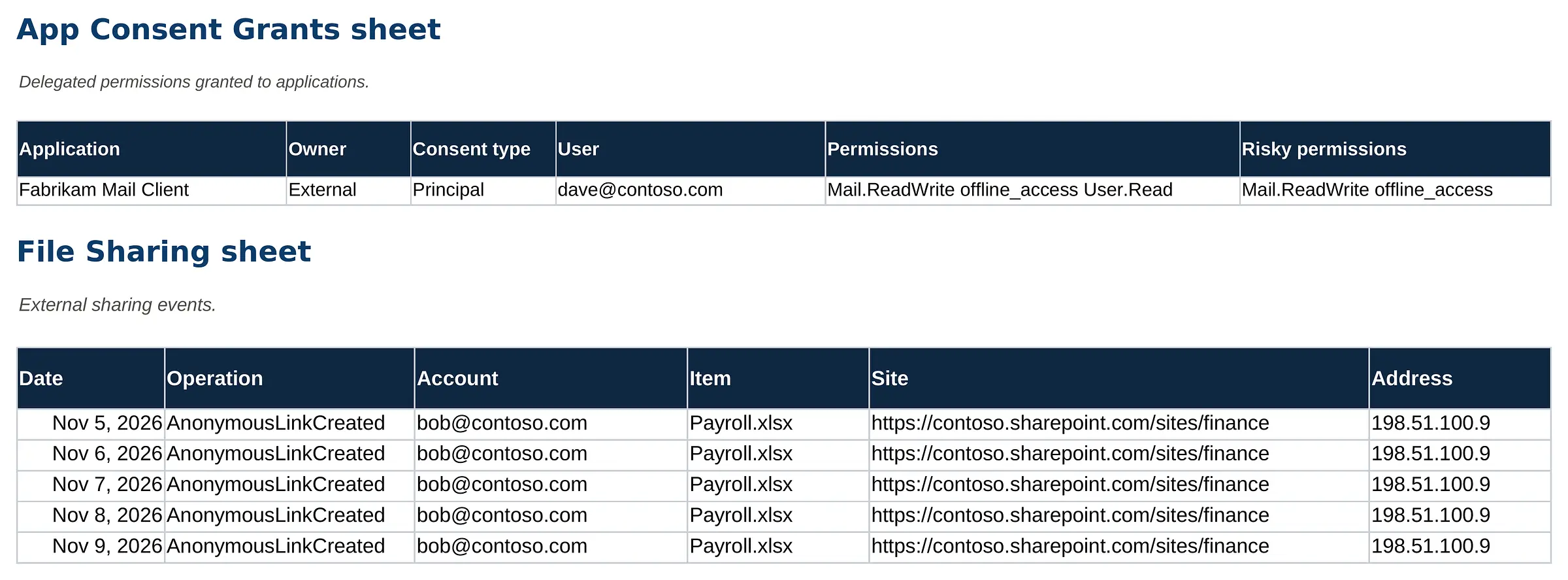
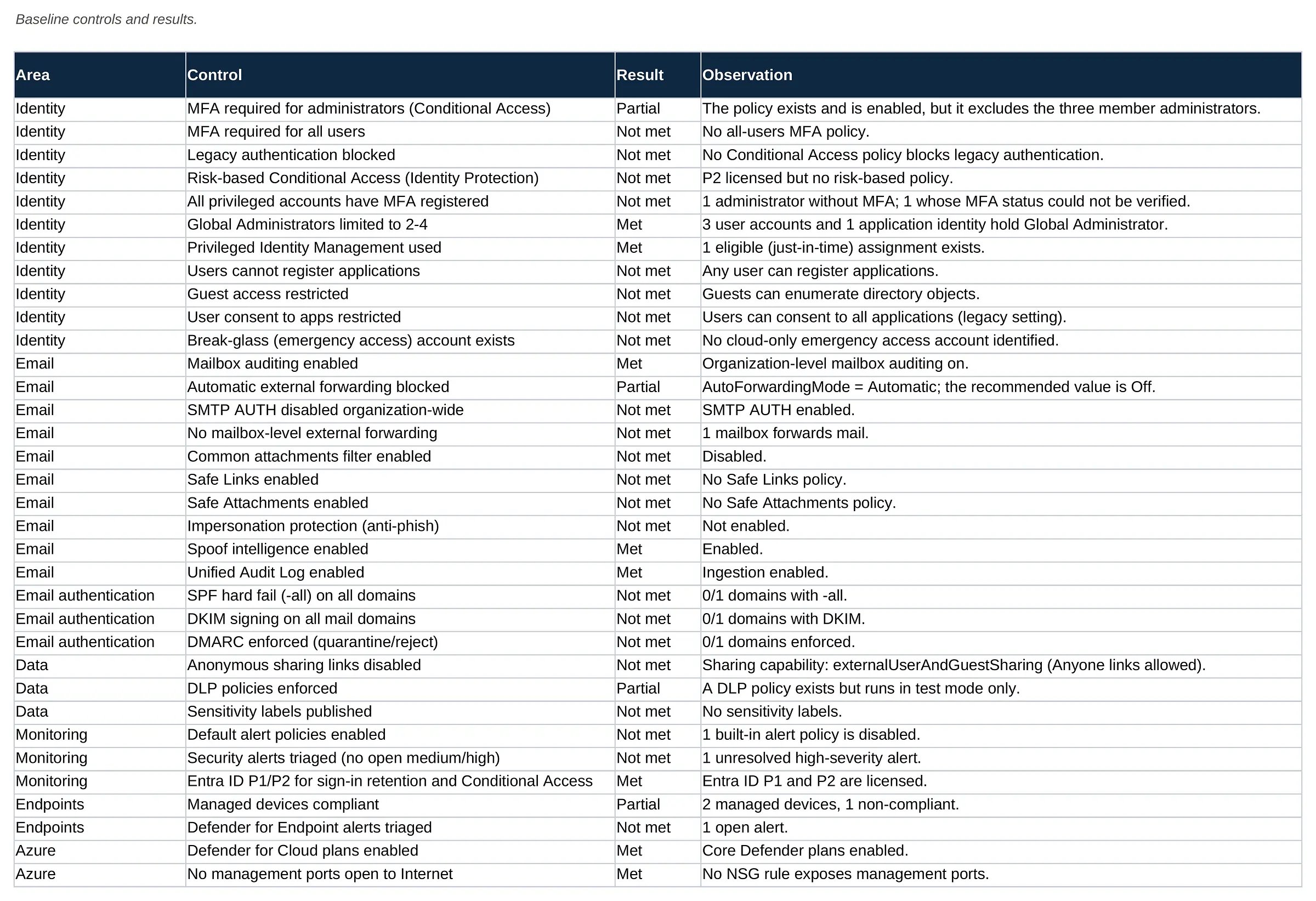
Excel · 24 sheetsThe working file behind the reports: every finding, risk and action in sortable sheets, plus the evidence tables for sign-ins, mail rules, applications, file sharing and the security timeline.
- Summary and findings sheets
- Risk register with live scoring
- Remediation tracker
- Sign-ins and risk detections
- Mail forwarding and inbox rules
- App consent and file sharing
- Security timeline in date order
- Baseline controls and results
Click or tap the page to open it full size and zoom in
Findings by severity and by area, with the scope and review period of the assessment.
One set of facts, five ways to use it
Decide
Leadership reads the executive report and makes the decisions it asks for.
Verify
IT checks each finding card against the records and confirms what is still active.
Prioritize
The risk register turns findings into owned business risks with target dates.
Act
The roadmap starts with seven days of containment, then hardening.
Track
The workbook tracks status, owners and evidence until every action is closed.
What an assessment can answer
- What the available records show about sign-ins, role changes, mail rules, applications and sharing in the review period
- Which settings allowed the activity and how they compare with a security baseline
- Which business risks follow from the findings and what to fix first
- Which records were missing or expired, so gaps are stated rather than guessed
What no one can promise
- That every unauthorized action was found, when records are limited or expired
- Who was behind the activity, or where they are
- Recovery of data, mail or funds
- Legal conclusions, breach-notification decisions or insurance outcomes, which belong to your counsel and insurer

Written to be shared with the people who decide
A suspected compromise involves more people than IT. The reports are structured so each reader finds their part quickly.
- Leadership uses the executive report and the decisions page.
- IT and your MSP work from the technical report and the workbook.
- Legal counsel can use the timeline and findings as technical input to their own assessment.
- Your insurer may ask for the risk register and the remediation plan.

Prepared under the direction of Ali Hassani, CISO
Certified CISO (C|CISO) and CISSP with 25+ years in IT and cybersecurity and dozens of Microsoft certifications. Every engagement is scoped in writing, uses read-only access and is reported in language both leadership and IT can act on.
We work with businesses in Irvine, across Orange County and Los Angeles County, and remotely nationwide.
Microsoft 365 compromise assessment questions
Is this a real customer report?
No. Contoso Ltd is a fictional organization. Every name, account, address, internet address and figure in the sample reports is invented for illustration and does not describe any real customer. We never publish client data.
What does a Microsoft 365 compromise assessment review?
It reviews the records and settings available in your Microsoft 365, Entra ID and Azure environment for signs of unauthorized activity and for the weaknesses that allowed it: administrator accounts and role changes, sign-ins and risk detections, mailbox forwarding and inbox rules, mail flow rules, connected applications and consents, file sharing, devices and the Azure subscription.
Which deliverables do we receive?
Five: an Executive Security Report, a Technical Security Report with one card per finding, a Risk Register, a Next Steps and Security Roadmap, and a Technical Findings Workbook in Excel. The exact content follows the scope agreed in writing for your engagement.
How far back can the review look?
It depends on your licenses and settings at the time of the activity. Microsoft documents that Entra ID sign-in and audit logs are kept for 7 days on Entra ID Free and 30 days on P1 or P2, that Audit (Standard) records are kept for 180 days, and that the Azure Activity log is kept for 90 days unless it is exported. Records that have already expired cannot be reviewed, so contacting us early matters.
Can the assessment tell us who attacked us or recover lost money?
No. The assessment describes what the available records show. It does not identify or attribute attackers, recover data or funds, or confirm that every unauthorized action was found. For payment fraud, contact your bank and law enforcement directly.
Do you change anything in our tenant?
The review uses read-only access. Containment and remediation steps are written as recommendations for your team or IT provider. If you want hands-on help, our implementation partner IT Perfection can carry out changes under a separate written agreement.
Does this replace legal counsel, breach notification advice or our insurer?
No. OC Security Audit provides technical cybersecurity assessment and reporting. Legal, breach-notification, regulatory and insurance decisions belong to your legal counsel and insurer, and we can work alongside them when you ask us to.
How much does an investigation cost?
Microsoft 365 and Azure compromise investigations start at $3,500. The final scope and price depend on the size of the environment and the questions to answer, and are confirmed in writing before any work begins.
Log retention figures are from Microsoft documentation: Microsoft Entra data retention, Purview audit log retention and Azure Monitor activity log (Microsoft Learn, checked November 15, 2026). Retention can change; your licenses and settings decide what is available.
- This page and the sample reports are for illustration only. Contoso Ltd and all data in the samples are fictional.
- OC Security Audit provides technical cybersecurity assessment, advisory and reporting services. We are not a law firm and do not provide legal advice, and we are not a private investigation agency.
- An assessment reviews the records and settings available at the time of the review. Log retention, licensing and configuration limit what can be reconstructed, so no assessment can guarantee that every unauthorized action has been identified.
- We do not identify or attribute attackers, recover data or funds, or make breach-notification, regulatory or insurance determinations. Those decisions belong to you, your legal counsel and your insurer.
- Our reports are technical observations, not legal conclusions, and we make no representation that they are suitable as evidence in any legal proceeding.
- Scope, timing, price and deliverables are confirmed in a written agreement before any work begins. Investigations start at $3,500.
From findings to fixes
OC Security Audit stays independent and read-only. If you want hands-on containment or remediation, IT Perfection can implement the changes under a separate agreement.

Seeing signs of compromise in Microsoft 365?
Avoid deleting accounts, mailboxes or devices before the records are reviewed. Call 949-777-5567 or schedule a consultation, and we will discuss scope and timing with you.
Compromise investigations start at $3,500 · Headquarters in Irvine, California · Remote nationwide · Microsoft 365 and Azure compromise investigation