

Microsoft 365 Account Takeover Investigation
A read-only review of sign-ins, MFA changes, sessions and what a hacked account did after the attacker got in, so you know what to close and what to tell leadership.

A new password does not close every door
Sessions, extra MFA methods, app consents and mailbox rules can outlast a password reset. The review lists every path that is still open.

Sign-in records are the first to expire
On Entra ID Free, sign-in logs are kept for 7 days. Exporting them early is often the difference between a clear timeline and a guess.
What a Microsoft 365 account takeover looks like
Users usually notice something small: an MFA prompt at 3 a.m., a contact asking about an odd email, or a message in Sent Items they never wrote.
- MFA prompts the user did not start, or a new MFA method nobody added
- Password-reset or “new sign-in” notices
- Sign-ins from unfamiliar countries, networks or apps
- New inbox rules, forwarding or deleted Sent Items
- Colleagues or customers receiving unexpected links or requests
- Files downloaded or shared that the user does not recognize

How accounts are usually taken over, and what the records show
| Pattern | What typically happens | Records that can show it |
|---|---|---|
| Password spray | Common passwords tried across many accounts from one or a few addresses | Bursts of failed sign-ins, then a success from the same address |
| Session-stealing phishing | A fake sign-in page relays the login and captures the session after MFA | Sign-in from an unfamiliar address right after the real one, new devices or clients |
| MFA fatigue | Repeated push prompts until someone approves | Many MFA requests in a short time, then a success |
| Help-desk social engineering | A caller impersonates staff or IT to reset MFA or a password | Security information changes, new MFA methods, admin resets |
| Legacy protocols | IMAP, POP or SMTP authentication that does not enforce MFA | Sign-ins with legacy clients, often after many failures |
| Consent phishing | A user grants a malicious app access to mail or files | New app consents with mail or file permissions |
Everything the account touched, and everything still open
Sign-ins and risk
Every sign-in in the period by address, country, app, client and result, plus Identity Protection risk detections.
MFA and security info
Registered methods, recent changes, phone numbers and authenticator apps added during the period, and who made the change.
Conditional Access
Which policies applied to the sign-ins, exclusions, recent policy changes and whether legacy authentication is blocked.
Mailbox activity
Inbox rules, forwarding, delegates and sent mail created after the suspicious sign-ins.
Apps and consents
Applications the account consented to, their permissions, and new secrets or registrations.
Privilege and spread
Role assignments, new accounts or guests, file downloads and sharing links that show whether the incident spread beyond one user.
Paths that can survive a new password
The containment check at the end of the review confirms each of these is closed.
Refresh tokens and sessions that stay valid until revoked.
Revoke sessions for the userAn attacker-registered phone or authenticator app.
Review security infoInbox rules, forwarding and app consents that act without a sign-in.
Export, then remove
From first alert to a closed account
Accounts and period
A written scope for the accounts, dates and read-only access.
Export sign-ins first
Sign-in and audit logs are exported before their retention ends.
Correlate identity and mail
Sign-ins, MFA changes, rules, consents and file activity in one timeline.
Confirm what is still open
Sessions, methods, rules, apps and privileges listed in priority order.
Findings and a plan
Executive and technical reports plus a roadmap that prevents a repeat.
One account or the whole tenant?
The first hours are about the user who noticed something. The review also checks whether the same address, technique or application touched other accounts.
Signs it stayed with one user
- Suspicious sign-ins only on one account, from one address range
- No new administrators, guests or applications
- No rules, forwarding or sharing changes on other mailboxes
Signs it spread
- The same address signing in to several accounts, or a password spray across many
- New role assignments, guest invitations or app registrations
- Internal phishing sent from the first account to colleagues
Hardening that usually follows an account takeover
The roadmap is specific to your tenant. These items appear in most account takeover reports.
MFA for everyone
Conditional Access requiring MFA for all users, phishing-resistant methods for administrators, and no standing exclusions.
Block legacy authentication
IMAP, POP and basic SMTP authentication blocked unless a documented business need exists.
Risk-based policies
Where licensing allows, sign-in and user risk policies that require MFA or a password change automatically.
Help-desk verification
A defined identity check before any MFA or password reset, so a phone call cannot hand over an account.
App consent controls
Users prevented from granting new apps access to mail and files without an administrator’s review.
Entra ID audit
A full review of identity settings once the incident is closed.
Entra ID security audit →See every page of a sample report
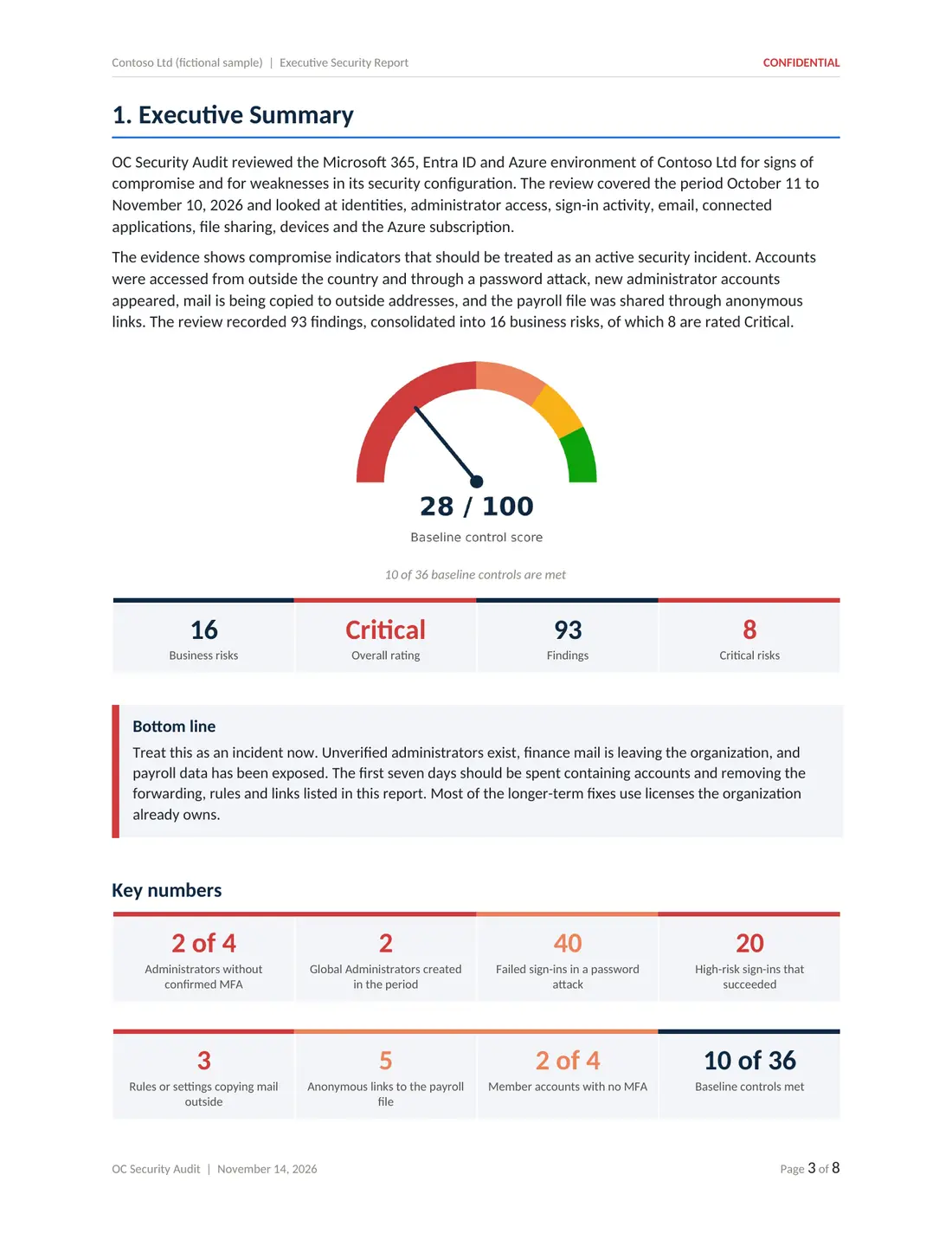
Five deliverables from a sample compromise assessment of a fictional company: executive report, technical report, risk register, 180-day roadmap and Excel workbook.
Account takeover often leads to email fraud

Led by Ali Hassani, CISO
Certified CISO (C|CISO) and CISSP with 25+ years in IT and cybersecurity and dozens of Microsoft certifications. Account takeover reviews are read-only and end with a clear list of what to close.
We work with businesses in Irvine, across Orange County and Los Angeles County, and remotely nationwide.
Microsoft 365 account takeover investigation questions
How do I know if a Microsoft 365 account is hacked?
Common signs are MFA prompts the user did not start, a new MFA method or phone number, password-reset notices, sign-ins from unfamiliar countries or apps, new inbox rules, messages in Sent Items the user did not write, and colleagues receiving odd messages from the account.
We reset the password. Is that enough?
Often not. An attacker may still hold a valid session or token, a new MFA method, an app consent, an inbox rule or forwarding that keeps working after a password change. The review lists what must also be revoked or removed.
Can MFA be bypassed?
Yes, in several documented ways: phishing pages that capture the session after MFA, repeated push prompts until someone approves, help-desk calls that reset MFA, and legacy protocols that do not support MFA. The review checks which of these the records point to.
Which records are needed?
Mainly Entra ID sign-in and audit logs, risk detections, the Microsoft 365 audit log and the current mailbox and app configuration. Entra sign-in logs are kept 7 days on Entra ID Free and 30 days on P1 or P2, so earlier review means more answers.
Will you tell us who did it?
No. We report what the records show, such as addresses, clients and times. We do not identify or attribute attackers.
How much does an account takeover investigation cost?
Investigations start at $3,500 for a defined set of accounts and review period, confirmed in writing before work begins.
- OC Security Audit provides technical cybersecurity assessment, advisory and reporting services. We are not a law firm and do not provide legal advice, and we are not a private investigation agency.
- An investigation reviews the records and settings available at the time of the review. Log retention, licensing and configuration limit what can be reconstructed, so no investigation can guarantee that every unauthorized action has been identified.
- We do not identify or attribute attackers, recover data or funds, or make breach-notification, regulatory or insurance determinations. Those decisions belong to you, your legal counsel and your insurer.
- Our reports are technical observations, not legal conclusions, and we make no representation that they are suitable as evidence in any legal proceeding.
- We do not promise a response time. Scope, timing, price and deliverables are confirmed in a written agreement before any work begins. Investigations start at $3,500.
From findings to fixes
OC Security Audit stays independent and read-only. If you want hands-on containment or remediation, IT Perfection can implement the changes under a separate agreement.

Think a Microsoft 365 account was hacked?
Reset, revoke and record what you change, then call 949-777-5567 or schedule a consultation, and we will discuss scope and timing with you.
Compromise investigations start at $3,500 · Headquarters in Irvine, California · Remote nationwide