

LIBRARY 4.32Microsoft 365 Security Library
How to Set Up MTA-STS and TLS Reporting for Microsoft 365
MTA-STS tells other mail servers they must use encryption when they send to you, and refuse to deliver if they can’t. TLS reporting tells you when something goes wrong. It takes one small web file and two DNS records.
Reviewed by Ali Hassani, C|CISO, CISSP · Last verified November 20, 2026
Exchange Online supports inbound and outbound MTA-STS. Microsoft notes it can’t host your policy file for you; you publish it on your own HTTPS site (Microsoft Learn).
In one minute
- Publish a policy file at https://mta-sts.yourdomain/.well-known/mta-sts.txt in testing mode.
- Add the _mta-sts TXT record.
- Add a _smtp._tls TXT record so you receive TLS reports.
- After a couple of weeks of clean reports, switch the policy to enforce.
MTA-STS is part of the email authentication checks in our Microsoft 365 Security Audit.
What it is
What MTA-STS and TLS reporting do
Email between servers is usually encrypted with TLS, but by default a sender falls back to unencrypted delivery if encryption fails. MTA-STS lets your domain say: always use TLS to our mail servers, check the certificate, and don’t deliver if either fails. Microsoft describes it as protection against man-in-the-middle and downgrade attacks (Microsoft Learn).
TLS reporting (TLS-RPT) is a DNS record that asks senders to email you daily reports of TLS successes and failures, so you can spot problems before enforcing (Microsoft Learn).
The three pieces
| Piece | Where | Example for Exchange Online |
|---|---|---|
| Policy file | https://mta-sts.yourdomain/.well-known/mta-sts.txt | version: STSv1 · mode: testing · mx: *.mail.protection.outlook.com · max_age: 604800 |
| MTA-STS record | TXT at _mta-sts.yourdomain | v=STSv1; id=20261120000000Z; |
| TLS-RPT record | TXT at _smtp._tls.yourdomain | v=TLSRPTv1; rua=mailto:tls-reports@yourdomain |
Microsoft notes that any domain whose MX points directly to Exchange Online can use the same mx value, *.mail.protection.outlook.com, as Microsoft’s own policy (Microsoft Learn).
Why it matters
Encryption that can be switched off isn’t protection
- Partner sends contractTo your domain.
- Attacker in the pathBlocks the TLS upgrade.
- MTA-STS enforcedSender refuses to downgrade.
- Plain-text deliveryWithout it: mail readable in transit.
- Data exposedContracts, invoices, personal data.
Drawing: where MTA-STS breaks the path.
seconds (7 days): the max_age in Microsoft’s own example policy.
Source: Microsoft Learnseconds: the timeout senders allow to fetch your policy file.
Source: Microsoft Learnmodes worth using: testing first, then enforce.
Source: Microsoft Learnthe internet standard that defines MTA-STS.
Source: IETFRelated protections
| Control | What it protects | Effect |
|---|---|---|
| MTA-STS | Mail sent to your domain is encrypted and authenticated in transit. | Stops downgrades |
| TLS-RPT | Reports on TLS failures. | Visibility |
| SPF, DKIM, DMARC | Who may send as your domain. | Stops spoofing |
| None of these | Mail can be spoofed or read in transit. | Exposed |
What we find in audits
What this finding looks like in our audit reports
These are real pages from our published compromise assessment sample, written for a fictional company. Click any page to open it full size.
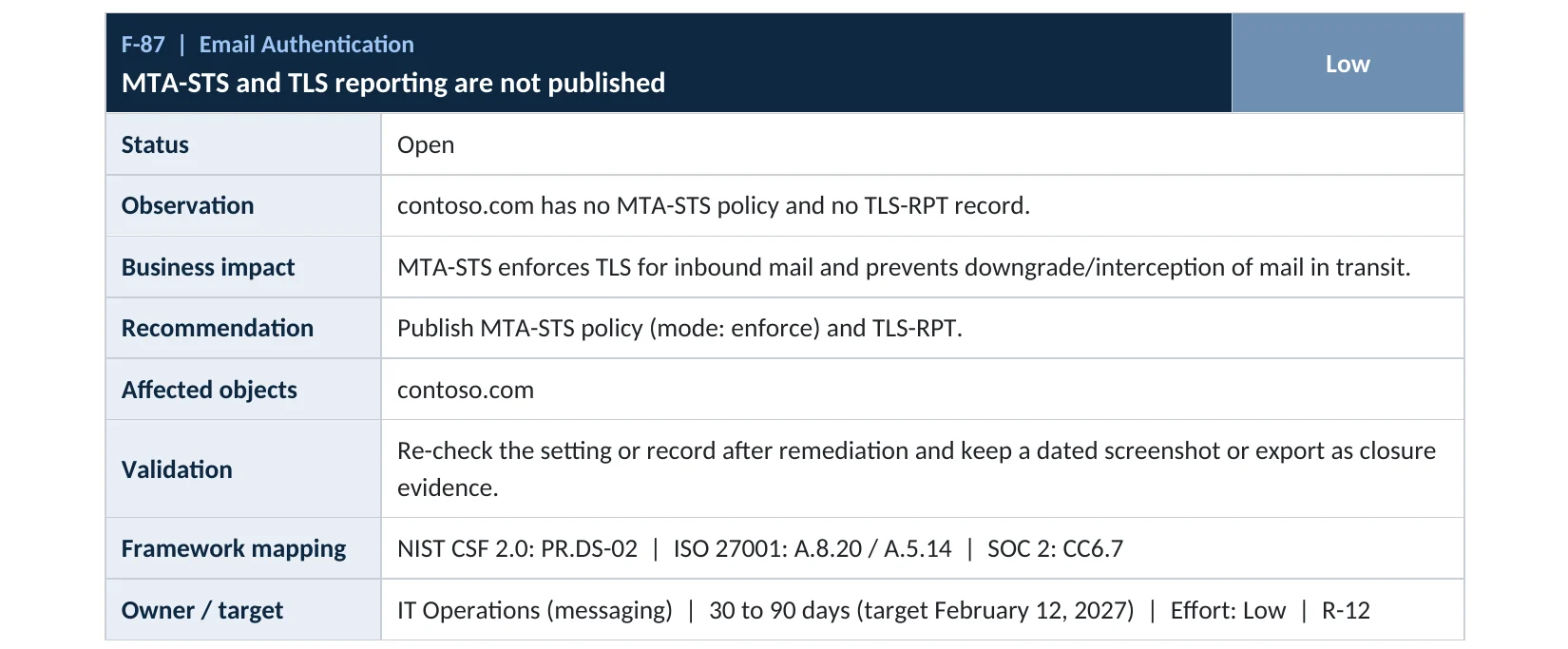
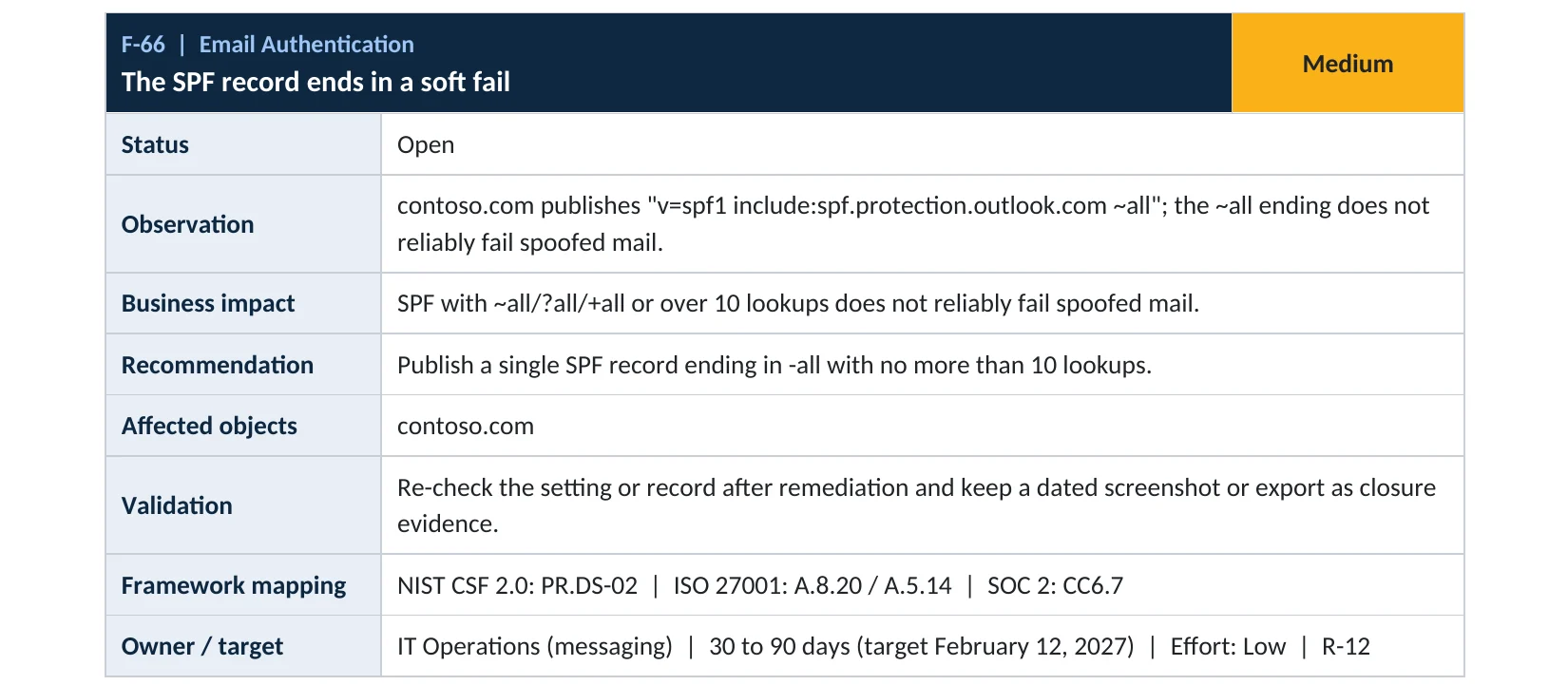
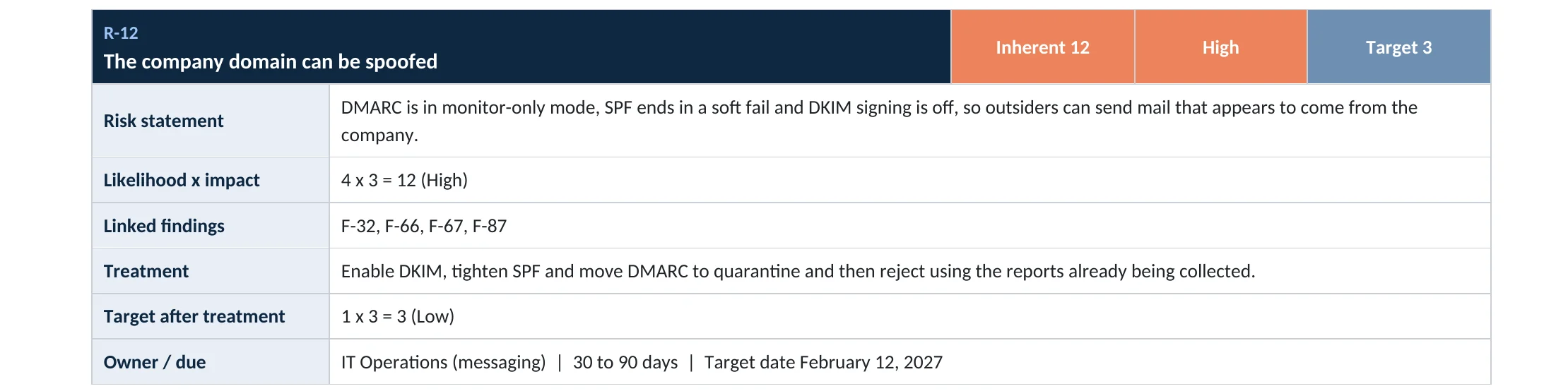

Your options
Where to host the policy file
| Option | Good for | Note |
|---|---|---|
| Your existing website host | Most small companies | Needs a certificate for the mta-sts subdomain |
| Azure Static Web App | Microsoft-centric companies | Microsoft’s recommended option; certificate issued automatically |
| A third-party MTA-STS service | No web access | They host the file and reports for you |
Microsoft’s guidance walks through hosting on Azure Static Web Apps and notes it issues the certificate automatically (Microsoft Learn). Hosting costs depend on your provider.
How to check it yourself
See whether your domain publishes MTA-STS, without changing anything
Read-only checks from any PC
Resolve-DnsName -Type TXT _mta-sts.yourdomain.com
Resolve-DnsName -Type TXT _smtp._tls.yourdomain.com
Invoke-WebRequest https://mta-sts.yourdomain.com/.well-known/mta-sts.txt | Select-Object -ExpandProperty Content
These only read public records. No TXT record, or no policy file, means MTA-STS isn’t in place. Microsoft’s own policy at https://mta-sts.microsoft.com/.well-known/mta-sts.txt is a useful reference.
How to configure
How to set up MTA-STS and TLS reporting, step by step
All plans
Publish in testing mode
- Create the file mta-sts.txt with mode testing, mx *.mail.protection.outlook.com and max_age 604800.
- Host it at https://mta-sts.yourdomain/.well-known/mta-sts.txt with a valid certificate.
- Add TXT _mta-sts.yourdomain = v=STSv1; id=<UTC timestamp>Z;.
- Add TXT _smtp._tls.yourdomain = v=TLSRPTv1; rua=mailto:<mailbox>.
- Read the TLS reports for two to four weeks.
After clean reports
Enforce
- Change mode to enforce in the policy file.
- Update the id in the _mta-sts TXT record so senders fetch the new policy.
- Keep reading TLS reports; switch back to testing if a delivery problem appears.
Microsoft notes that after any policy change you must update the id, or senders keep the cached policy until max_age expires (Microsoft Learn).
What your users will notice
Nothing. Mail keeps arriving; senders that can’t encrypt properly are refused once you enforce.
How to undo it
Set the policy mode to testing or none and update the id in the TXT record.
Proof and questions
How to prove it is fixed, and what to ask your IT provider
Evidence it is fixed
- The _mta-sts TXT record and policy file are published.
- The policy mode is enforce.
- A TLS-RPT record sends reports to a monitored mailbox.
- SPF, DKIM and DMARC are also in place.
Questions for your IT provider
- Do we publish MTA-STS for our domains?
- Is it in testing or enforce mode?
- Who reads our TLS reports?
- Where is the policy file hosted, and when does its certificate expire?
- Is DMARC at reject?
Signs of a problem
Signs something is wrong with mail encryption
Red flags
- TLS reports showing failures from a sender you rely on.
- The policy file’s certificate expired.
- The policy file can’t be reached or times out.
- The policy id hasn’t changed after an edit.
- Partners reporting bounced mail after you enforced.
These are usually configuration issues rather than attacks. If you suspect mail was intercepted or read, our compromise investigation establishes what happened.
Framework mapping
Where MTA-STS fits
| Framework | Where it fits |
|---|---|
| NIST CSF 2.0 | PR.DS-02: data in transit protected |
| ISO/IEC 27001:2022 | Annex A 5.14 Information transfer; 8.24 Use of cryptography; 8.21 Security of network services |
| SOC 2 | CC6.7 restricts transmission of information |
Reviewed by
Written and reviewed by a practicing CISO

Ali Hassani, C|CISO, CISSP
Ali has more than 25 years of IT and cybersecurity experience and holds the Certified CISO and CISSP certifications along with Microsoft and Cisco credentials. He leads every OC Security Audit engagement from Irvine, on-site across Southern California and remotely nationwide. Every Microsoft 365 audit is read-only.
FAQ
Frequently asked questions about MTA-STS
What is MTA-STS?
A standard that tells other mail servers to always use encryption, and a valid certificate, when sending to your domain, and not to deliver if they can't.
Does Microsoft 365 host the MTA-STS policy for us?
No. Exchange Online supports MTA-STS, but you host the policy file on your own HTTPS site.
What should the mx line say for Microsoft 365?
If your MX points directly to Exchange Online, use *.mail.protection.outlook.com, the same as Microsoft's own policy.
What is TLS reporting?
A DNS record that asks senders to email you daily reports on encryption successes and failures.
Should we start in enforce mode?
No. Start in testing, read the TLS reports, then switch to enforce.
Is MTA-STS the same as DMARC?
No. DMARC stops others sending as you. MTA-STS protects mail sent to you while it travels.
Next step
Make mail to you travel encrypted
Prevent
Microsoft 365 Security Audit
$3,500 fixed
About 200 read-only checks across email authentication, threat protection, sign-in and sharing, for any tenant size, with four reports and a remediation roadmap.
Respond
Microsoft 365 & Azure Compromise Investigation
From $3,500
For when mail may have been intercepted or spoofed: we establish what happened.
Want to see the deliverables first? Open the Microsoft 365 audit sample report or browse all our sample reports.

Service
Microsoft 365 Security Audit
The fixed-price audit that checks this item and about 200 more.
See the audit ›
Service
Microsoft 365 Email Security
Our review of Exchange Online and Defender email protection.
See email security ›
Service
Compromise Investigation
When an account or mailbox may already be in an attacker’s hands.
See the investigation ›Related reading: How to set up DKIM · How to set up DMARC · Exchange Online and Defender email security guide
Sources
Sources used on this page
- Microsoft Learn, Enhance mail flow with MTA-STS
- Microsoft Learn, How SMTP DANE works (TLS reporting)
- IETF, RFC 8461 SMTP MTA Strict Transport Security
- IETF, RFC 8460 SMTP TLS Reporting
This guide is general information, not a guarantee of protection or legal advice. Microsoft changes its admin centers often: menu names and steps were checked against Microsoft Learn on November 20, 2026. Drawings are simplified and are not screenshots of Microsoft products. Sample findings come from fictional companies. Incidents are described as reported by the cited sources; OC Security Audit was not involved in them. Questions? Call 949-777-5567 or email support@ocsecurityaudit.com.