



Consultant team reviewing a Meraki security assessment reportExecutive reading the executive summary on a laptopNetwork technicians standing in a server room reviewing technical findings
Sample report

Meraki Security Assessment Report: see exactly what you receive

Five deliverables from one read-only assessment: an executive report, a technical report, a risk register, a security roadmap and a findings workbook, prepared for a fictional three-site organization.

25+ yearsIT & cybersecurity experience
Certified expertsCISSP · C|CISO · Cisco · Microsoft
Read-only methodNo configuration changes, ever
Southern California & nationwideIrvine-based · remote audits
Our deliverables

Five deliverables from one Cisco Meraki security audit

Every Meraki audit ends with four written reports and one Excel workbook. Each one is written for a different reader, and all five come from the same read-only evidence, so the numbers agree from the board summary down to the list of firewall rules, SSIDs and switch ports behind each finding. Step through real pages of each sample below and select any page to enlarge it.

Sample. Northwind Health Services is a fictional organization with three sites. Every name, device, figure and finding in these pages is illustrative and shows the format of our reports. Real client reports are never published.
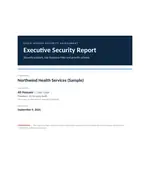
  1. ocsa meraki sample exec 01 cover t01Executive Security ReportPDF report · 8 pages in this sample
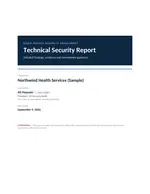
  2. ocsa meraki sample tech 01 cover t02Technical Security ReportPDF report · 60 pages in this sample
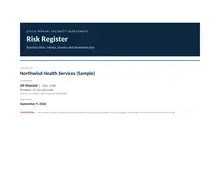
  3. ocsa meraki sample risk 01 cover t03Risk RegisterPDF report · 20 pages in this sample, landscape
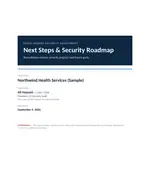
  4. ocsa meraki sample roadmap 01 cover t04Next Steps and Security RoadmapPDF report · 15 pages in this sample
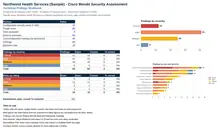
  5. ocsa meraki sample wb 01 summary t05Technical Findings WorkbookExcel workbook · 13 sheets in this sample
Deliverable 1 of 5PDF report8 pages in this sample

Executive Security Report

The short report for the people who approve the budget and own the risk. It states how the Meraki network scores, which business risks matter most and what leadership is asked to decide, in plain language and without configuration detail.

What is included

  • Overall configuration security score against a target of 85
  • Top business risks and what each one means
  • Security score for each of the ten security areas
  • Controls that already meet the benchmark
  • Ten priority recommendations with timeframes
  • Decisions requested from leadership, plus scope and approach
Who uses itOwners, executives, boards and cyber-insurance contacts
Sample · fictional company · illustrative dataSelect a page to enlarge it1 / 7
Page 1 of 7Cover pageThe report opens with the organization name, the assessor and the report date, with a confidentiality notice. The sample is prepared for a fictional healthcare organization with three sites.
Page 2 of 7Executive summary and security scoreOne page with the configuration security score on a gauge, the number of findings and business risks, a bottom line box and key numbers about the network.
Page 3 of 7Top business risksThe risks rated Critical in a table with what each one means for the organization, followed by a diagram of how an attacker could chain the weaknesses together.
Page 4 of 7Security posture by areaA bar chart and a table that score each of the ten security areas from 0 to 100, with the number of findings and a status for every area.
Page 5 of 7What is working wellThe controls that already meet the benchmark, such as administrative session controls and change visibility, so they are kept while the fixes are made.
Page 6 of 7Priority recommendationsTen numbered actions linked to the risk each one treats and the timeframe for it, with the remediation roadmap chart underneath.
Page 7 of 7Decisions requested and scopeThe approvals leadership is asked for, followed by the scope and approach of the assessment and a short note about the assessor.
Deliverable 2 of 5PDF report60 pages in this sample

Technical Security Report

The full working document for the people who will make the changes. Every finding has its own card with the observation, the business impact, the recommendation, the affected objects, a validation step, the framework mapping, the owner and the target window.

What is included

  • Environment overview: devices by product family and findings by site
  • Summary of results with charts by area and severity
  • Findings index ordered by severity
  • Key observations for each security area
  • A detailed finding card for every finding
  • Controls that meet the benchmark
  • Mapping to CIS Controls v8, NIST CSF 2.0 and ISO/IEC 27001:2022
Who uses itNetwork engineers, IT managers and your MSP
Sample · fictional company · illustrative dataSelect a page to enlarge it1 / 18
Page 1 of 18Cover pageThe technical report uses the same cover, document control and confidentiality notice as the other reports, so the set reads as one package.
Page 2 of 18Table of contentsSeven chapters: introduction, environment overview, summary of results, key observations by area, detailed findings, controls meeting the benchmark and the framework appendix.
Page 3 of 18Environment overviewThe devices in scope by product family (security appliances, switches, access points, cellular gateways and sensors) and the findings at each site by severity.
Page 4 of 18Summary of resultsHow many control objectives met the benchmark and how many produced a finding, shown as charts by result and by severity.
Page 5 of 18Findings by area and findings indexFindings by area and severity, the security score for each area against the target, and the start of the index that lists every finding with its site, severity and linked risk.
Page 6 of 18Key observations by areaShort tables of the most important observations, starting with Internet-facing exposure, guest and corporate wireless, and the management plane.
Page 7 of 18Detailed findings: how a finding card readsThe chapter opens with how findings are grouped, then the firewall and external exposure section and its first finding card.
Page 8 of 18Finding cards: services exposed to the InternetTwo Critical finding cards: a database service published to the Internet and an administrative service with broad exposure, each with observation, business impact, recommendation, validation and framework mapping.
Page 9 of 18Finding card: segmentationA finding where the management network can be reached from user segments, with the expected state and the steps to restrict it.
Page 10 of 18Finding card: wireless securityA finding where a guest SSID can reach the internal network, with the recommendation to isolate guest traffic and how to confirm it.
Page 11 of 18Finding card: VPN and remote accessA finding for legacy remote-access VPN technology that is still enabled, and the move to a currently supported method.
Page 12 of 18Dashboard and identity sectionThe Meraki Dashboard and identity section: administrator MFA, privilege and API keys, with the area score and its finding cards.
Page 13 of 18Finding card: switching and access controlA finding where Layer 3 switch management access is broader than it needs to be, and how to limit it.
Page 14 of 18Finding card: threat protectionA finding where advanced malware protection is turned off on a security appliance, with the licensing and validation notes.
Page 15 of 18Firmware and lifecycle sectionHardware that has reached end of support and firmware that is out of date, with the area score and the replacement guidance.
Page 16 of 18Logging and monitoring sectionSecurity events that are not forwarded to a monitored platform, and alert recipients that are missing.
Page 17 of 18Controls meeting the benchmarkEvery control objective that met the benchmark, with the product and site, so good work is recorded too.
Page 18 of 18Appendix: framework and reference mappingHow the findings map to CIS Controls v8, NIST CSF 2.0 and ISO/IEC 27001:2022, and the reference guidance used for each area.
Deliverable 3 of 5PDF report20 pages in this sample, landscape

Risk Register

The findings turned into business risks. Each risk is scored for likelihood and impact, given an owner, a treatment and a target date, and shown before and after treatment, so the register can be maintained after the assessment ends.

What is included

  • Risk scoring method on a 1 to 5 scale
  • Risk profile with heat maps today and after treatment
  • Risk summary with owner, target date and status
  • A detail card for every business risk
  • Chart of risk reduction after remediation
  • Traceability from every finding to a business risk
Who uses itOwners, risk and compliance leads, cyber-insurance contacts
Sample · fictional company · illustrative dataSelect a page to enlarge it1 / 9
Page 1 of 9Cover pageThe register is a landscape document so the risk tables stay readable on screen and in print.
Page 2 of 9Risk scoring methodHow likelihood and impact are scored from 1 to 5, how the score is calculated and the response expected for each rating.
Page 3 of 9Risk profile and heat mapsThe number of risks at each rating, and two heat maps side by side: the position today and the target position after treatment.
Page 4 of 9Risk summaryEvery business risk on one table with likelihood, impact, score, rating, owner, target date, target rating and status.
Page 5 of 9Risk reduction after remediationThe end of the summary table and a chart that compares the current score with the score after remediation for the highest risks.
Page 6 of 9Risk detail cardsOne card per risk: the risk statement, the scoring, the linked findings, the treatment, the target after treatment and the owner with the due date.
Page 7 of 9Risk cards: wirelessWireless risks written the same way, such as guest wireless that can reach the internal network.
Page 8 of 9Risk cards: Dashboard administrationRisks around Dashboard administrator accounts and privileges, with the findings that feed each one.
Page 9 of 9Finding to risk traceabilityA table that maps every technical finding to the business risk it belongs to, which links this register to the technical report.
Deliverable 4 of 5PDF report15 pages in this sample

Next Steps and Security Roadmap

The plan that follows the findings. It sets out where the network is today and where it should be, then sequences the fixes into phases and projects with owners and measures of success.

What is included

  • Position today against the 30-day and 180-day targets
  • A four-phase remediation roadmap with dated actions
  • Recommended security projects with objectives, activities and effort
  • Expected risk reduction when the roadmap is complete
  • Future goals for the 6 to 18 months after
  • Governance and operating rhythm
Who uses itWhoever plans, schedules and budgets the work
Sample · fictional company · illustrative dataSelect a page to enlarge it1 / 10
Page 1 of 10Cover pageRemediation phases, security projects and future goals for the network.
Page 2 of 10Where you are and where you should beA table of key measures showing the position today next to the expected position at day 30 and day 180.
Page 3 of 10Remediation roadmapA timeline chart of the four phases, then the first actions: immediate containment within 7 days and closing the critical exposures.
Page 4 of 10Roadmap actions by phaseThe actions that continue the roadmap, each with its security area and the risk it treats.
Page 5 of 10Recommended security projectsThe findings grouped into ten projects, with priority, timing, number of findings and owner for each.
Page 6 of 10Project cardsEach project has a card with its objective, key activities, the risks it addresses, the owner and the measures that show it is done.
Page 7 of 10More project cardsFurther projects in the same format, such as centralized logging and alerting.
Page 8 of 10Expected outcomeA chart of the expected change in score for the highest risks and a heat map of the target position once the roadmap is complete.
Page 9 of 10Future goals for 6 to 18 monthsWhat comes after the roadmap, such as identity-based network access everywhere and standard configuration templates.
Page 10 of 10Governance and operating rhythmA cadence table of who reviews what and how often, so progress keeps being tracked after the reports are delivered.
Deliverable 5 of 5Excel workbook13 sheets in this sample

Technical Findings Workbook

The same findings as a working Excel file. The team assigns owners, sets due dates and updates the status as work is done, and the inventory sheets list the exact firewall rules, SSIDs, switch ports, VPN peers, administrators and devices behind each finding.

What is included

  • Summary sheet with scores, counts and charts
  • Findings sheet with status, owner and due date columns
  • Risk register with scoring formulas
  • Remediation plan with percent complete
  • Inventory sheets: firewall and NAT rules, wireless SSIDs, switch ports and NAC, VPN, admin access, firmware and hardware
  • Strengths and domain scores
Who uses itThe network team or MSP doing the remediation
Sample · fictional company · illustrative dataSelect a page to enlarge it1 / 13
Page 1 of 13Summary sheetThe score, target and counts at the top, tables of findings and risks by severity with open and closed counts, two charts and notes on how to use the workbook.
Page 2 of 13Findings sheetEvery finding as a row: reference, control, title, severity, area, product, site, device, exposure and observation.
Page 3 of 13Findings sheet: more columnsFurther columns hold the business impact, recommendation, validation, framework mapping, linked risk and recommended owner.
Page 4 of 13Risk Register sheetThe register as a live table. Change the likelihood or impact and the score and rating recalculate.
Page 5 of 13Remediation Plan sheetEvery roadmap action with its phase, days, area, linked risk and status, and columns for owner, due date and percent complete.
Page 6 of 13Firewall and NAT Rules sheetThe firewall, NAT and port-forwarding objects behind each finding, with site, device, exposure and the recommended action.
Page 7 of 13Wireless SSIDs sheetThe wireless networks and settings behind each wireless finding, with the recommended action.
Page 8 of 13Switch Ports and NAC sheetSwitch ports, trunks and access-control objects behind each switching finding.
Page 9 of 13VPN sheetSite-to-site, third-party and remote-access VPN objects behind each VPN finding.
Page 10 of 13Admin Access sheetDashboard administrators, roles and API keys behind each identity finding, with the recommended action.
Page 11 of 13Firmware and Hardware sheetDevices with an end-of-support or firmware finding.
Page 12 of 13Strengths sheetThe control objectives that met the benchmark, with product and site, to preserve during remediation.
Page 13 of 13Domain Scores sheetThe score, target, gap, number of findings and status for each security area.

Want this set of reports for your own Meraki network?

The Cisco Meraki security audit is read-only and fixed price. The number of pages, findings and sheets in your set depends on your network and the agreed scope.

Deliverables

What you receive

DeliverableWhat it containsWho uses it
Executive Security ReportConfiguration security score, top business risks, security score by area, controls that meet the benchmark, priority recommendations and the decisions requested from leadership.Owners, executives, boards, cyber-insurance underwriters
Technical Security ReportEnvironment overview, summary of results, findings index, key observations by area, a detailed card for every finding (observation, business impact, recommendation, affected objects, validation, owner), controls meeting the benchmark and framework mapping (CIS Controls v8, NIST CSF 2.0, ISO/IEC 27001:2022).Network and IT teams, MSPs
Risk RegisterThe findings grouped into business risks, each scored for likelihood and impact, with an owner, treatment, target date and the position before and after treatment.Owners, risk and compliance leads
Next Steps and Security RoadmapA phased remediation roadmap, the findings grouped into security projects with objectives, owners and success measures, the expected risk reduction and future goals.IT leadership
Technical Findings WorkbookEvery finding, risk and roadmap action in Excel with status, owner and due date columns, plus inventory sheets for firewall rules, SSIDs, switch ports, VPN, administrators and firmware.IT operations, MSPs, project managers
Follow-up comparisonA second read-only assessment after remediation showing resolved, repeated, new and reopened items.Everyone

Related Meraki assessments

How the read-only assessment works

How the read-only assessment works

OAuth or API key, GET-only collection, deterministic rules, posture and coverage scored separately.

How it works

Meraki security in healthcare

Meraki security in healthcare

The Healthcare/HIPAA profile weights segmentation, wireless and logging controls for clinics.

Healthcare

Ali Hassani, CISO and cybersecurity consultant, standing in a professional data center
Who performs the assessment

Ali Hassani, Certified CISO (C|CISO), CISSP

President of OC Security Audit in Irvine, California. 25+ years in IT and cybersecurity leadership, with dozens of Microsoft and Cisco certifications including CCNP, CCNA, MCSE and MCITP. Every Meraki assessment is performed personally, read-only, and reported in plain language for leadership and in full technical detail for the network team.

Sample report FAQ

Frequently asked questions

Can I download the full sample reports?

The pages of all five sample deliverables are shown on this page; select any page to enlarge it. Ask us for the full sample reports during your consultation.

Will my report look exactly like this?

Same structure, your organization's data. Sections without supporting evidence (for example, no wireless networks) are omitted rather than padded.

Do you include raw API output?

No. Evidence is sanitized and summarized per finding. Credentials, Wi-Fi pre-shared keys, RADIUS secrets, SNMP communities and API keys are redacted before anything is stored or written.

Implementation partner

OC Security Audit stays independent and read-only. If you want hands-on administration, IT Perfection can implement the fixes and support ongoing operations.

Service area

On-site across Southern California, remote nationwide

Based in Irvine, Orange County. Because the Meraki assessment reads configuration through the Dashboard API, it is delivered remotely for clients anywhere in the United States, with on-site read-outs available across Southern California.

Get this report for your own Meraki organization

One fixed price, read-only, delivered remotely nationwide and on-site across Southern California.