
Threats and Vulnerabilities
Manage Business iPhone Updates Before Vulnerabilities Become Incidents
Build a business iPhone update program with inventory, risk-based deadlines, MDM enforcement, exception handling, user communication, and compliance evidence.
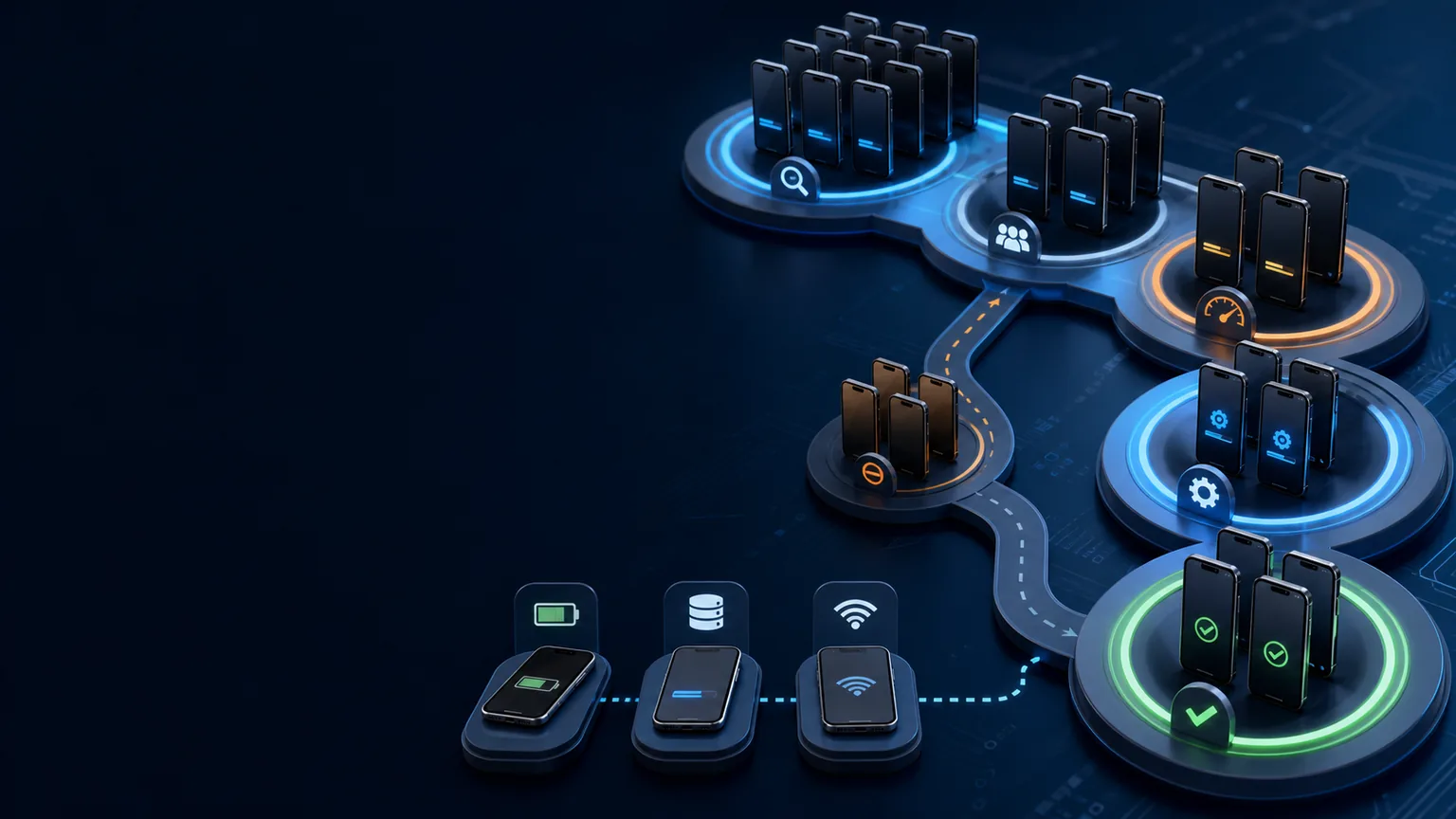
Business iPhone update management is a security process, not a reminder campaign. An organization needs to know which devices exist, which release each device can run, how quickly different security risks must be addressed, what prevents installation, who approves exceptions, and how completion is independently verified.
Apple provides user-driven and managed update capabilities, including declarative controls that can enforce a target version and report status. Those features become effective only when they are connected to current vulnerability intelligence, accountable deadlines, user support, access policy, and evidence.
A practical update policy model
| Update class | Example trigger | Suggested decision | Evidence |
|---|---|---|---|
| Emergency | Apple reports active exploitation or a high-risk targeted issue | Accelerated testing and deadline based on exposure and role | Advisory, affected inventory, deadline, completion report |
| High priority | Serious remotely reachable or privilege-impacting issue | Short risk-based deployment window | Test result, phased release, exception list |
| Routine security | Standard supported release with security content | Normal monthly or defined cadence | Version/build compliance trend |
| Major upgrade | New platform version or material application change | Compatibility testing and planned rollout | Application test, rollback/support plan |
| Unsupported device | No longer receives required fixes | Replace, restrict, or formally time-limit access | Replacement ticket or approved exception |
These are governance examples, not universal deadlines. Set timing based on exposure, data, business role, exploit status, compensating controls, and operational constraints.
1. Build an inventory that can support a decision
Track the device identifier, ownership, user or role, model, hardware eligibility, operating-system version and build, enrollment method, supervision state, last check-in, update status, business applications, sensitive access, and exception status. A report that lists only model and “iOS current” cannot support a reliable vulnerability decision.
Reconcile Apple Business Manager, MDM, asset, identity, and carrier records. Devices that have stopped checking in, were never enrolled, or belong to a departed employee should be treated as control failures—not silently excluded from the compliance percentage.
The Apple Business Manager and MDM hardening guide explains how trusted enrollment and supervision improve the quality of update evidence.
2. Monitor Apple releases and exploitation statements
Use Apple’s security releases page as the current vendor record. For vulnerability prioritization, record the release, affected products, CVEs, Apple’s exploitation wording, publication time, and any later update to the advisory. CISA’s Known Exploited Vulnerabilities information may add an external prioritization signal for covered issues.
The actively exploited iPhone vulnerability tracker provides an additional review path, but your MDM inventory and current Apple advisory remain the operational sources of truth. Do not preserve a historical version number as permanent guidance.
3. Define normal and accelerated deadlines
A single 30-day target can be too slow for an actively exploited issue and unnecessarily disruptive for a low-risk compatibility update. Define at least a normal track and an accelerated security track. Consider a separate high-risk group for executives, administrators, journalists, legal teams, finance approvers, incident responders, and travelers.
For each deadline, state when the clock begins, which devices are in scope, who approves it, user notice timing, available support, enforcement time, exception authority, and escalation. Make the enforcement time clear in the device’s local time zone when the platform uses local time.
4. Test quickly without creating a permanent delay
Maintain a small representative test ring covering critical applications, authentication, VPN, certificates, managed data controls, voice and messaging requirements, peripherals, and accessibility needs. Emergency testing should answer a narrow question: is there a known blocker that outweighs the vulnerability exposure?
Do not let “testing” become an indefinite deferral. Record the test owner, start and finish time, devices, application versions, result, defect, business impact, and decision. For a severe exploited issue, consider restricting sensitive access for devices that cannot update safely.

5. Use managed update controls deliberately
Apple documents that declarative device management can manage availability, automatic behavior, and enforcement. A service can declare a target operating-system version and local deadline, while the device reports progress and meaningful failure states. Capabilities vary by operating-system version, supervision, enrollment method, and MDM implementation.
Before broad use, test:
- release discovery and eligibility;
- user notification and deadline display;
- cellular-download prompts;
- passcode authorization behavior;
- battery, storage, offline, and network failures;
- local-time enforcement across regions;
- successful status reporting; and
- recovery after the device misses the deadline.
Do not assume a sent command equals an installed update. Require a current build report after installation.
6. Remove common installation blockers
Apple’s deployment guidance notes that updates depend on network access, battery level, free storage, and other prerequisites. Provide users with plain instructions and a support path before the deadline. For remote employees and travelers, confirm they can reach the required Apple services and have sufficient power, storage, and time.
Track failure reasons by device and pattern. Repeated low storage may reflect hardware lifecycle or application governance. Repeated offline status may reveal unused inventory, network restrictions, an unenrolled device, or a user avoiding management. Fix the underlying operational issue rather than repeatedly extending the deadline.
7. Govern deferrals and exceptions
An exception should identify the device, owner, business reason, affected access, vulnerability context, compensating controls, approver, start, expiration, and remediation plan. Expiration must create an action. Indefinite exceptions allow a temporary compatibility concern to become permanent exposure.
When risk is high, compensating actions may include limiting administrative access, removing sensitive applications, blocking regulated data, increasing monitoring, issuing a replacement device, or temporarily moving work to another managed endpoint. The decision should be proportional and documented.
8. Communicate in a way users can act on
Tell users why the update matters without exaggeration, what version is required, how to verify it, when enforcement occurs, how long installation may take, what prerequisites to check, and where to get help. Avoid directing users to unverified message links for an Apple Account or security action.
For high-risk users, offer direct assistance. If the issue involves a targeted attack class, combine updates with the iPhone Lockdown Mode decision guide and the Apple threat-notification response plan.
9. Prove completion and measure health
Retain the advisory record, affected-device query, decision, test result, user communication, enforcement configuration, installation states, exception approvals, failed-device actions, and final build report. Sample devices to confirm that console data matches Settings.
Useful metrics include median and 95th-percentile time to update, high-risk user completion, missed deadlines, stale check-ins, failure reasons, unsupported devices, expired exceptions, and successful access-control tests after remediation. Report the unpatched population and its business exposure—not just the completion percentage.
Common update-management failures
Frequent failures include relying on automatic updates without evidence, delaying all releases for broad testing, confusing a downloaded update with an installed update, excluding offline devices, ignoring old hardware, measuring versions without builds, and allowing exceptions to outlive their justification.
A scoped security audit can validate inventory, deadlines, update enforcement, exception handling, and sampled devices. When patch evidence supports contractual, regulatory, or insurance obligations, align the evidence through cybersecurity compliance consulting.
Sources
Make update evidence defensible
OC Security Audit can review mobile inventory, update policy, MDM enforcement, exception governance, and vulnerability evidence. Contact OC Security Audit and learn about Ali Hassani, CISO—25+ years of IT, cybersecurity, compliance, and infrastructure experience.
Update and correction history
- August 2026: Apple source links were revalidated and updated to current official canonical destinations; the surrounding analysis and conclusions were unchanged.
- August 2026: Initial guide prepared from Apple and NIST guidance available through August 1, 2026.